Release notes
Each Nestor version will be documented in a page here, listing new features and fixes
- 7.60 - Assignments strategies
- 7.50 - Orcid peer review activity and more
- 7.40 - CRediT
- 7.30 - Coauthors Cc, LaTeX addresses extraction, lax ORCID account linking
- 7.20 - Duplicate submission warning, relaxed reverts
- 7.10 - Search criteria, system events, referee form, warnings
- 7.00 - Metadata & questionnaire configuration
- 6.70 - Prophy referee suggestions
- 6.60 - Metadata configuration, unfolded articles flag, LaTeX extractions
- 6.50 - new user exports, referee invitation, stop production
- 6.40 - Document counters, automatic computations based on metadata
- 6.30 - Automatic renaming and stand as
- 6.20 - Improved files management, linking existing accounts
- 6.10 - Editors' hierarchy, referee history, better account merges, new variables
- 6.00 - Refreshed articles, sorting expertise fields, referee exports
- 5.90 LaTeX diff, workflow updates, automatic mail recipients
- 5.80 - Editorial assignment tool, correcting co-authors addresses, workflow dates
- 5.75 - The return of the classic referee search, roomier mail edits
- 5.70 - File renaming, author view on article history
- 5.60 - Referees reinvitations, submission files extension locks
- 5.50 - Landing pages, secure deep links, article history for authors, production workflow
- 5.40 - Improvements of the production and referee workflows
- 5.30 - Article lists: update on viewable / exportable columns
- 5.20 - arXiv identifier, friendlier editing behaviours on the article page
- 5.10 - Quality of life updates
- 5.00 - Saved searches display, revert actions, mail enclosures
- 4.80 - Submission instructions, long answers, referee similarity check
- 4.70 - Quick search, sorting lists, security
- 4.60 - Conflict of interest checks, improved flags
- 4.50 - Editor dashboard refactoring, minor graphic updates
- 4.40 - Automatic Similarity Check, automatic referee notifications, mandatory expertise fields
- 4.30 - Ajax, configuration pages, improved proof workflow
- 4.20 - Editor reminders, notifications
- 4.10 - Co-author search, revert actions
- 4.00 - Author and referee dashboards, mail template filters
- 3.80 - Author and referee rights
- 3.70 - Instructions to authors, account merging, LaTeX extraction
- 3.60 - Action bar, simplified workflow actions
- 3.50 - Workflow refinements
- 3.40 - File and co-author module improvements
- 3.30 - ORCID fixes, field update when triggering e-mail (rules)
- 3.20 - Article flags
- 3.10 - Article configuration improvement, lists ordering
- 3.00 - Data exports
- 2.90 - Post-it, unique file and production sending
- 2.80 - Responsive design, editor in charge
- 2.70 - Article page: information correction
- 2.60 - Advanced search
- 2.50 - Internal notifications
- 2.40 - Stand as user
7.60 - Assignments strategies
03/09/2026
Automatic assignment strategies
The automatic assignment feature has received a long-awaited makeover! The old configuration settings (article type/section/topical) have been discarded to make room for a dedicated page:
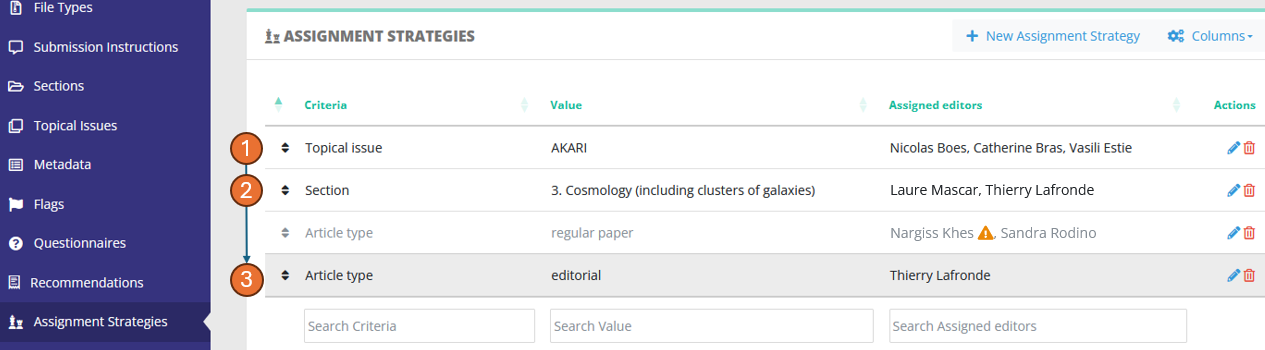
When an article lands in the status "Awaiting assignment", Nestor will check the strategies defined here and apply them if the criteria are met. The goal is to quickly dispatch articles to relevant editors based on the article metadata, thus saving many clicks to Editorial Offices. The dispatch criteria can be any standard or custom field.
Stragegies are sorted by priority, with upper strategies having higher priority. As soon as a criteria is met, the strategy is applied, and lower strategies are ignored.
For example in the screenshot above, a paper with:
- no topical issue
- in section "3. Cosmology"
- and which is a regular paper
will match the second strategy and be dispatched to Pascale and Thierry.
No strategy is provided by default, it is entirely up to you to decide which strategy you can apply to your journal.
Strategies and filiation links
For a given strategy, multiple editors can be assigned on the fly:
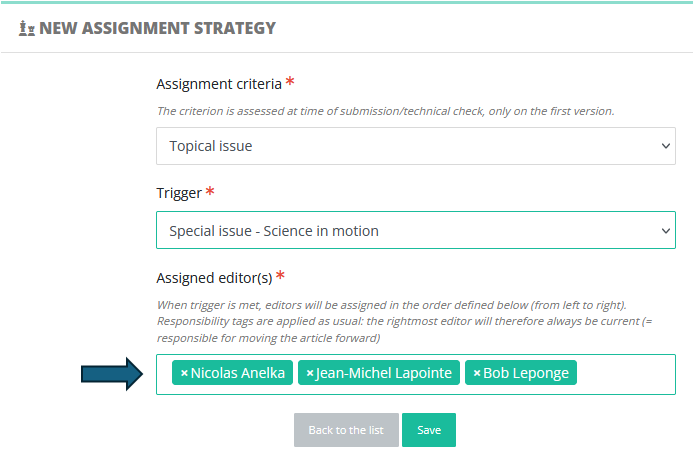
This is extremely useful to assign several affiliated editors to handle e.g. a special issue:
Editor-in-Chief > Associate Editor > Guest Editor (who is current)
In that example, the Guest-Editor will be responsible for handling the peer review, and his decision proposal can be subject to validation by his parent editor (in the screenshot above: the Associate Editor).
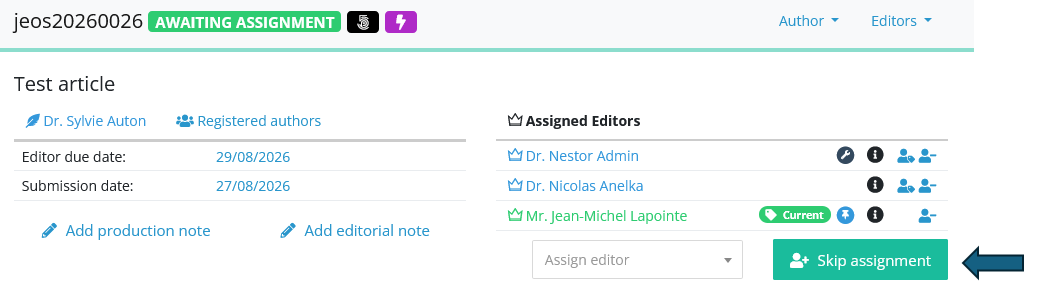
New action: skip assignment
The technical check sometimes lead to EICs being stuck at the assignment step. This new action will unlock the situation:
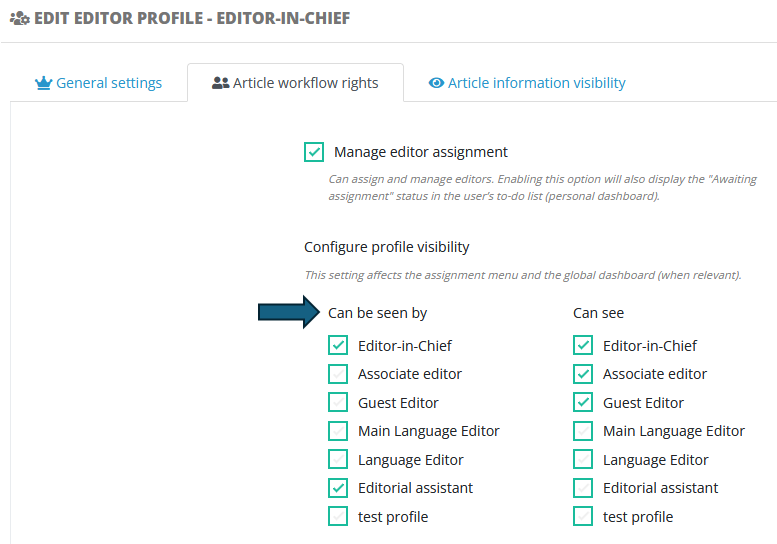
Profile configuration: visibility on other profiles
Profile configuration has been made easier thanks to the implementation of this new column:
7.50 - Orcid peer review activity and more
16/06/2026
Orcid peer review activity
Nestor is now able to update the peer review activity in ORCID. For this to work, the referee must link his ORCID when uploading the report:
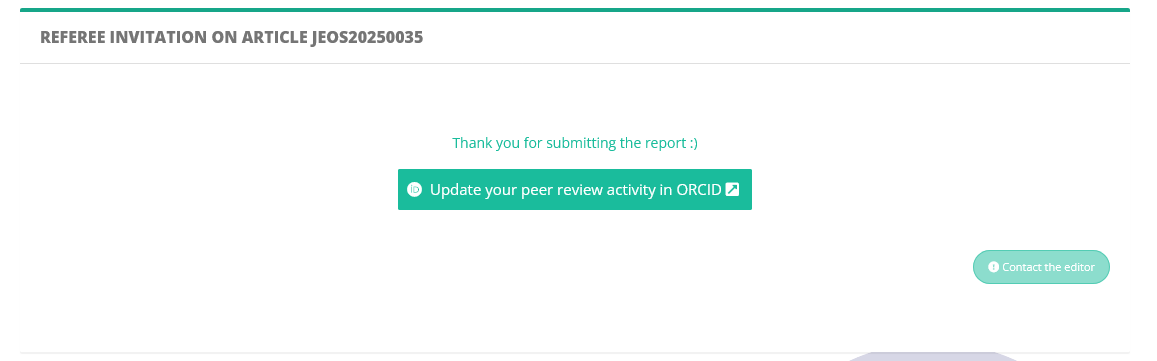
The feature is available only for future reports, and must be performed immediately by the referee after uploading the report. No action is needed on your side.
Abandoned submissions
An incomplete submission untouched by the author for more than a year is now cleaned automatically. The process is automated and executed daily. No action is needed on your side.
Author and referee dashboard
With features piling up, the dashboards were crowded with counters, bright colors and varying fonts. We streamlined the design to put the focus back on important information and critical actions.
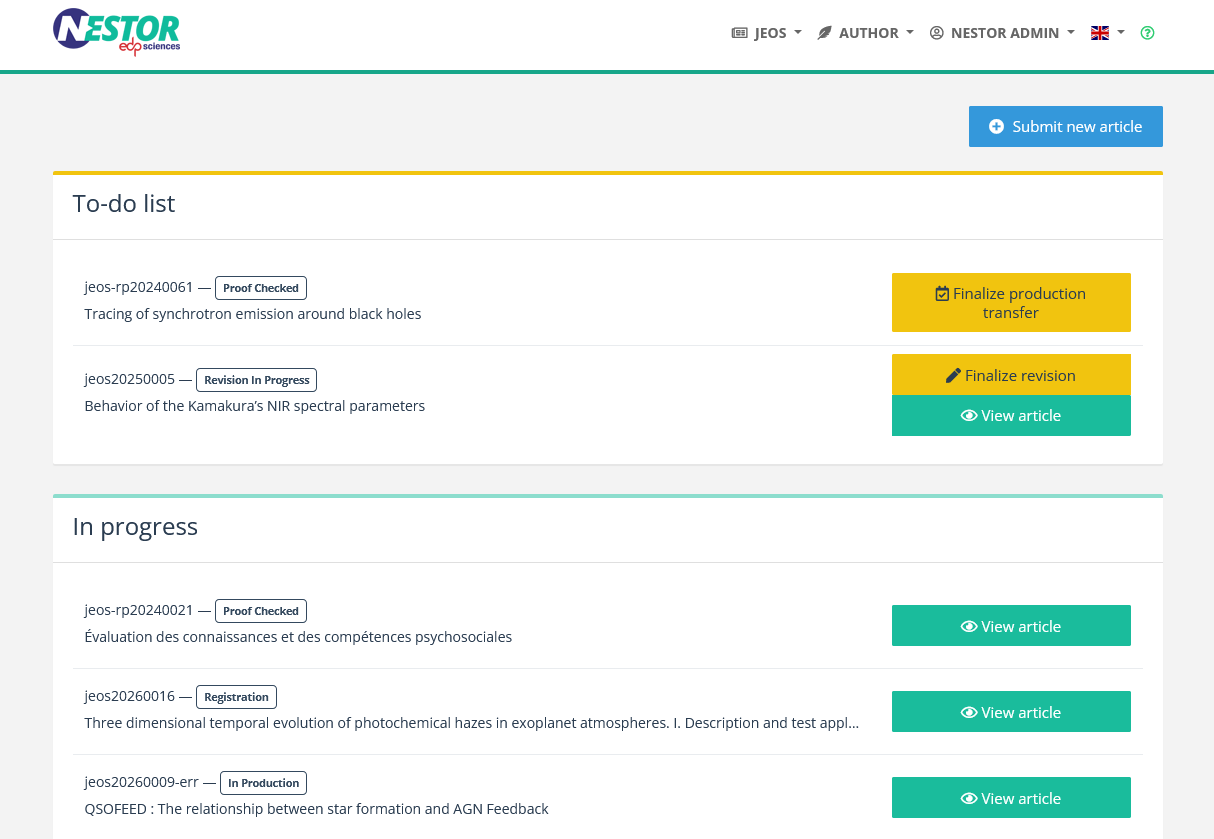
Bounce filters
A better way to handle bounces, related to 7.30. This feature is available on request only, in case your journal handles mass mailings to coauthors.
7.40 - CRediT
21 April 2026
Submission: implementation of the contributor role taxonomy
Nestor now allows authors to indicate the roles of co-authors for a given paper. This follows the CRediT specification. as defined here. This must be activated in the article type configuration:
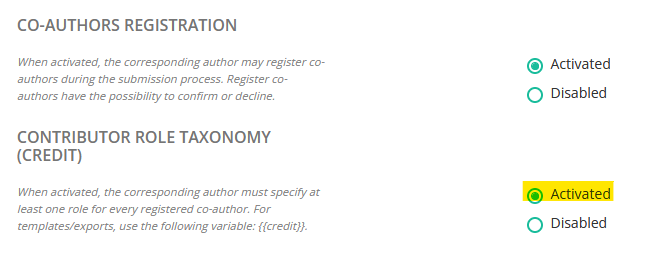
Once activated, the author will be required to provide a role for each of his co-author:
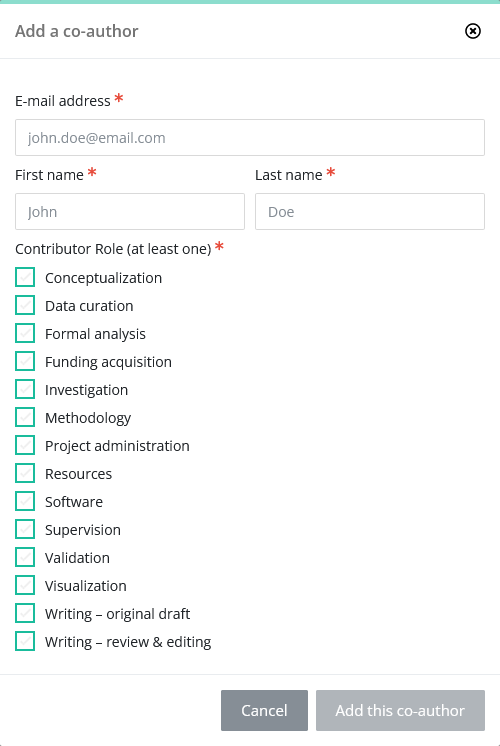
Submission: mandatory ORCID
You may now require any author to link an ORCID before submitting. This is configured in the author profile:
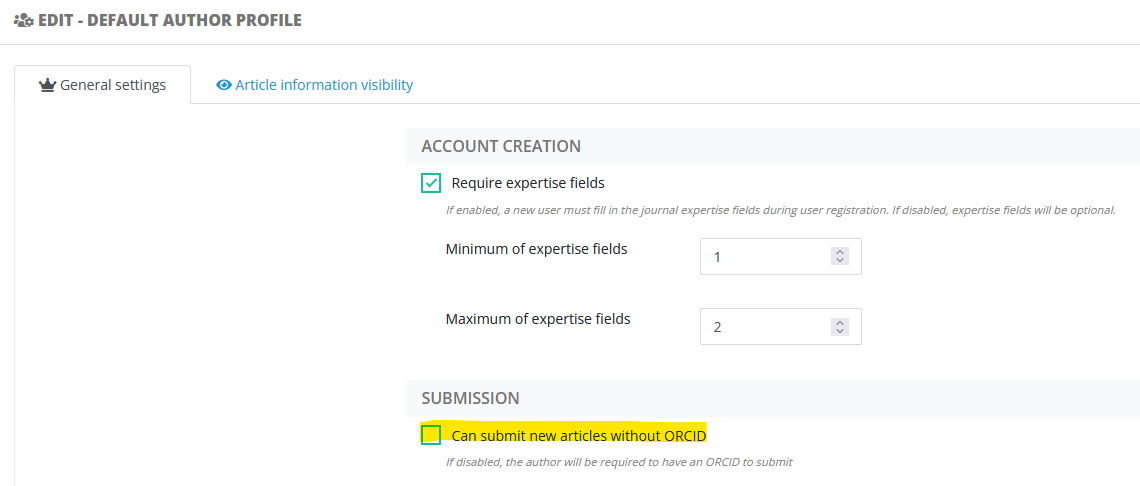
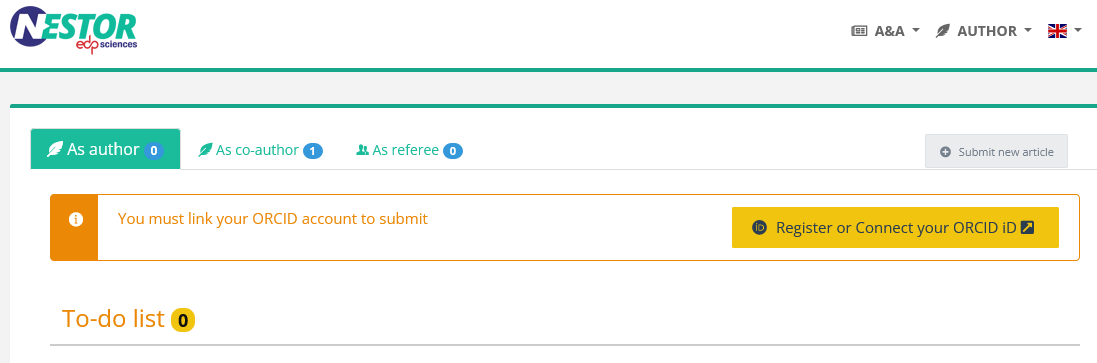
Configuring this will result in a warning in the author interface:
7.30 - Coauthors Cc, LaTeX addresses extraction, lax ORCID account linking
4 March 2026
E-mail: more copies to coauthors
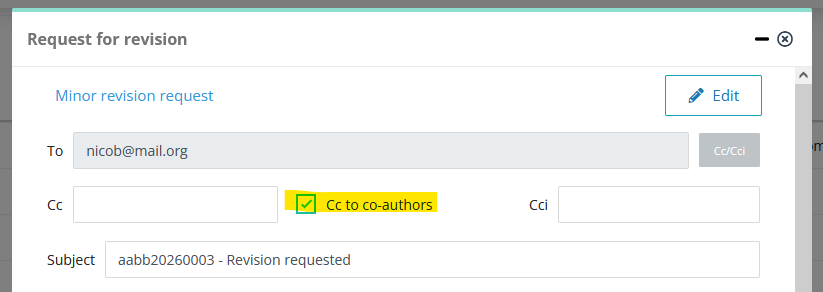
The new version of Nestor allows you to put coauthors in cc of some messages sent to the corresponding author. This way, coauthors are better informed about the evaluation process. For this to work, you will need to activate the option in the template configuration:

By default the option is disabled, you need to activate it on any template you deem necessary.
Once this option activated, a check box will automatically appear when editing the message:
Technical notes:
- This option is available only on the following events:
-
message from editor to author
-
request for revision
-
article acceptance
-
article rejection
-
withdrawing article
- send to production
-
- When copying a coauthor, Nestor does not use the "cc" header, as this would cause technical issues on recipient servers (due to long authors list). Instead, Nestor uses the header "to".
- To mitigate the above, the following texts are injected in mails sent:
- to the corresponding author: A copy of this message has been sent to co-authors
- to coauthors: As co-author, please find below a copy of the message sent to the corresponding author
LaTeX addresses extraction
| NB For A&A authors: please consider downloading our new classes, they include a LaTeX example for the feature below. |
When extracting information from the LaTeX source files, Nestor will now fetch co-authors' mail addresses. To make this work, the author must specify one address for each coauthor with the following commands: \corrauth or \email, e.g:
\author{Albert Einstein \inst{1} \corrauth{albert@edpsciences.org}\and
Lev Landau \inst{2} \email{lev@edpsciences.org}\and
Paul Dirac \inst{3} \email{paul@edp.org}}Resulting in:
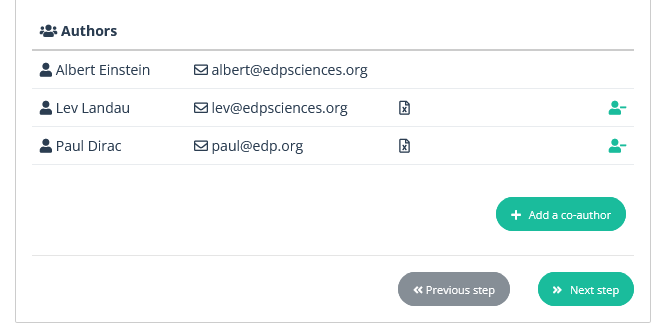
This prevents the corresponding author to manually search/add each co-authors, which saves a lot of time for long authors list.
Lax ORCID linking
Originally, we limited the mapping of ONE orcid to ONE unique Nestor account. This security was designed to prevent duplicate users and maintain a coherent database. However, this proved impractical on a daily basis, and we drop this today.
To mitigate the effect:
- On the home page, ORCID login will be disabled if Nestor detects the same ORCID on several accounts. In this case, the author will be invited to contact the Editorial Office, and log in with regular identifiers.
- For editorial offices, user search now offer an 'ORCID' field, to easily retrieve duplicates.
7.20 - Duplicate submission warning, relaxed reverts
12 January 2026
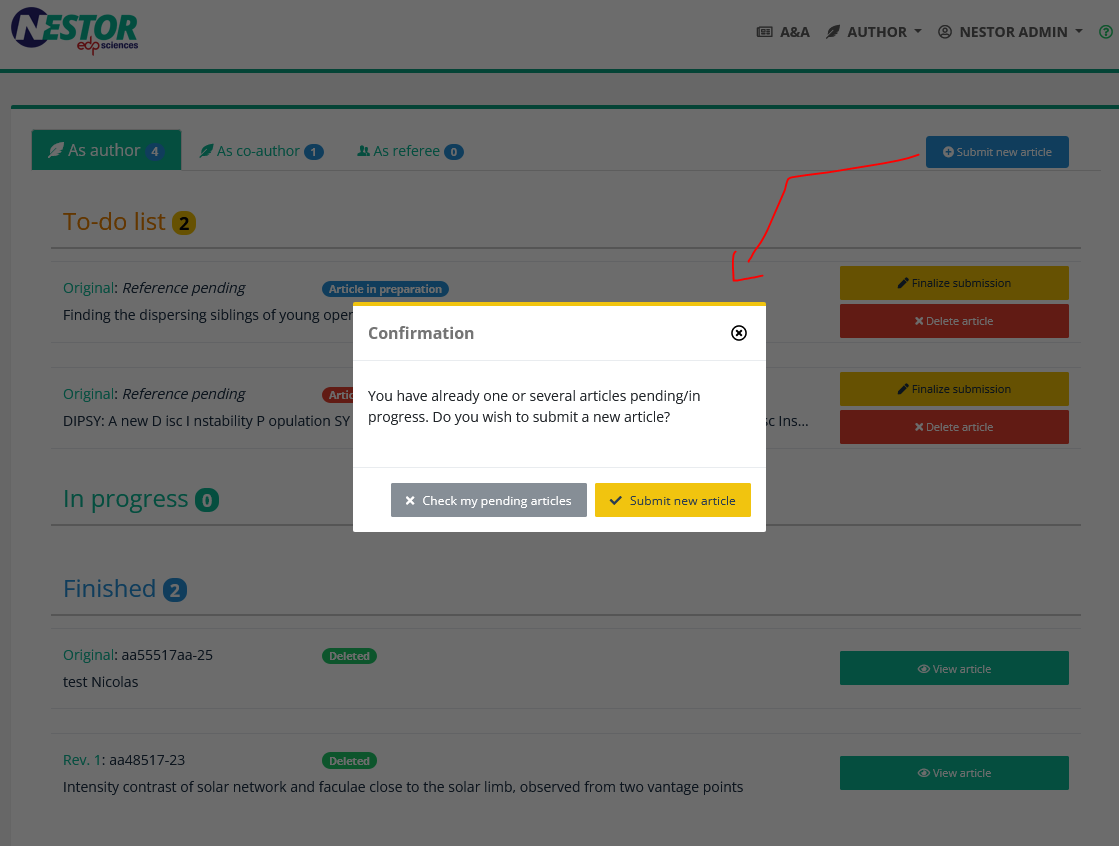
Duplicate submission warning
Before creating a new submission, Nestor will check if the author already has a paper ongoing. The idea is to prevent unintended duplicates at revision.
Relaxed reverts
In order to simplify workflow corrections, status reverts are no longer tied to a mail event. Executing a revert will just raise a warning to the editor.
Miscellenaous
-
All submissions: autosave of the author questionnaire
-
LaTeX Submissions: authors first and last names are better segmented
-
User search: slight UX improvements
-
Referee creation: optional country/institute
7.10 - Search criteria, system events, referee form, warnings
13 November 2025
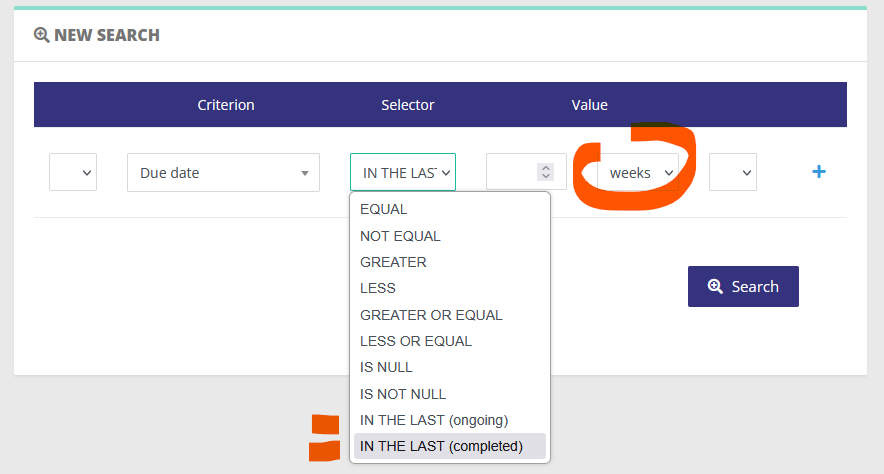
New criteria for advanced searches
Two cool date criteria are now available to create dynamic searches:
New system events
Two system events are now implemented properly:
- "Resubmission after technical check": after a technical check, the resubmission is now distinct from a normal submission! This presents several advantages when the author resubmits:
- the corresponding author will not get the usual acknowledgement of receipt
- likewise for co-authors
- and editors will not receive the same e-mail
- "Peer review complete"
- this event trigger has been corrected and now works properly: the editor will get notified when the last scheduled referee provides his report.
For these two events, no default template has been provided. We will definitely provide them shortly for "Resubmission after technical check".
System events: modify the Reply-To header!
In e-mail addressing, the Reply-To header is the address that should be used to reply to a message. Typically in Nestor, this mechanism is used in this scenario:
- Albert Einstein requests a revision
- The mail is sent to the author with the following:
- From: nestor@edpsciences.org
- Reply-To: albert.einstein@eth.ch
- the author replies to the message: Albert is the recipient (not the system), even though Albert was not the original sender
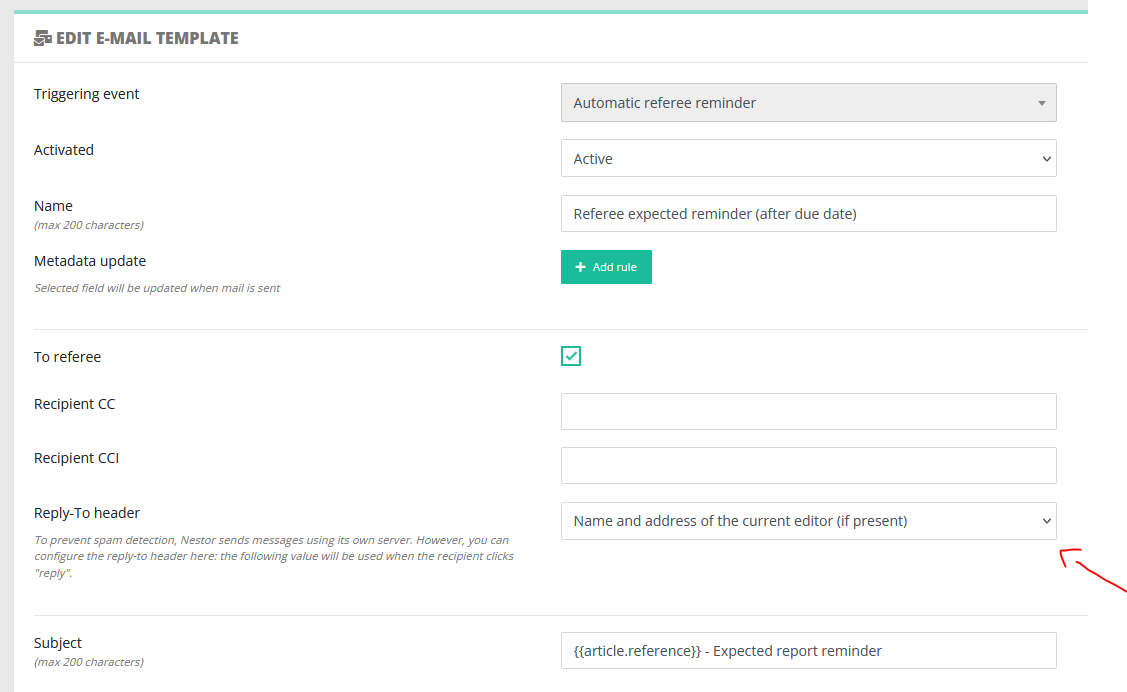
This mechanism has been extended to specific system events, with the possibility of using Reply-To --> the current editor. Specifically:
By default, none of these events have been configured to reply to the current editor, we invite you to configure this if relevant to your workflow, this is defined in the template config:
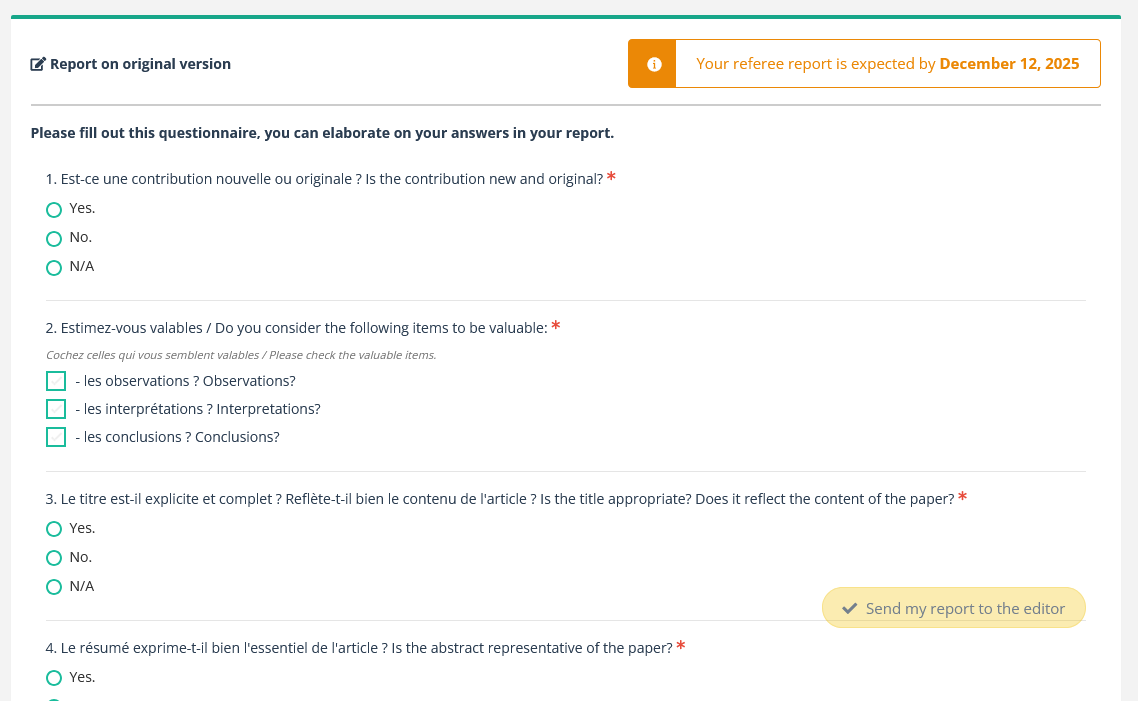
Referee report form
A long awaited ergonomy update to prevent referees from forgetting to complete their report.
User warnings (availability, conflict of interest etc)
Following this update, several improvements have been made to user warnings behaviour:
- the new warning merely links to the article list (screenshot below)
- any editor can check the whole list, even if unassigned
- this behaviour has also been extended to users' page
- common warnings are not displayed when reinviting referees on a revision
7.00 - Metadata & questionnaire configuration
8 September 2025
Metadata configuration
Following 6.60, metadata benefit from a series of updates:
- Set the visibility of individual metadata fields for authors and referees:

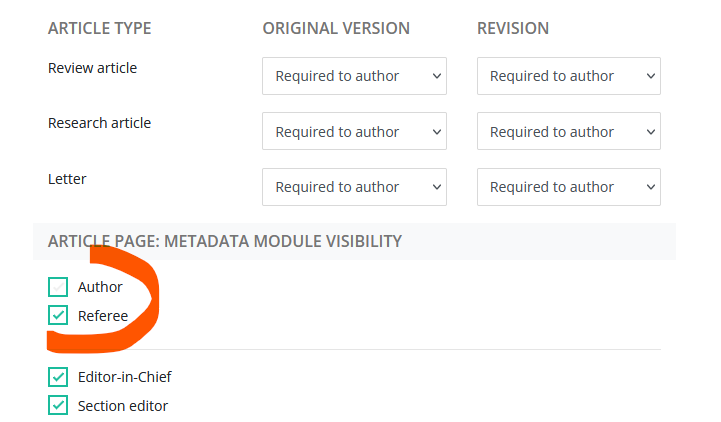
By default, the following standard metadata will be displayed to authors and referees:
- article type
- section
- author list
- topical issue
- abstract
- comment
Questionnaire configuration
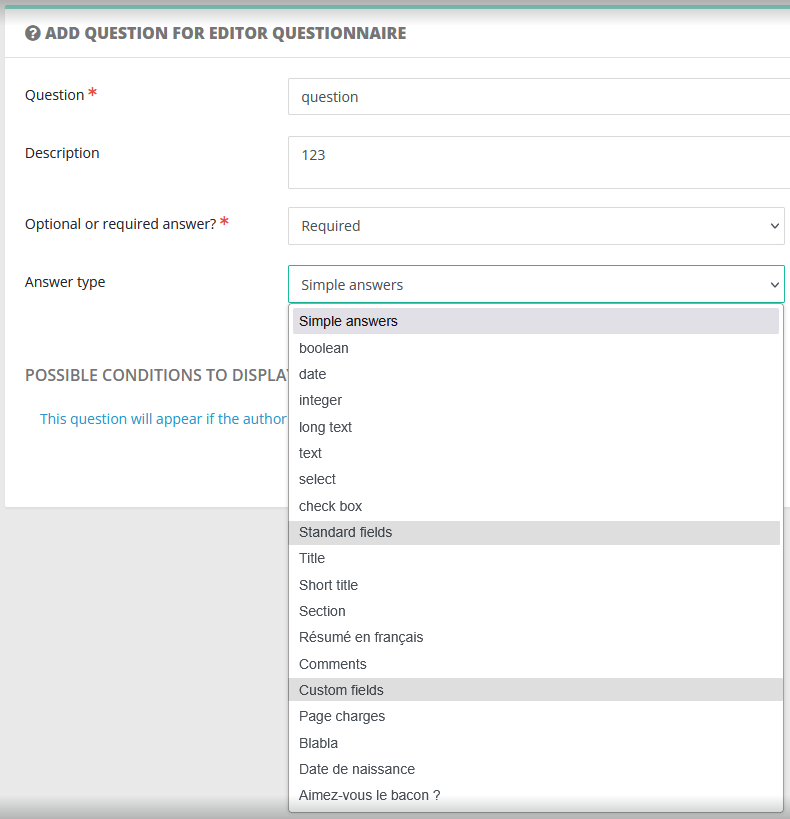
- Answers can (at last!) be used to fill standard or custom fields.
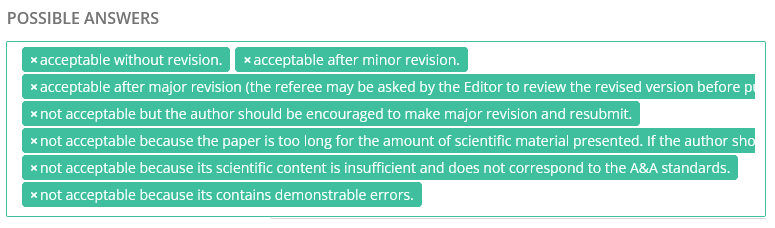
- When configuring closed questions (select/check boxes), the interface has been revamped to match Nestor look and feel:
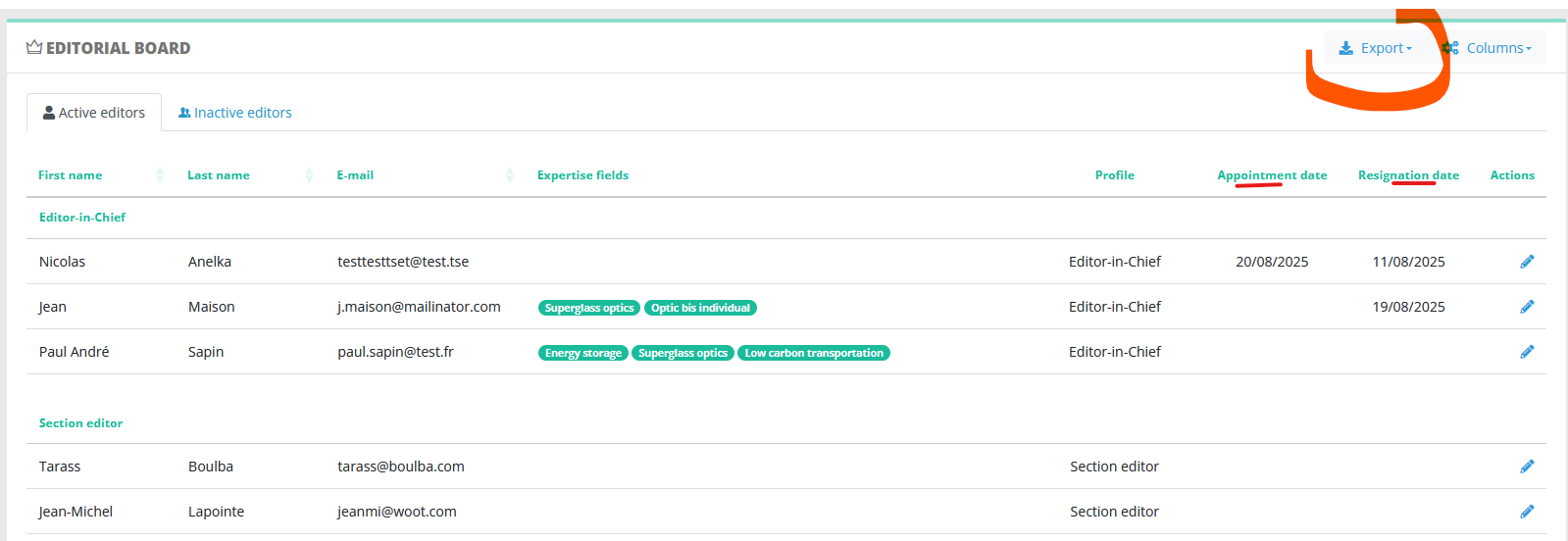
Editorial Board management
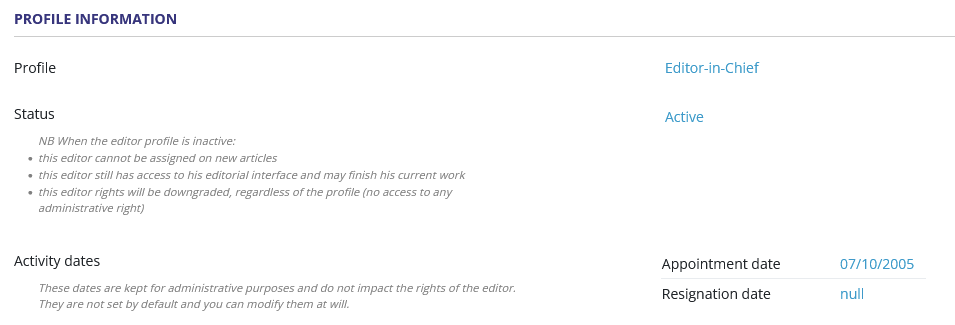
For editorial offices: on the profile page, two fields appear to track beginning and end of activity.
This data can be exported as well as other relevant editorial data:
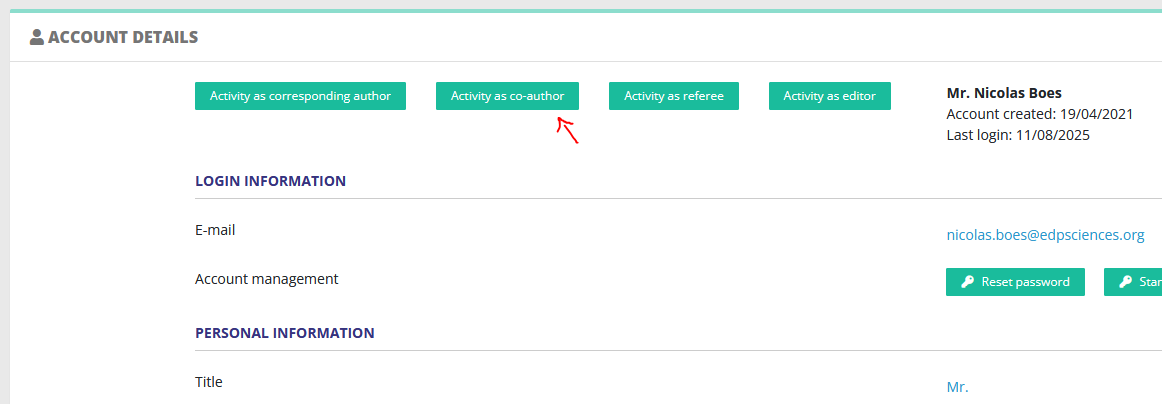
Authors management: new activity button
On a user page, activity as co-author is now distinct from the activity as corresponding author:
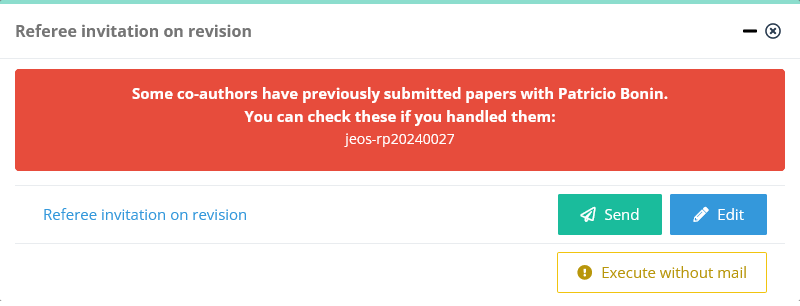
Referee invitation: new warning
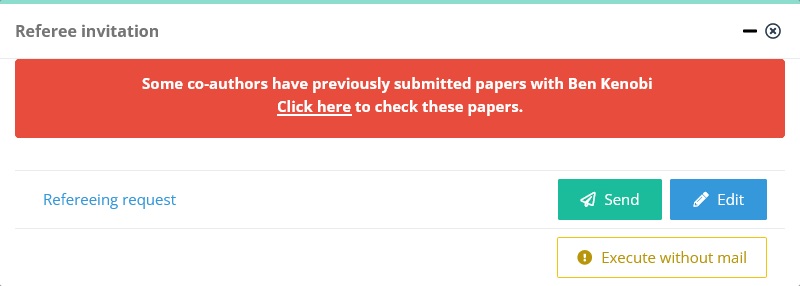
When inviting a referee on a given paper, Nestor now checks if the potential referee has submitted with co-authors in the past. If so, a warning will be raised:
Rights management
The code handling users' rights has been significantly overhauled to improve maintainability. Please let us know if you see something unusual: support@nestor-edp.org
6.70 - Prophy referee suggestions
15 July 2025
Prophy integration summary: https://doc.nestor-edp.org/books/editor-guide/page/referee-ai-search-with-prophy
6.60 - Metadata configuration, unfolded articles flag, LaTeX extractions
16 June 2025
Standard, special and custom fields now all benefit from a unified configuration:
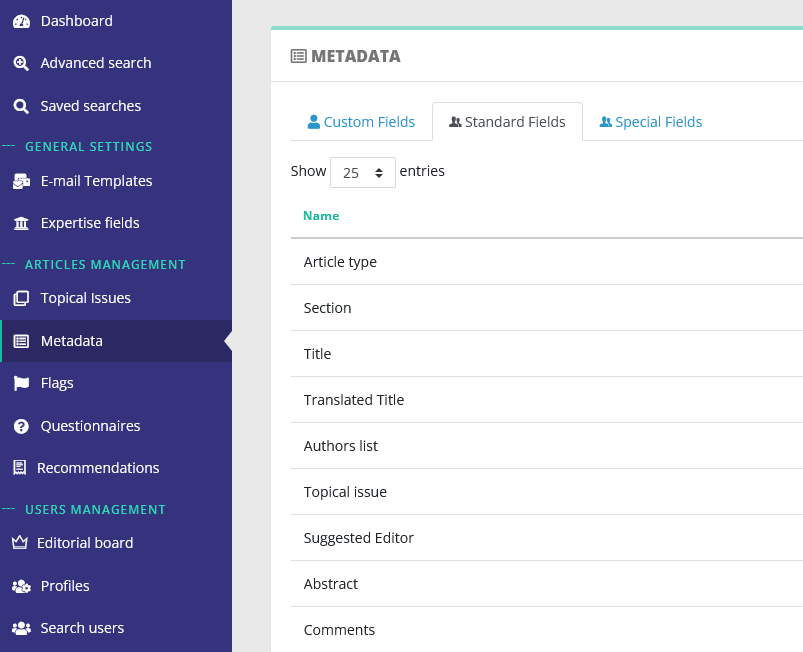
For each metadata field, the label/description is now configurable, as well as joins with editor profiles and submission.
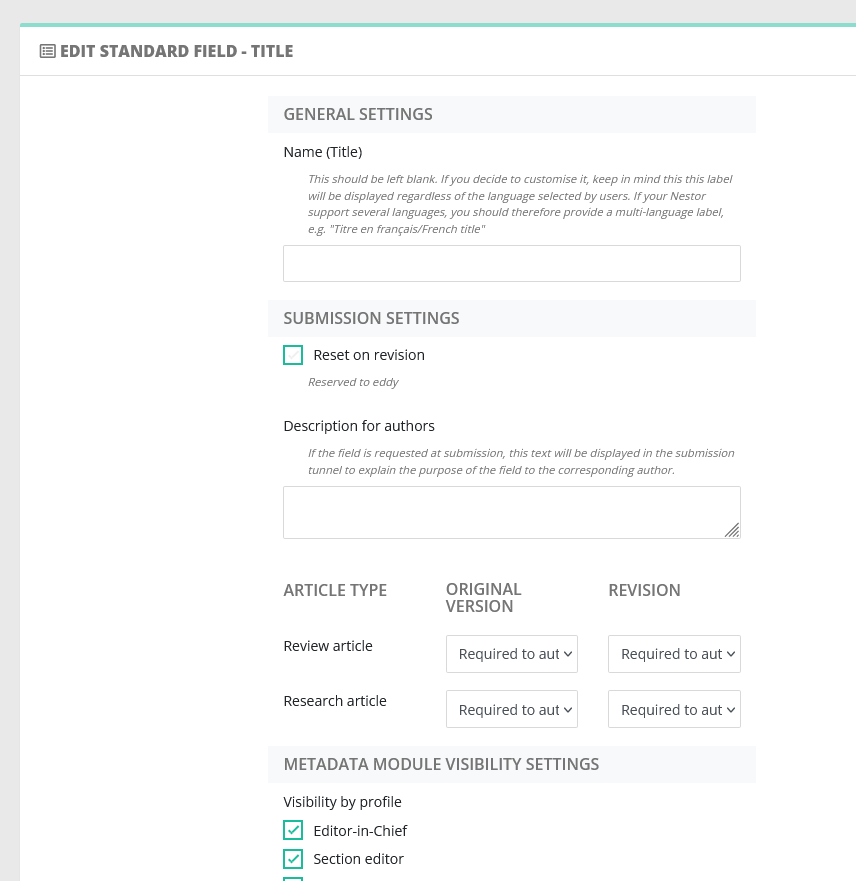
This paves the way to 7.00, linking questionnaires and metadata fields.
Flags can now be unfolded by default in article pages:
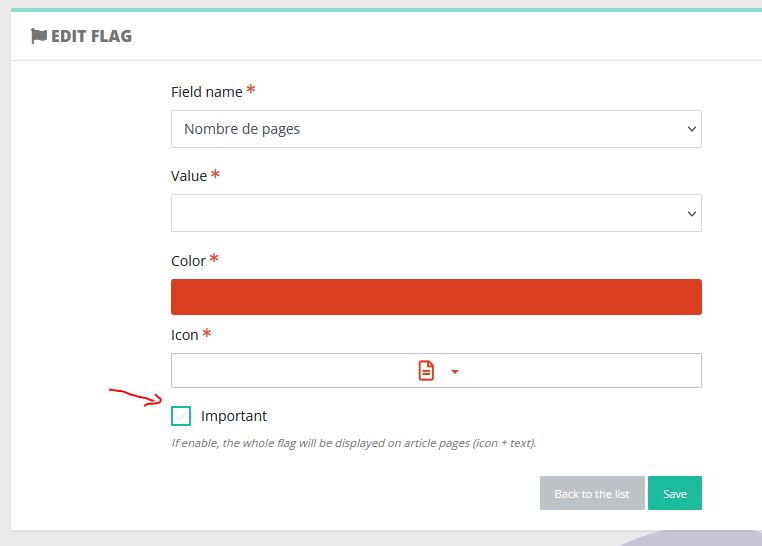
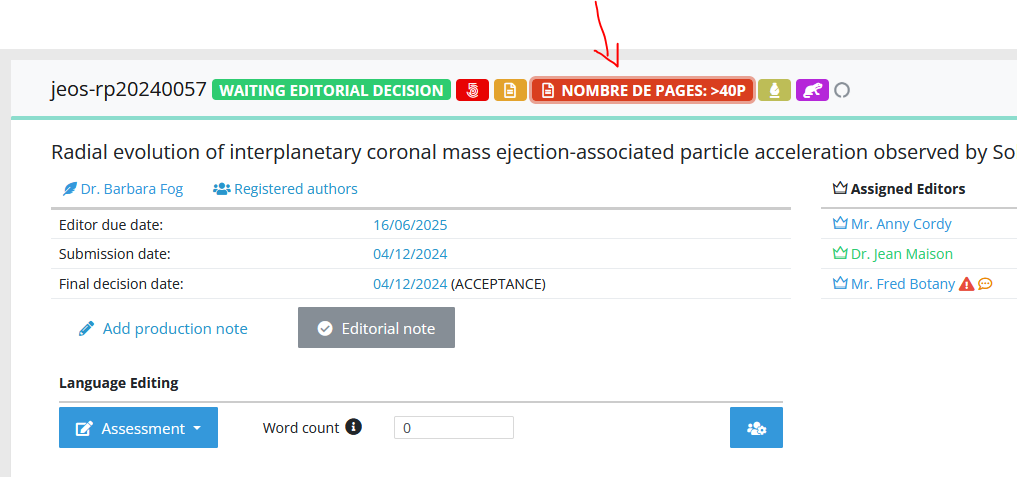
LaTeX extractions are now handled better, particularly regarding diacritics and uncommon math characters. This will improve the submission workflow for authors, upon extraction of the manuscript title and co-authors' names.
6.50 - new user exports, referee invitation, stop production
14 May 2025
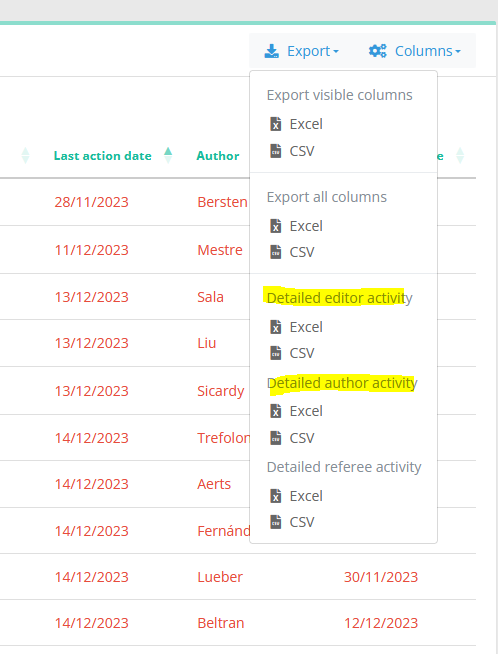
Authors and editors exports
Following the referees' activity last year, we release two new data exports:
- one concerning the author/co-author status on each article,
- the other concerning editors
These exports are available on any given list of articles. For each user, they include the default institute and contact information. For editors, we also include the assignement and first decision dates, as well as their responsibility tags. This allows for easier tracking of the editorial board activity.
Referee invitation
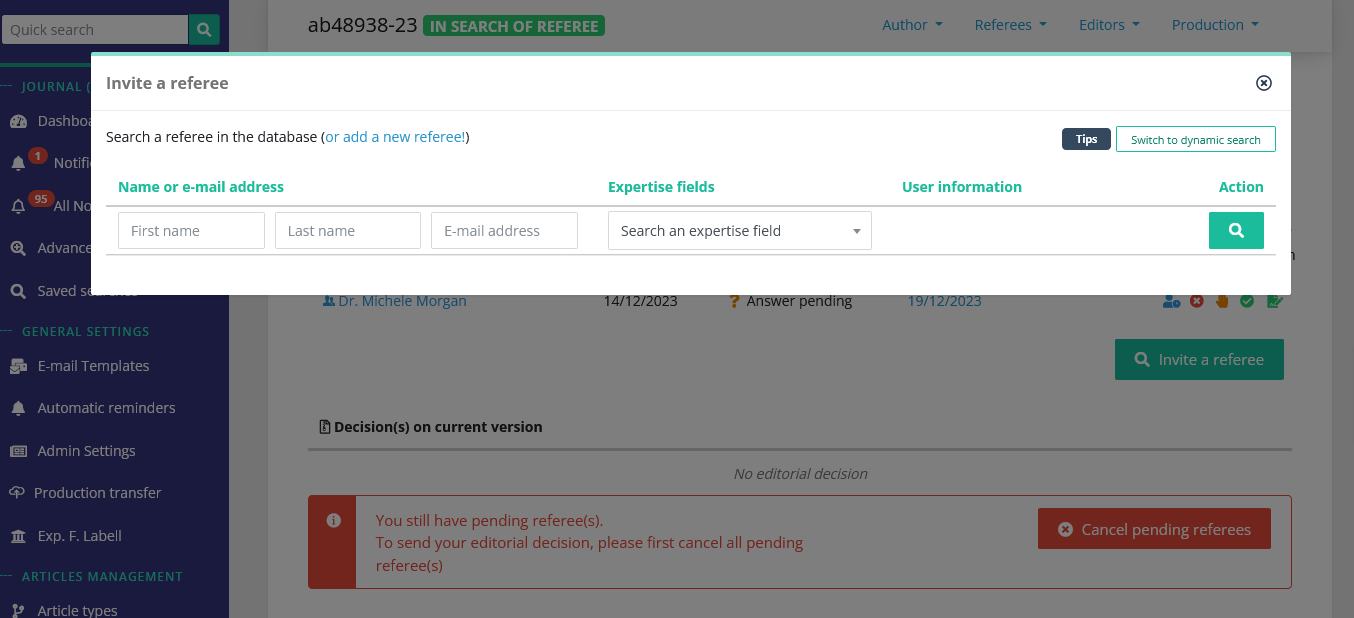
The referee invitation now benefits from a revamped interface and does not redirect to another page. When inviting a referee, the editor now stays on the article page, which is updated automatically when necessary.
Stop the production of an article
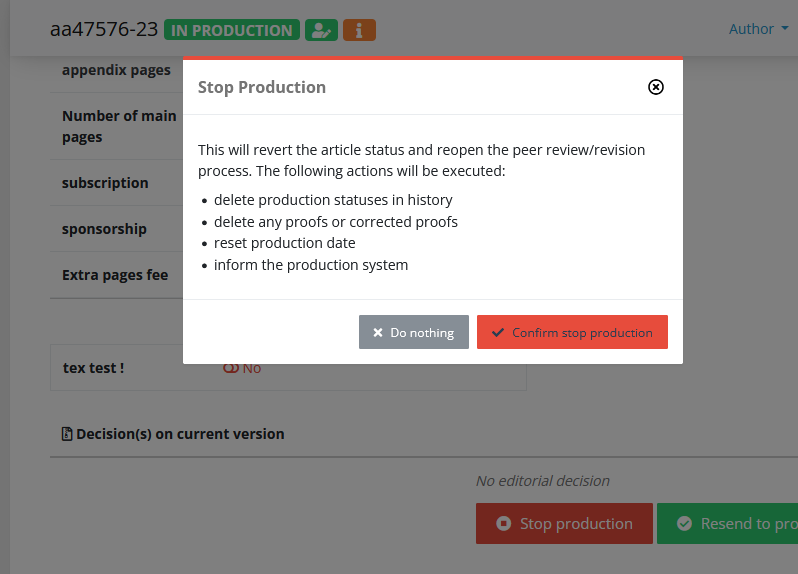
On accepted articles, a new action is now available to cancel the production. The "Stop production" will allow you to reopen the peer review. NB To prevent questions related to status history, any proofs and production status stored in Nestor will be deleted.
6.40 - Document counters, automatic computations based on metadata
1 April 2025
File types: pages and words counting
This nice feature allows editorial offices to configure automatic counters. Typically, counting the number of pages of a manuscript when the author submits. You can set up the configuration at the file type level:
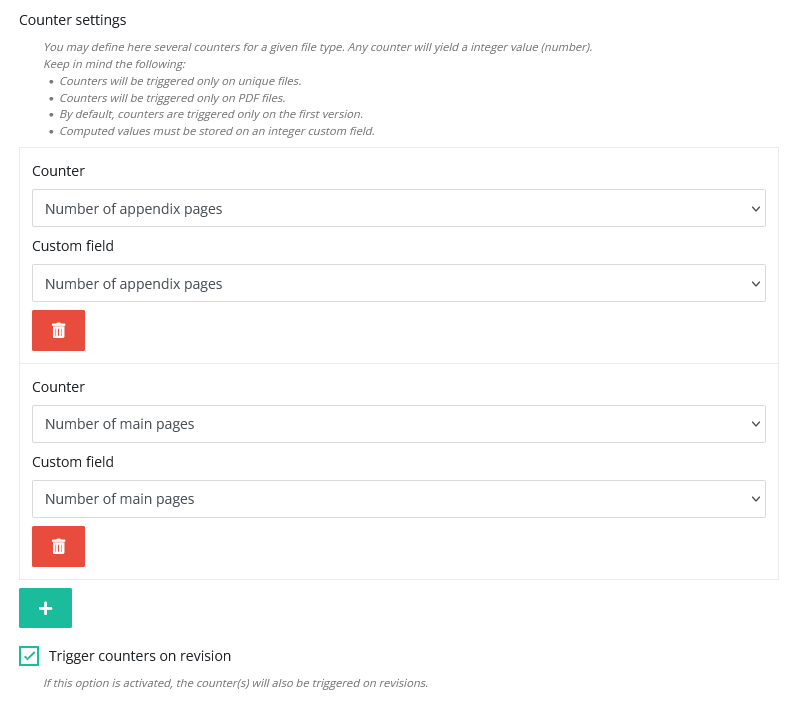
To use this, you must use custom fields in parallel to store the computed values.
Auto-computation
Nestor can now perform an automatic computation on a given article, taking different metadata as input. For now, the computation is executed when the article is first submitted. If you are interested, please get in touch with us.
For example, you need to send an invoice to your author taking into account the following fees and discount:
- 100€ /page
- The article has 50 pages (can be counted with the feature above)
- The author is affiliated to a sponsoring institute and thus will benefit from a 30% discount.
When the article is first submitted, Nestor can now compute the following automatically:
(50 x 100) x30%.
The returned value (1500€ in the example) can be stored in a "Page charges" metadata field.
Metadata drawer
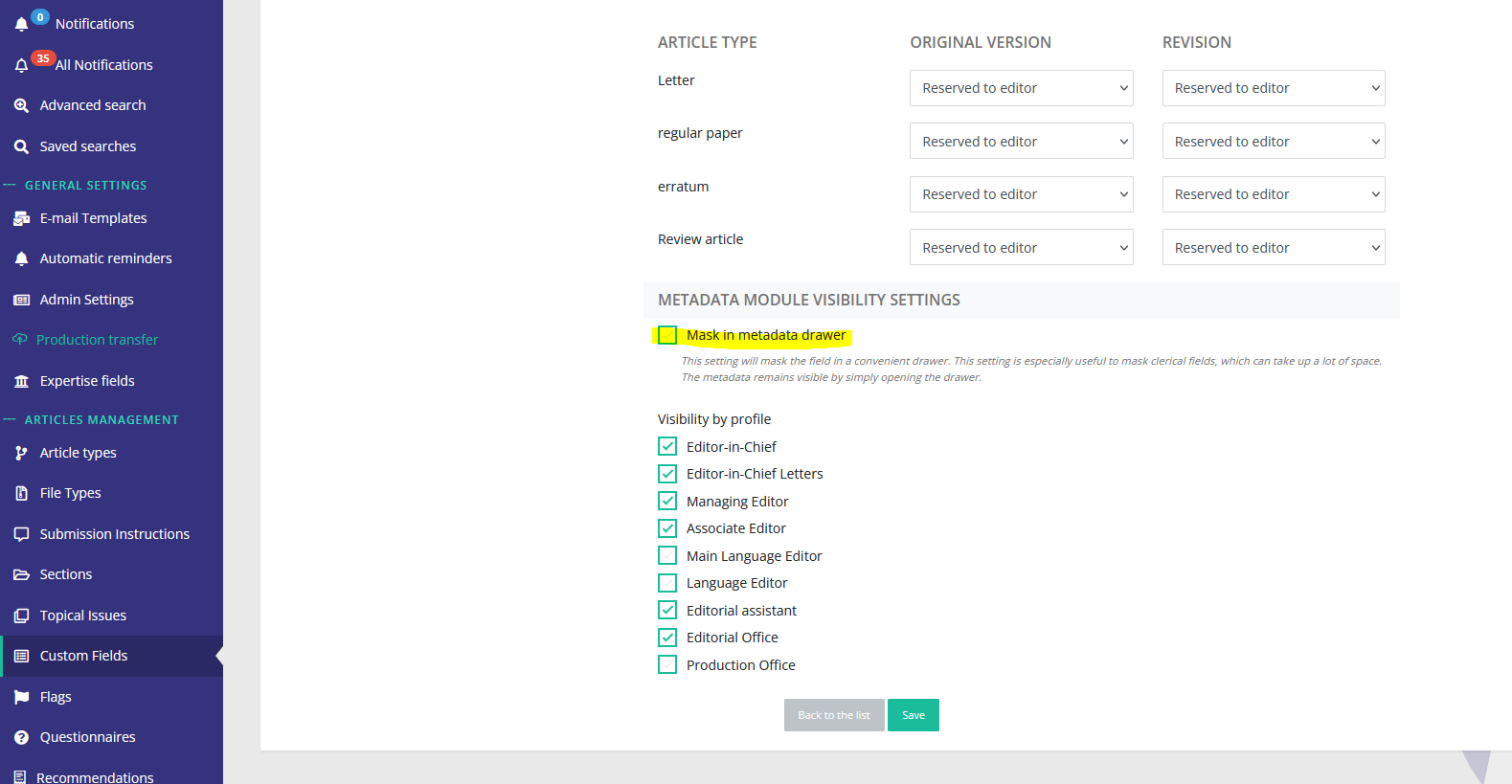
If your journal uses a lot of custom fields, the metadata module can take up a lot of space. To prevent this, we have implemented a small drawer to mask some metadata fields:
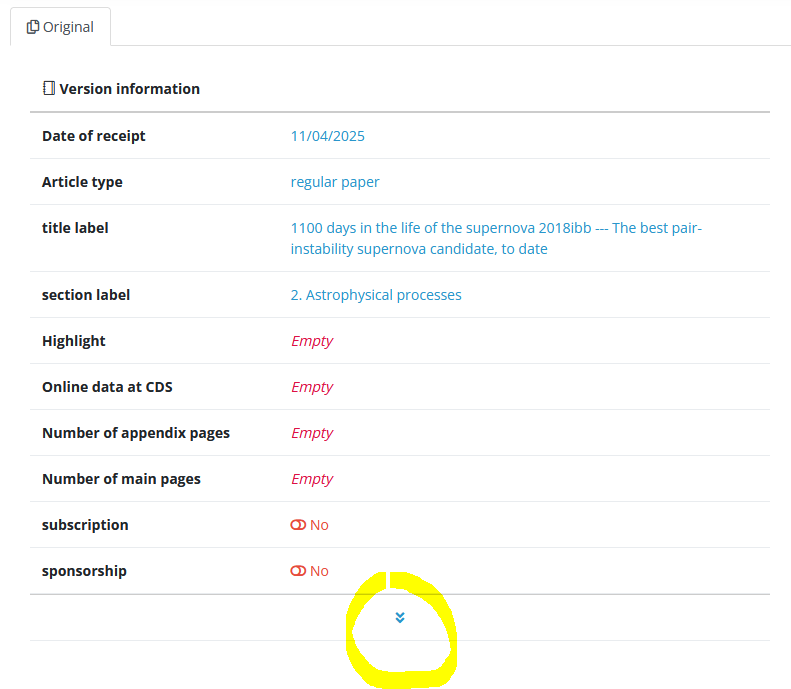
If you want to mask specific fields, this is done at the custom field level:
6.30 - Automatic renaming and stand as
17 March 2025
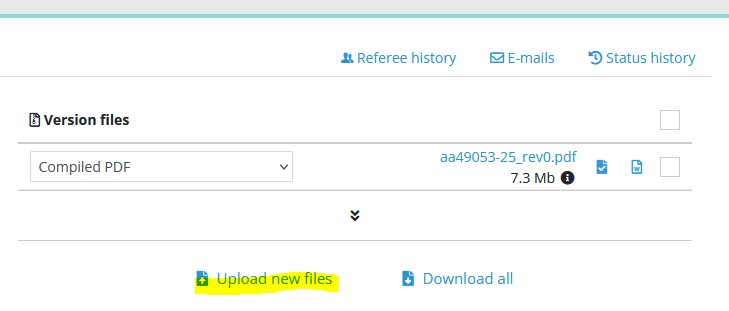
File types: automatic renaming
This feature used to apply only during the author's submission.
Automatic renamings will now be also applied in the back office, when an editor uploads a file via the file module, thus saving a few clicks to Editorial Offices.
Locking of the stand as feature
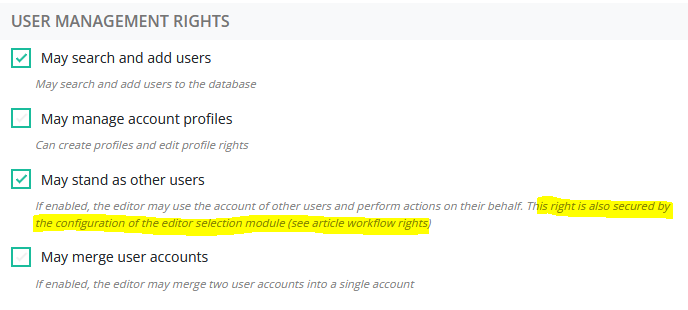
The feature is now locked by a new condition. All locks are defined in the editor's profile:
- First, you must have the right to stand as someone else's profile,
- Second (new), you must have the right to assign the editor you want to stand as
6.20 - Improved files management, linking existing accounts
30 January 2025
File transfers
The way we handle file transfers and storage has received a much awaited update! If you identify any hiccup when downloading/uploading a file from Nestor, please let us know at support@nestor-edp.org
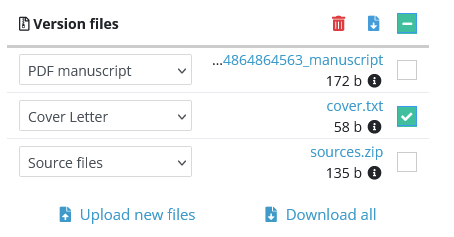
Improvement of the file module
The file module has received the following updates:
- Files are now ordered
- first by filetype order
- then alphabetically
- No more confirmation popup when changing a file type
- Multi-select for easy deletes and downloads!
- The module display is now much clearer on small screens
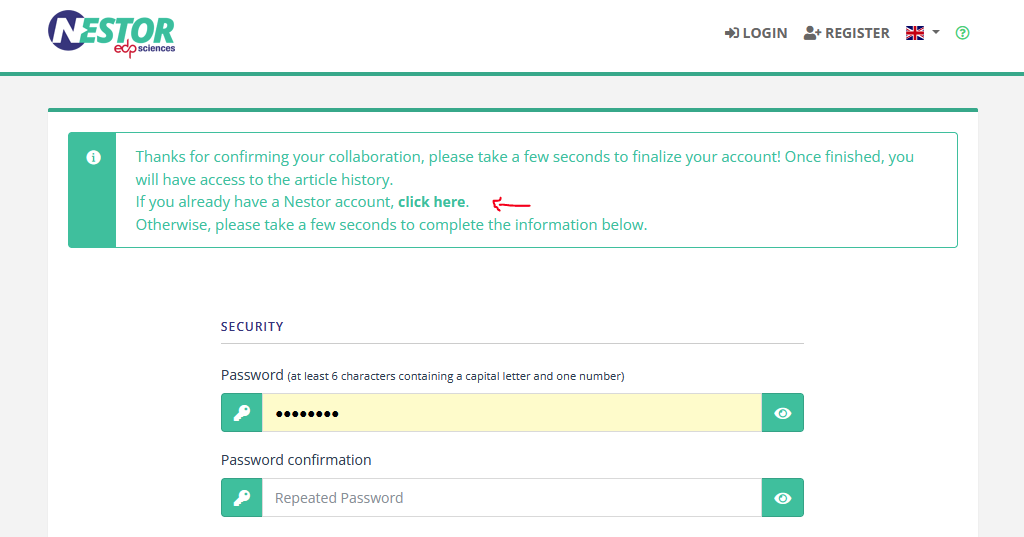
Co-author validation: linking an existing account
This update addresses the issue by proposing the coauthor to discard the alternate address and link his/her historic account:
6.10 - Editors' hierarchy, referee history, better account merges, new variables
19 December 2024 🌟🎄❄
Article workflow/user management
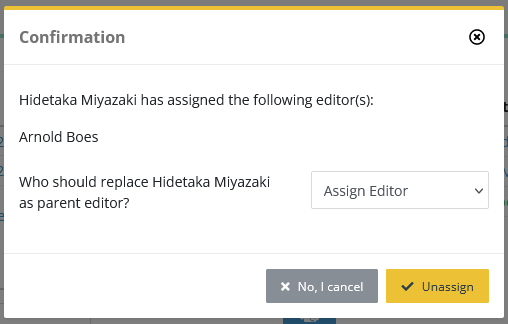
When an EIC/EO unassigns someone:
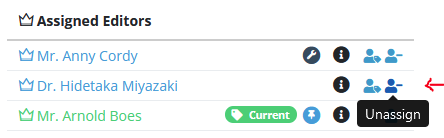
Nestor will now check if this editor is the (assigning) parent of someone else. If so, you will have to select a substitute parent to complete the action and maintain an editors' hierarchy:
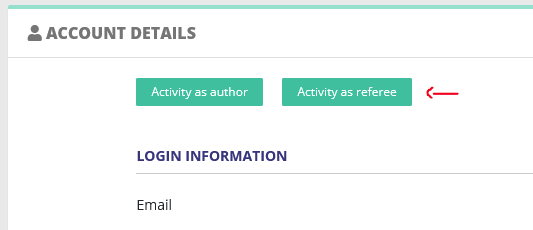
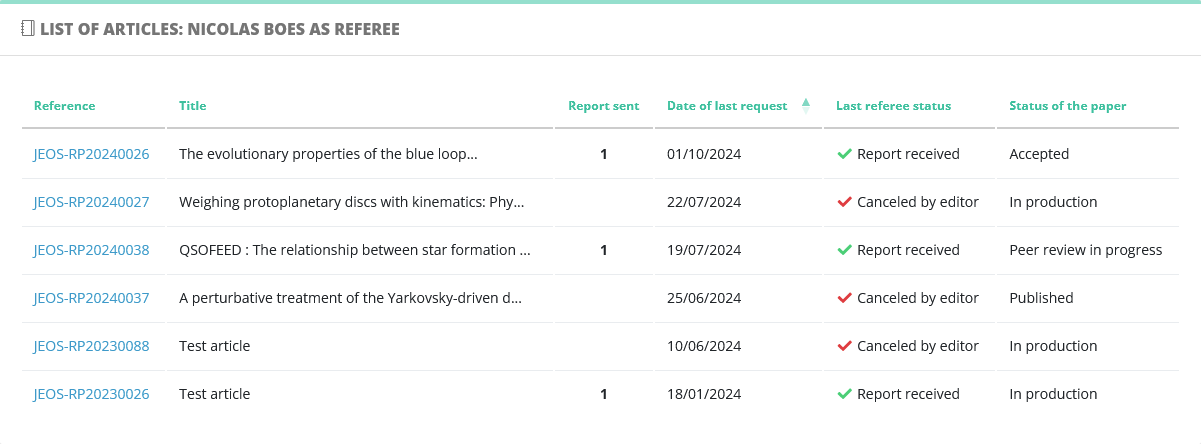
Referee history
On a user page, the referee article history will now be displayed as in referee invitations, references will now properly link to the article page.
|
|
|
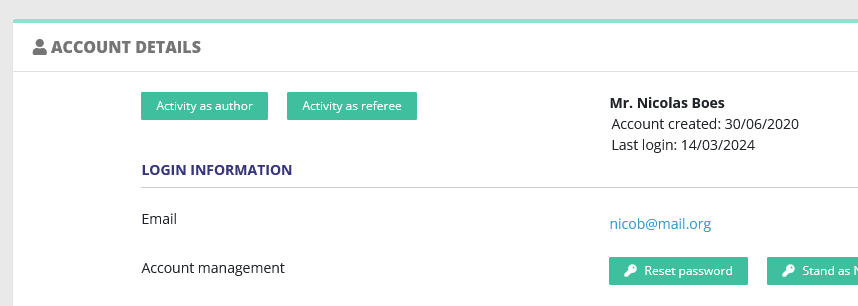
User management: account creation date
On a user page, a few important dates will now be displayed as such:
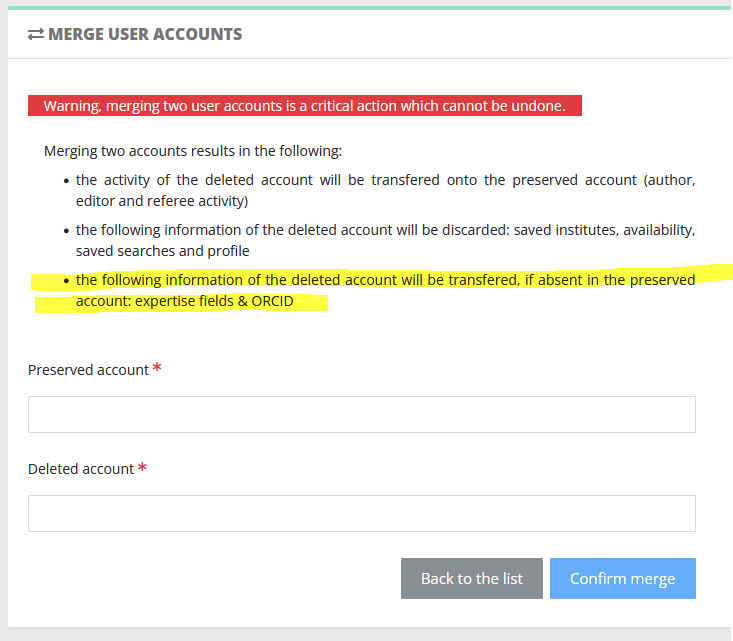
User management: better merges
When merging two accounts, one of the account is deleted. The article history is transferred to the preserved account. We now also check other information to preserve, namely the ORCID account and any expertise fields:
Production workflow: first/intermediate proofs
Nestor now makes the difference between the first proofs and any subsequent ones. This change allows production teams to customize the "first proofs" mail template, which is especially important during production. Please check carefully the note below the picture.
By default, two templates are provided
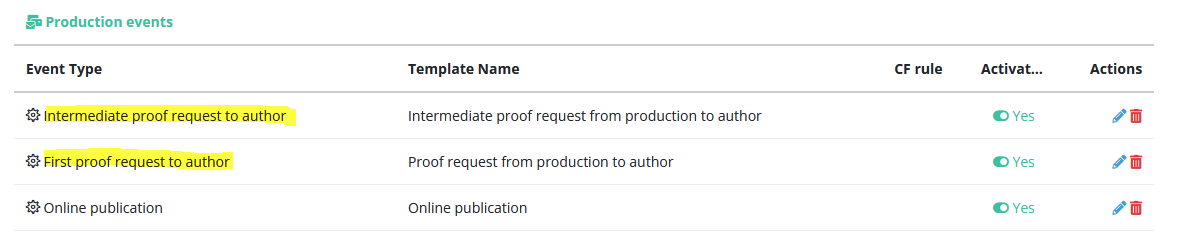
NB The default event was called "Proof request from production to author".
Any mail triggered by this event has been transformed to "First proof request to author". Additionally, we have provided a new default template to handle this workflow: Intermediate proof request, you do not need to do anything.
New mail variables
A lot of new variables out of the oven. The first ones are related to articles:

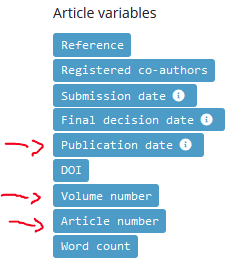
The other new variables are related to co-authors . They are designed especially to customize the mail body according to the co-author status: did they already click the link? Did they link their ORCID etc. By default, we did not include them in the mail templates yet and they must be inserted manually. The most relevant template to use these variables is:
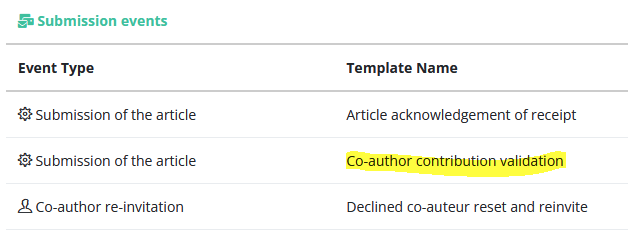
The three variables are booleans and can serve as a basis to condition the e-mail texts:
recipient.isPending
recipient.hasValidated
recipient.validOrcid
A text example is provided below:
{% if recipient.isPending %} Please follow this link to connect your ORCID:
{{coAuthor.contribution.deeplink}}{% elseif not recipient.validOrcid %}Please follow this link to connect your ORCID:
{{coAuthor.contribution.deeplink}}{% endif %}
6.00 - Refreshed articles, sorting expertise fields, referee exports
2 October 2024
Journal-related features
Refreshed articles
In Nestor lists, delayed articles are tagged in red:
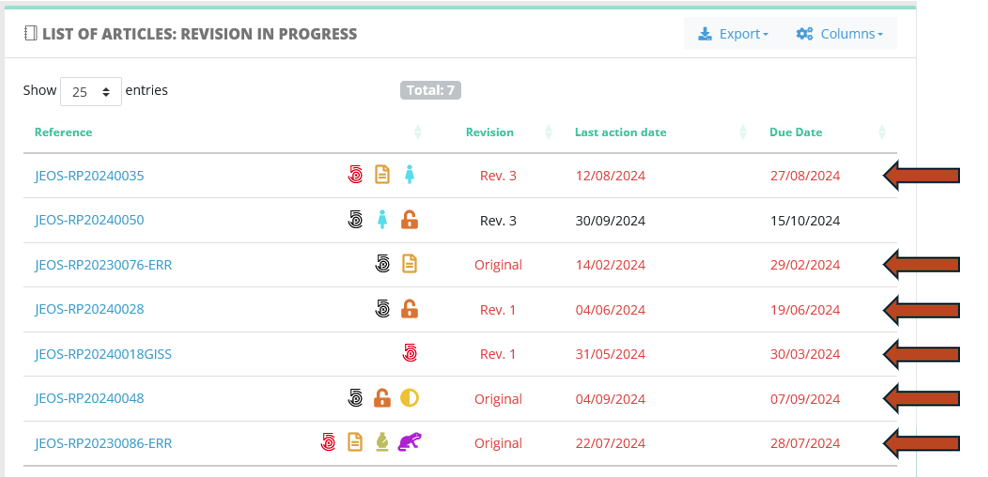
This color is solely based on the article due date, whether it has passed or not.
In some journals, this proved confusing for editors, who expects the color 'red' to reflect if an editorial action is needed or not. In particular, they expect the paper to revert to a normal color when they execute an action (based on last action date):
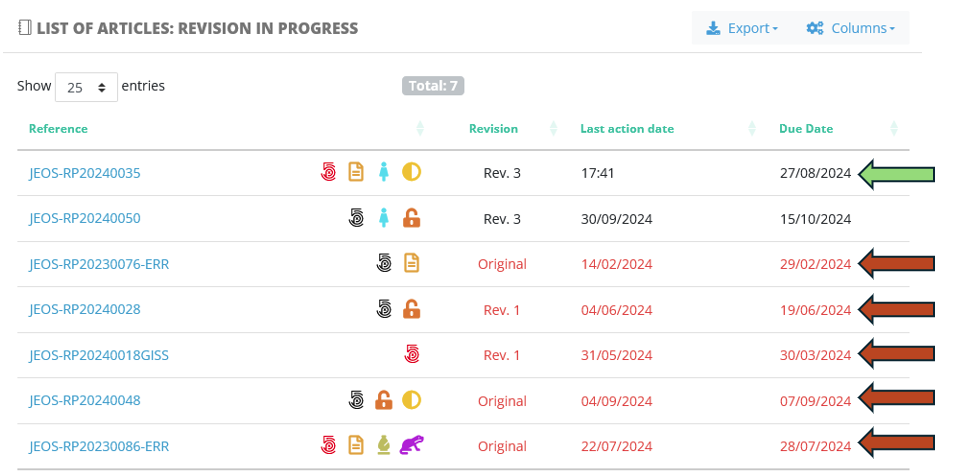
This new behaviour is configurable by article type. When activated, this option will temporarily 'refresh' the paper where an editorial action has just been taken.
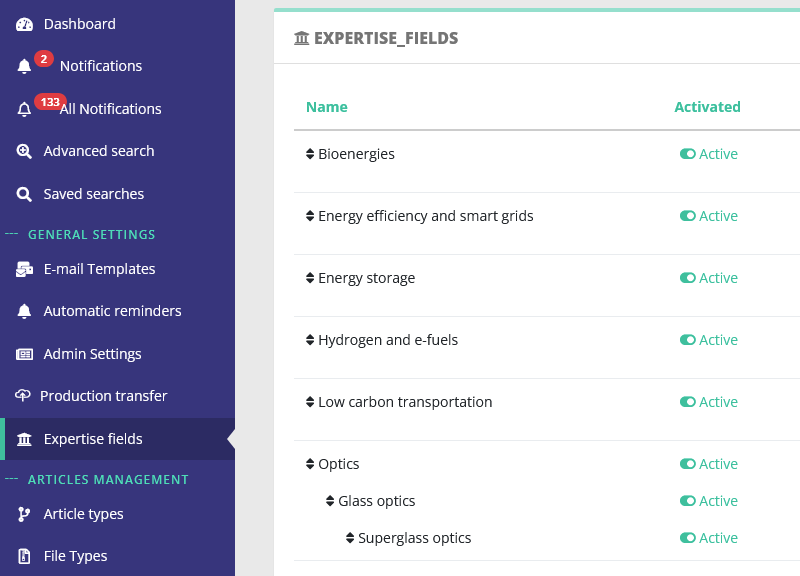
Sorting expertise fields
At long last, expertise fields can be sorted in the configuration pages. The order will be reflected in user pages (account creation and consultation) and article pages (submission and edition).
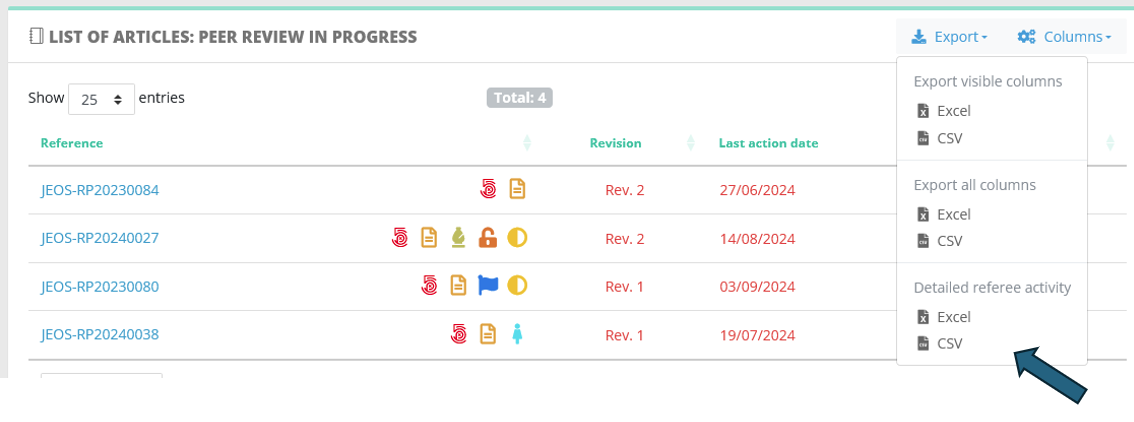
Referee exports
List of referees can now be exported, based on specific search results. For example, one can look at all reports submitted in 2024. The data is complete but still in raw format, we are working on providing an Excel template to get usable statistics.
Article-related features
Terminate or close the article before technical check!
We have disabled this workflow security. Beforehand, a paper could not be rejected directly when registration was pending. This simple feature is available to editorial offices straight out of the box.
Fix the editors' list at any given time
Yet another workflow simplification. This simple feature is available to all EIC/EO, no configuration is needed.
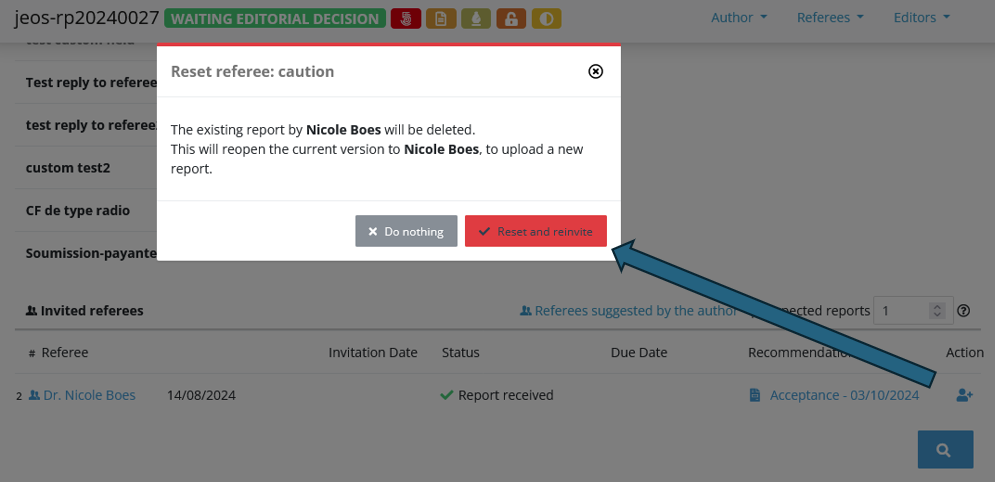
Reset referee reports (be careful!)
Referee reports can now be deleted altogether. This should be used carefully, to correct specific referee cases/mistakes. The action can only be executed when the following conditions are met:
- a report can be reset only on a current version
- the article is being evaluated (status)
5.90 LaTeX diff, workflow updates, automatic mail recipients
27 August 2024
LaTeX diff
This feature is available for journals using the LaTeX compilation feature. Using this, Nestor compares two LaTeX source files and generates a comparison PDF. This is useful to track changes from one version to another.
Even more workflow updates
Following this release, all referee events have been identified as update triggers for the 'last action date'. This will help editors to distinguish 'active articles' (with a recent action date) from 'delayed' articles.
Automatic mails recipients
The following events can now trigger a notification to a specific profile, such as editorial assistants:
- receipt of referee report
- decline of referee invitation
- acceptance of referee invitation
This is not activated by default and must be configured in templates settings.
Last version article files
On published articles, article files and metadata of the accepted version will always be displayed.
5.80 - Editorial assignment tool, correcting co-authors addresses, workflow dates
29 July 2024
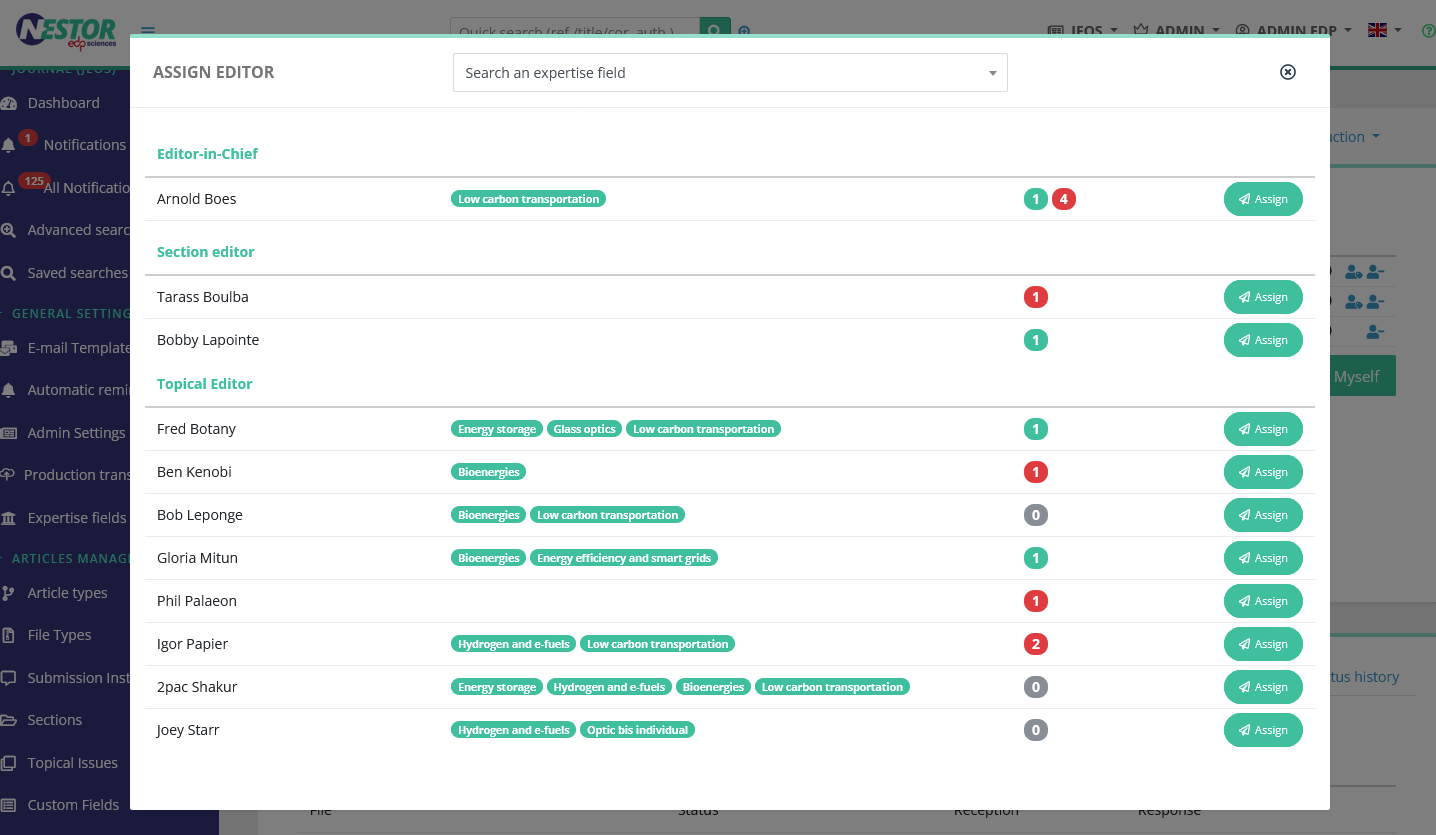
More information on the assignment tool
Editors-in-Chief will now benefit from a revamped interface to assign papers, where all the necessary information is summarized:
- Active editors
- Expertise fields of each editor
- Current workload
- Various warnings (availability, conflicts of interest)
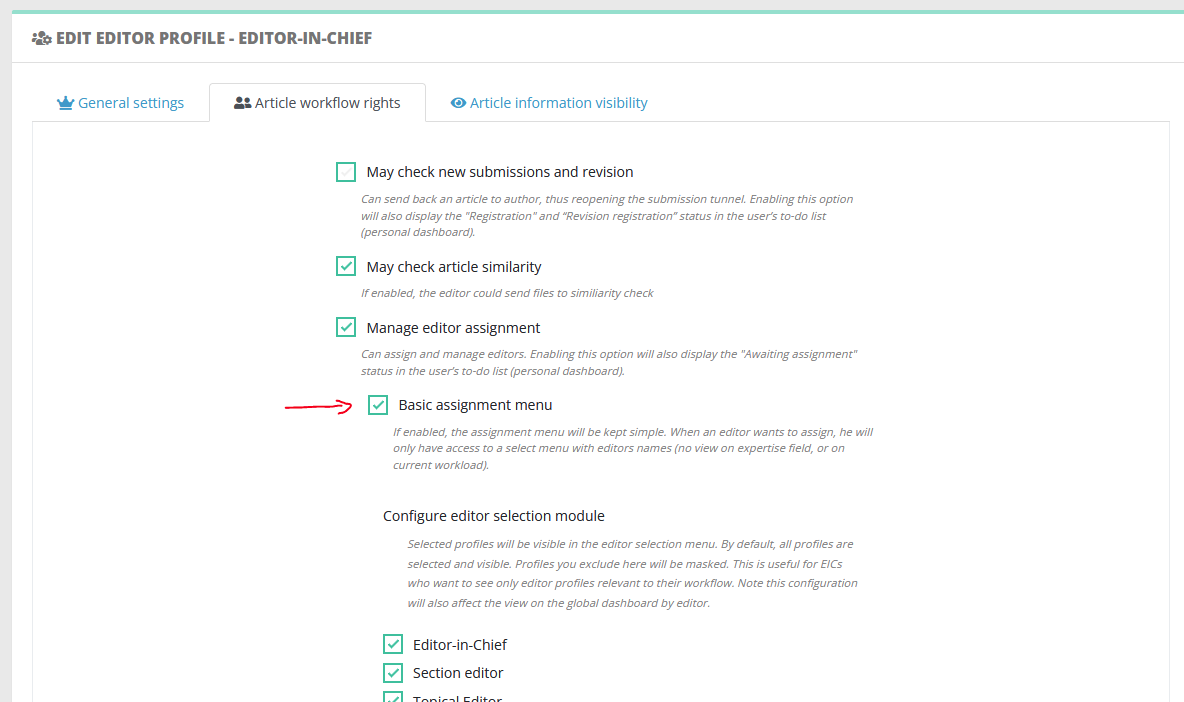
This will be activated by default and can be disabled in the profile configuration. Ensure to inform your EICs in advance!
To disable:
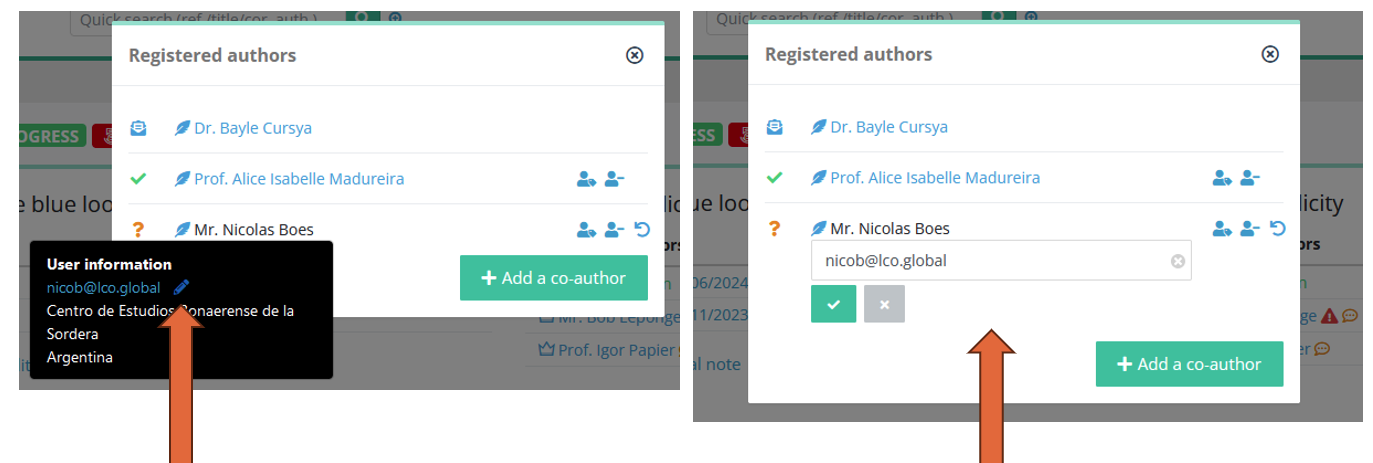
Correcting co-authors addresses
Workflow dates more up-to-date
2 subtle changes to the due date and the last action date.
In article lists, editors can identify relevant papers to work on thanks to these dates:
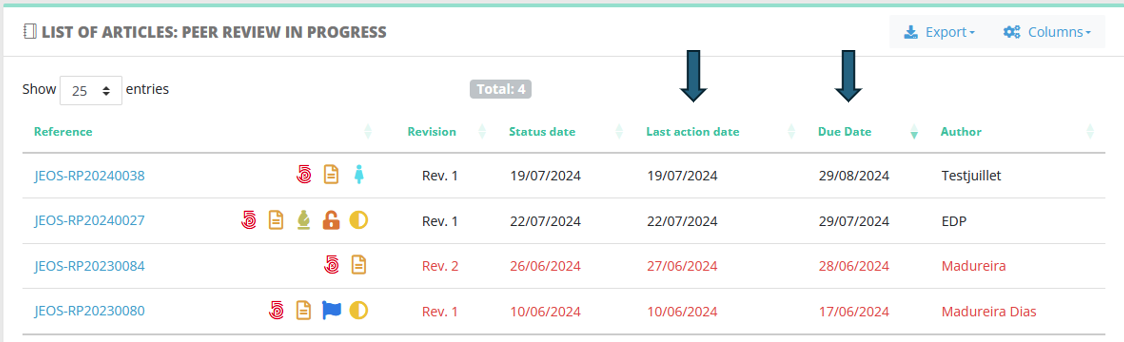
- Concerning the last action date, it will be updated when the following events are executed:
- Message from editor to author
- Message from editor to referee
- Message from editor to editor (provided the sender is the editor in charge)
- Message from editor to author
- Concerning the article due date, it will be automatically postponed in one very specific case: when an editor manually reminds a referee. With this postponment, the article will not appear red any more in article lists.
5.75 - The return of the classic referee search, roomier mail edits
26 June 2024
Classic referee search
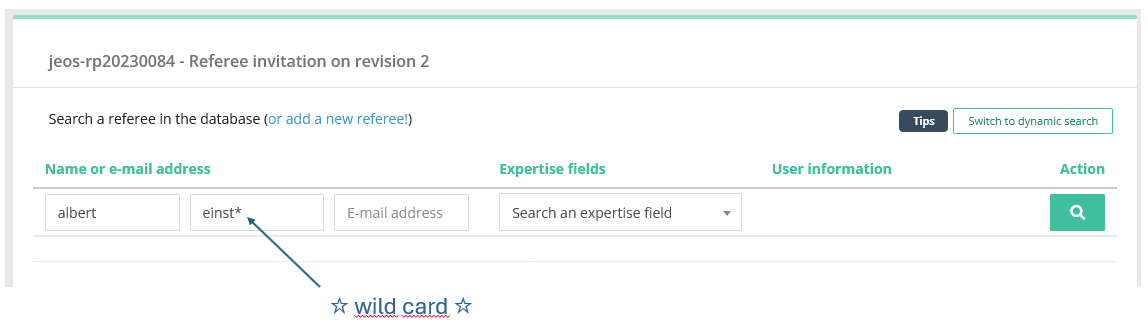
The classic search makes a come back, allowing editors to perform exact searches on referee names. In addition, wild cards are also available to get even more customization.
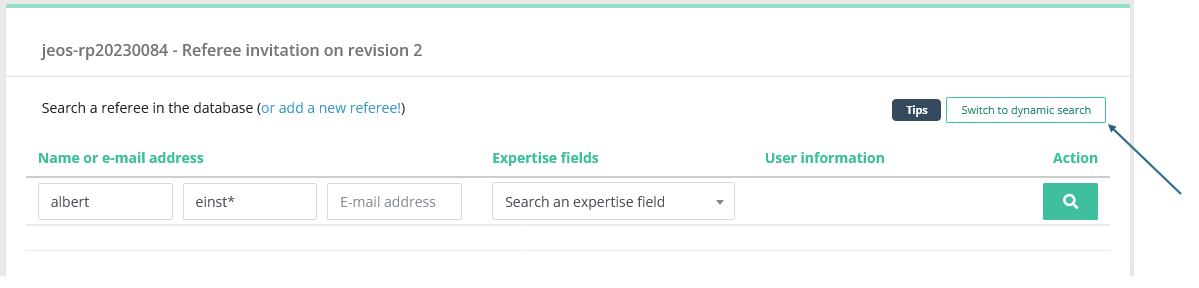
You can switch between the two types of search with this button:
Roomier mail edits
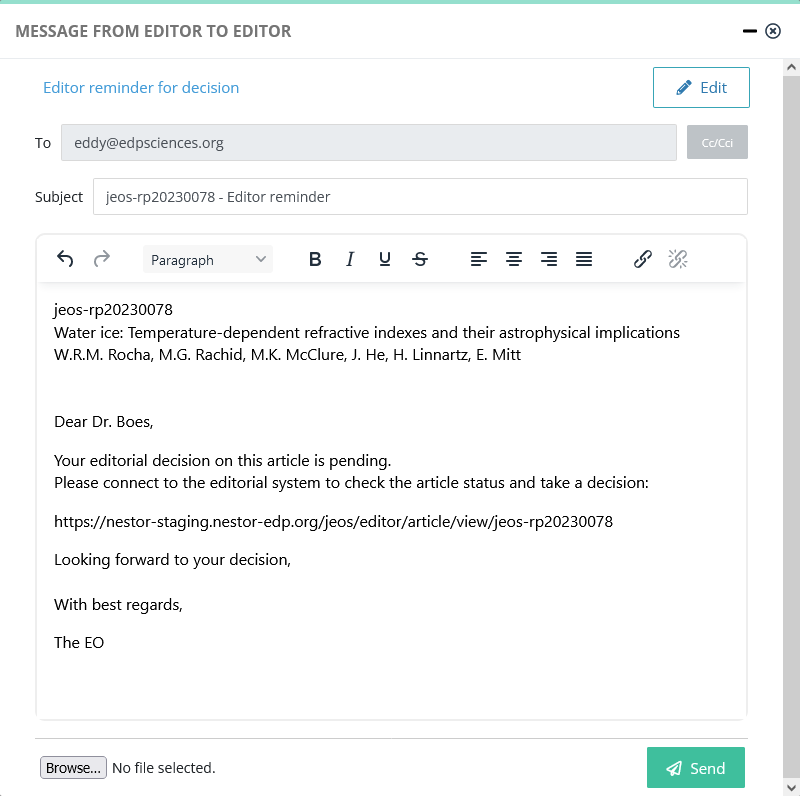
Mail edit boxes have received a long overdue interface update.
5.70 - File renaming, author view on article history
10 June 2024
Automatic file renaming
Note: a very cool feature, which must be first activated in the file type configuration.
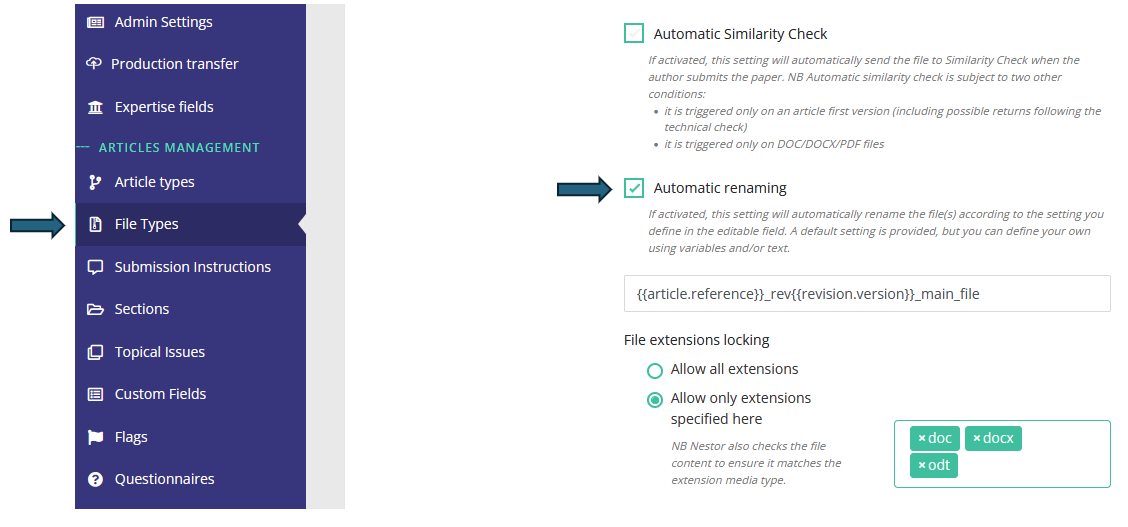
This new feature allows you to automatically rename author-submitted files according to their file types. This will be extremely useful for editors and referees, to identify author files downloaded from Nestor at a glance!
For instance: let us assume a journal named 'geo', requiring the following files at submission. In 2024, an author submits the 33th paper of the year. His files can be automatically renamed as so:
| File type |
Original file name (by author) |
Automatic Nestor renaming ♥ |
| PDF manuscript |
mypaper.pdf |
geo240033_ms.pdf |
| DOC source file |
manuscript.doc |
geo240033_source.doc |
| Cover letter |
editor.doc |
geo240033_cover.doc |
You can totally use variables to rename files according your specific criteria! (reference, version, author name etc).
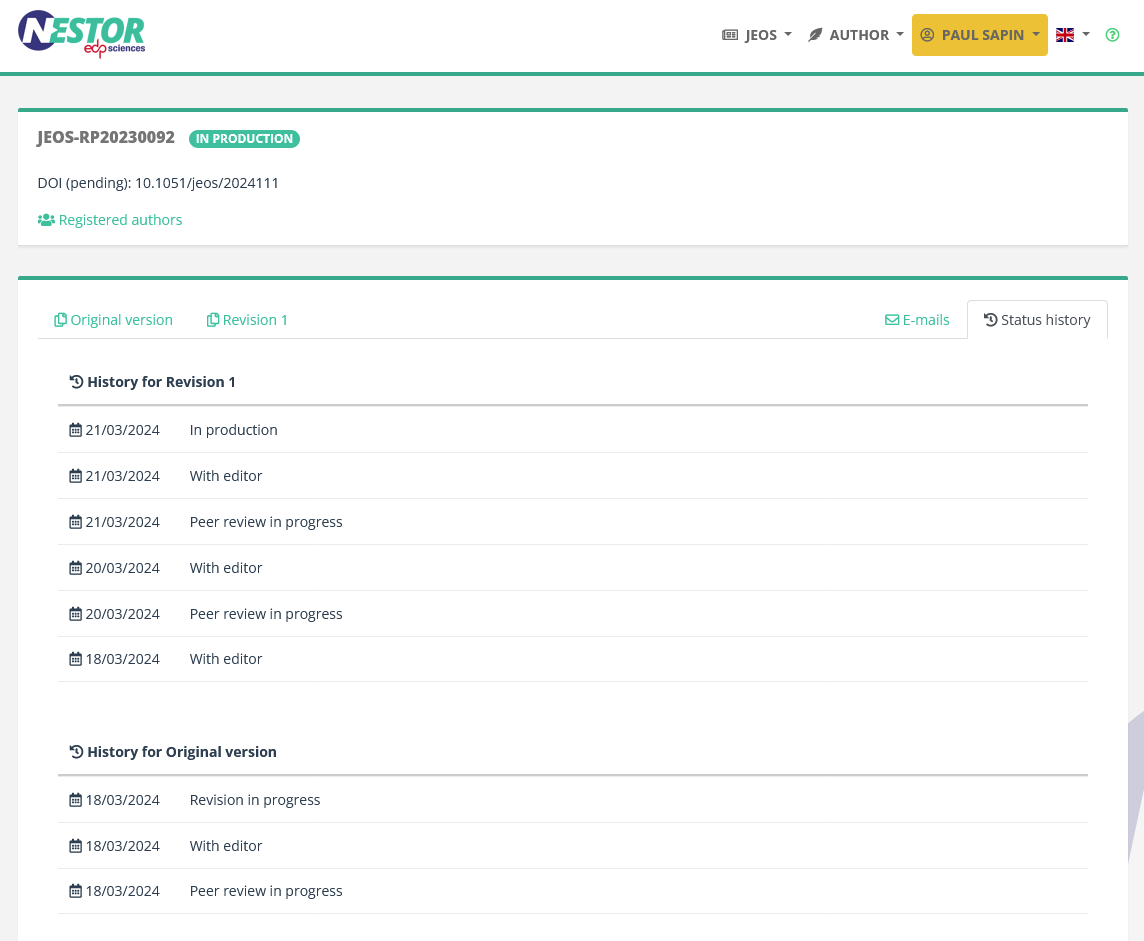
Author access to the article history
Following 5.50, authors now have a wider access to the article history, seeing more statuses and even some actions related to referees (whose identities always remain undisclosed). The display of the page below is still simple and will be improved shortly.

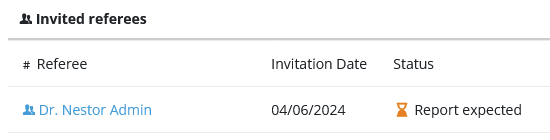
Referees reminder counter
The reminder counters and the last reminder date will now be reset when referees switch status,
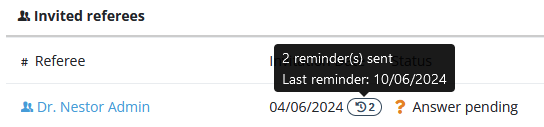
from 'Answer pending' to 'Report expected'
Template variables
The code of template variables underwent a thorough cleaning. This impact email templates and XML generation, making them easier to maintain.
QoL updates
User creation
In the back office, creating a new user will redirect you to the newly created user page (finally!!!).
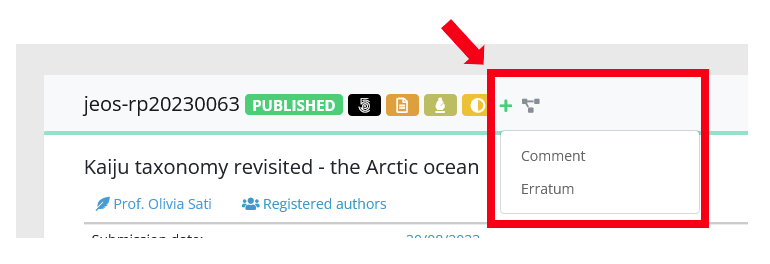
Erratum/comment creation
In the back office, when creating a child article: the metadata from the parent article will not be copied extensively (especially custom fields). Only the following fields will be copied:
- Title
- Section
- Text authors list
- Country
- Expertise fields
- Keywords
5.60 - Referees reinvitations, submission files extension locks
15 May 2024
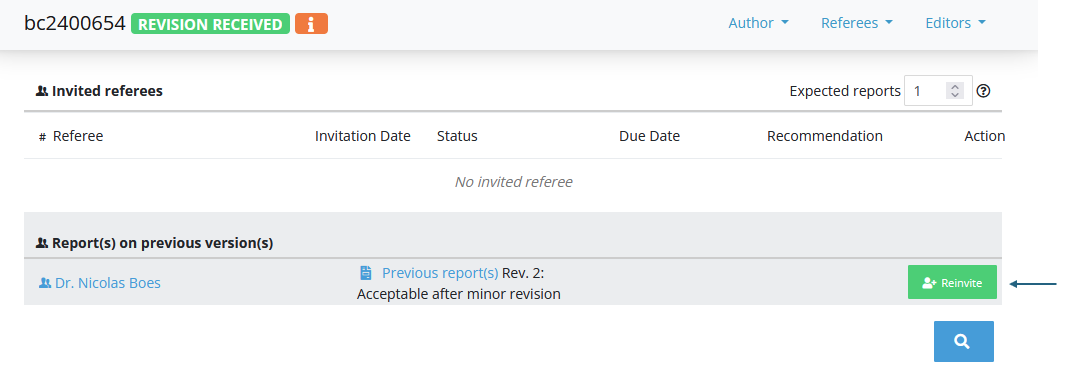
Referee reinvitations
When the editor receives a revision, it is now easier to check the referee activity on previous versions
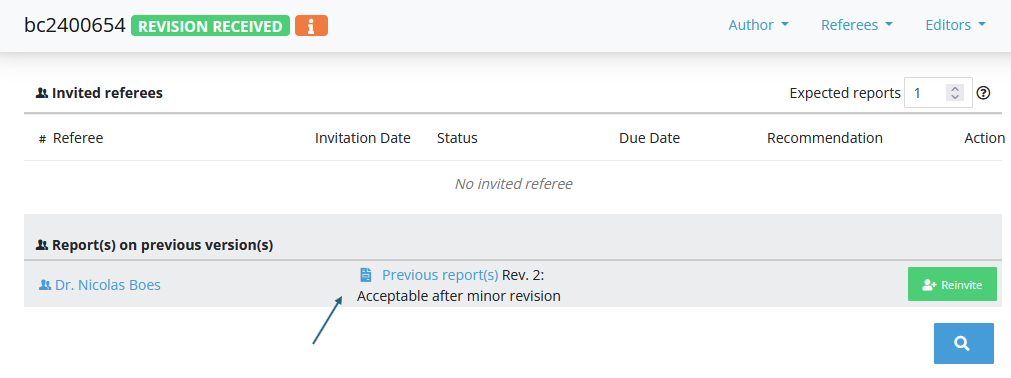
and to reinvite the referee easily:
Submission files: media type locking (file extensions)
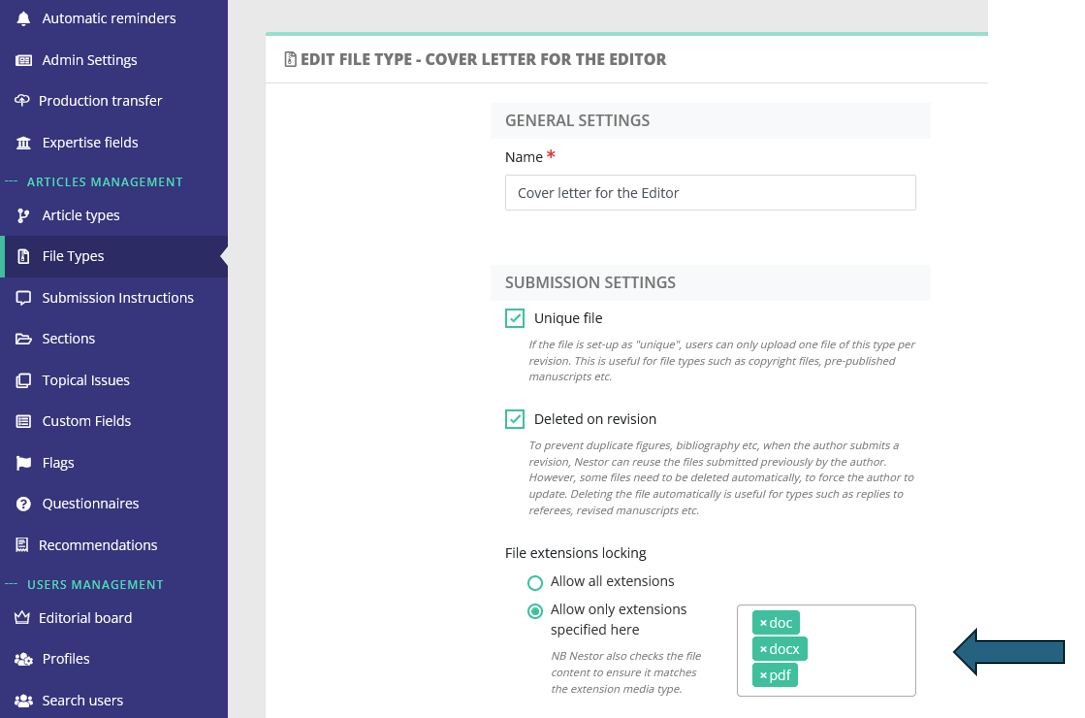
The configuration of file types has been improved: each custom file type for your journal may now be restricted to specific media types.
For example, let us consider that your journal requests a cover letter at submission.
Thanks to this update, this cover letter may now be restricted to PDF of DOC formats: this is up to you!
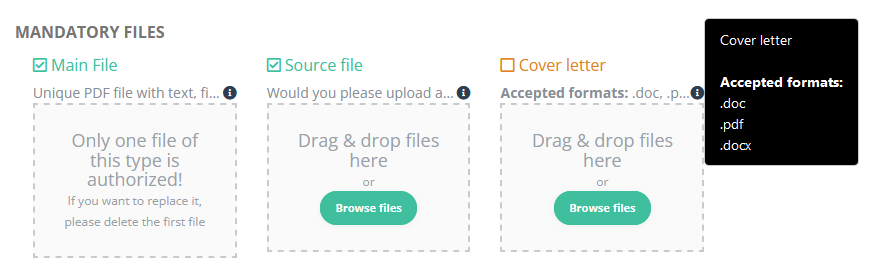
In the submission tunnel, this will translate like so:
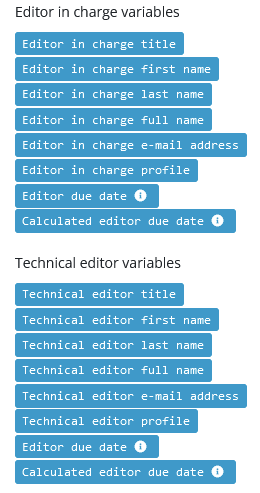
E-mail templates: improvements on variables
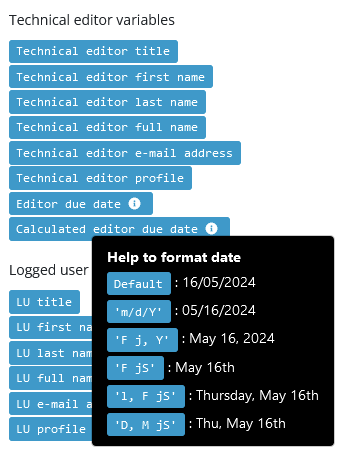
Furthermore, date variables now provide a very convenient tool to set up date formats:
Production interface for authors
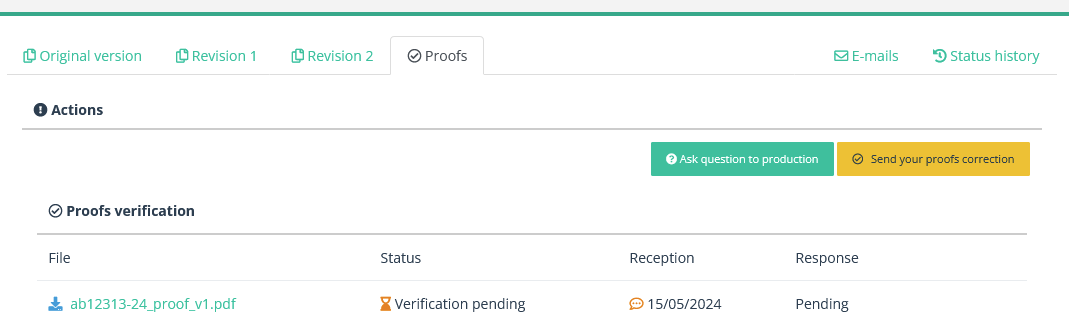
The production interface has been slightly improved for authors: removing duplicate buttons, and setting up proper warnings.
5.50 - Landing pages, secure deep links, article history for authors, production workflow
21 March 2024 🌻🌼🌹
Landing page behaviour
The behaviour of Nestor at login has been refined according to your profile and activity. Depending on the following priorities, you will either land on the author, referee or editor dashboard:
- If you are editor of the journal, you will always land on the editor dashboard
- Otherwise, if you have pending articles as referee, landing on the referee dashboard
- Otherwise, if you have active articles as author, landing on the author dashboard
- Otherwise, if you have active articles as coauthor, landing on the coauthor dashboard
- Finally, if none of the above apply, you will land on the author dashboard.
This behaviour will help people to easily identify actions they have to undertake.
Secure deep links
Referees and co-authors are the people likely to receive invitations via Nestor deep links. When using those, users will now be restricted to the action page they are invited to. If they want to check their whole Nestor activity, those users will be prompted to log in, using their credentials.
Disconnection warnings, autosaved referee reports
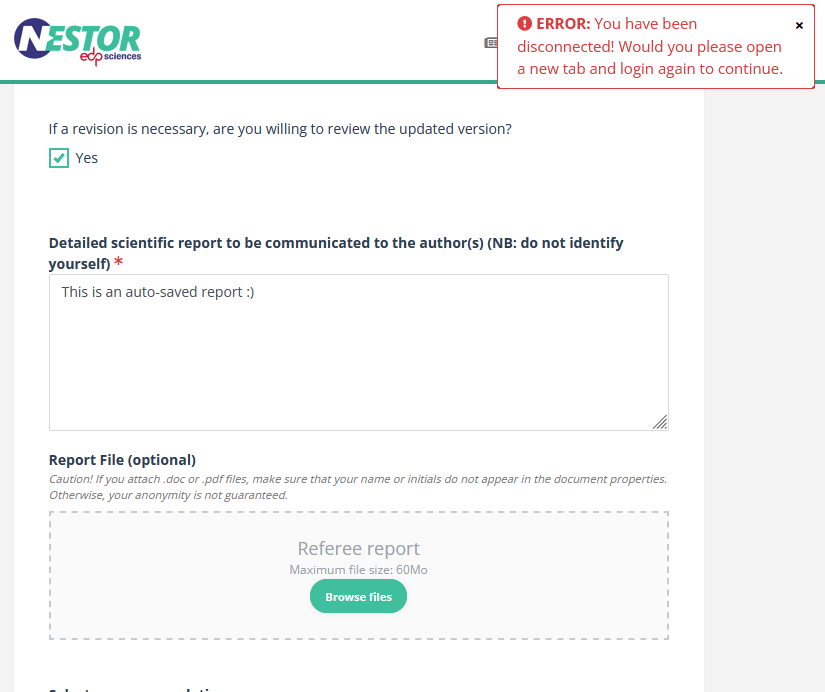
Nestor will now warn you if you have been disconnected while performing an action. This will help prevent data loss.
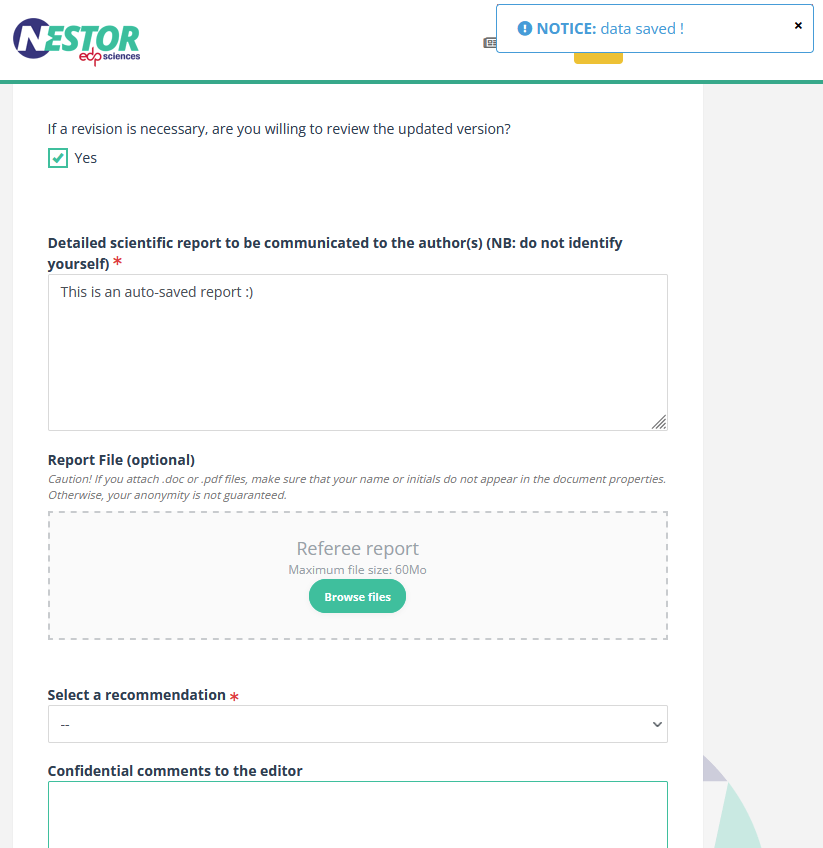
In the same vein, referee reports are now saved automatically during the course of the drafting.
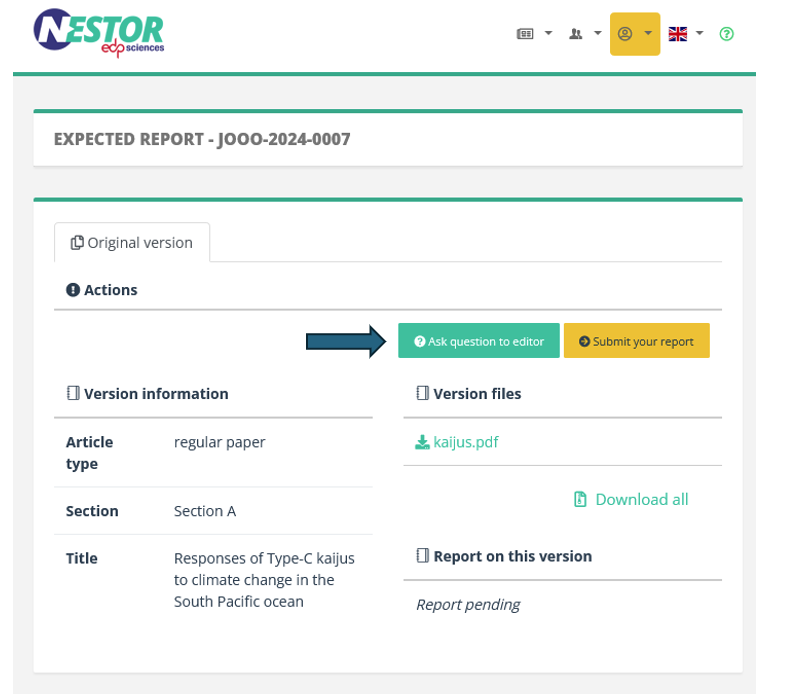
Referee contact form
Referees can now contact the editor directly from the report page:
Article history now available to authors
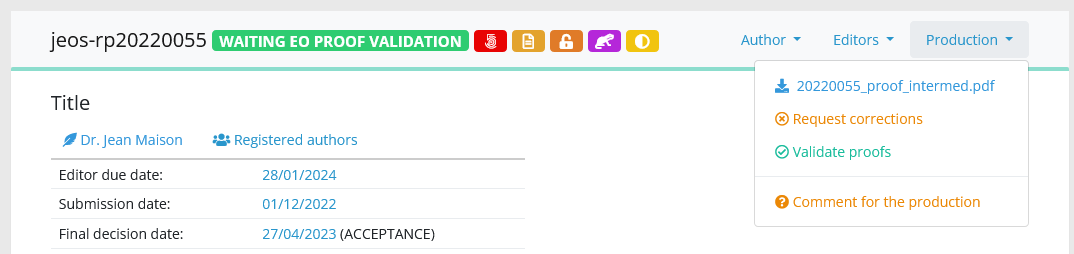
New production statuses
The production workflow has been refined again with three new statuses, triggered by specific actions. This will help authors and editors to get a better understanding of the article history during the production process.
| Action |
Old status |
New status |
| Author sends corrections on proof |
--> In production |
Proof correction |
| EO sends corrections on proof | --> In production | EO proof correction |
| EO validates proof | --> In production | EO proof validation |
5.40 - Improvements of the production and referee workflows
29 January 2024
Improvements of the production workflow
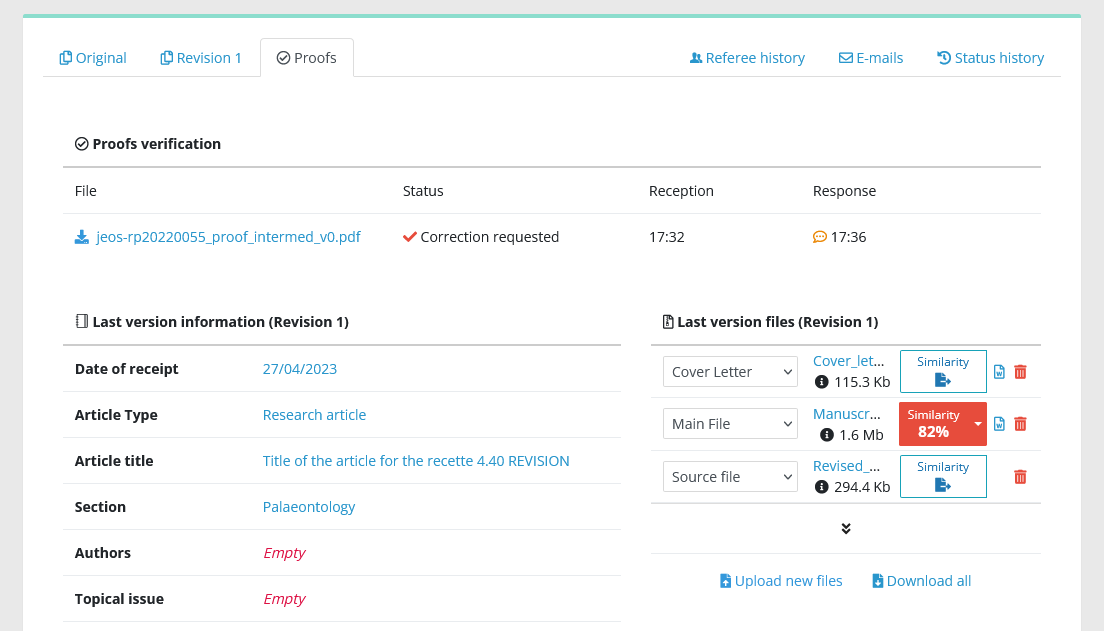
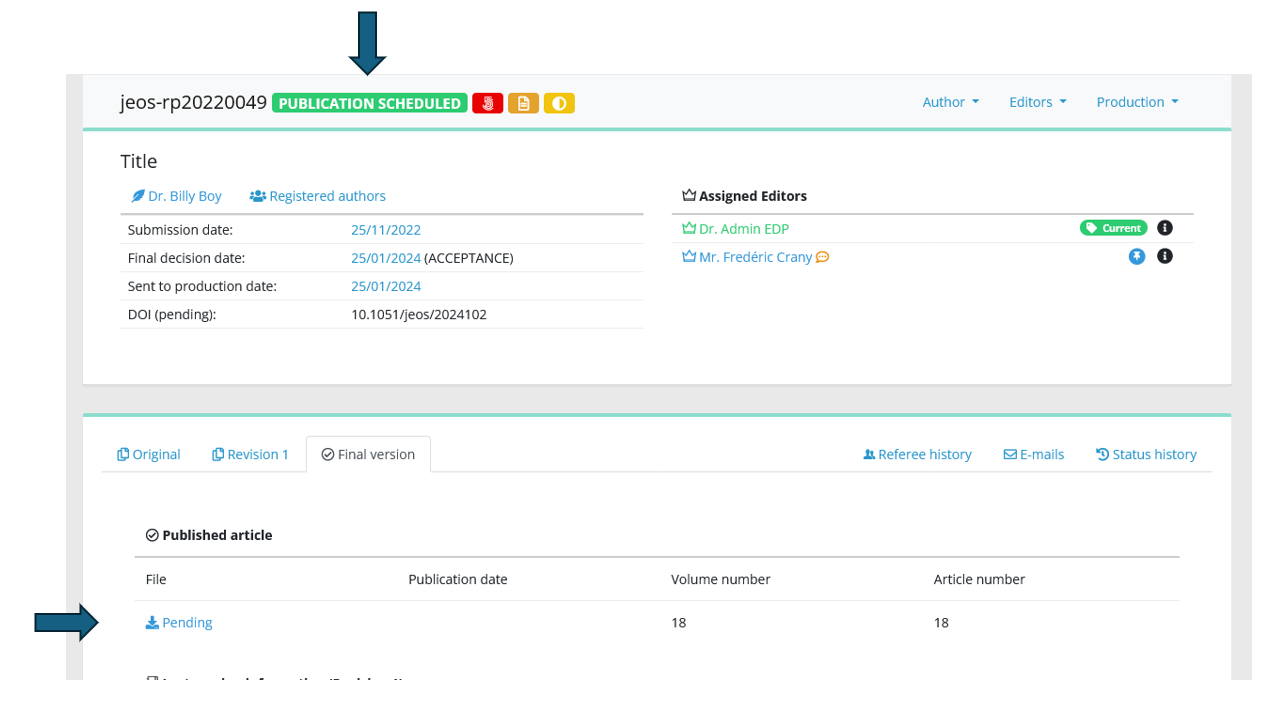
Article files of the last version remain available even when the article is in production:
A new status appear: publication scheduled. This status allows authors and editors to be informed of the publication a bit sooner.
Improvements on the referee workflow
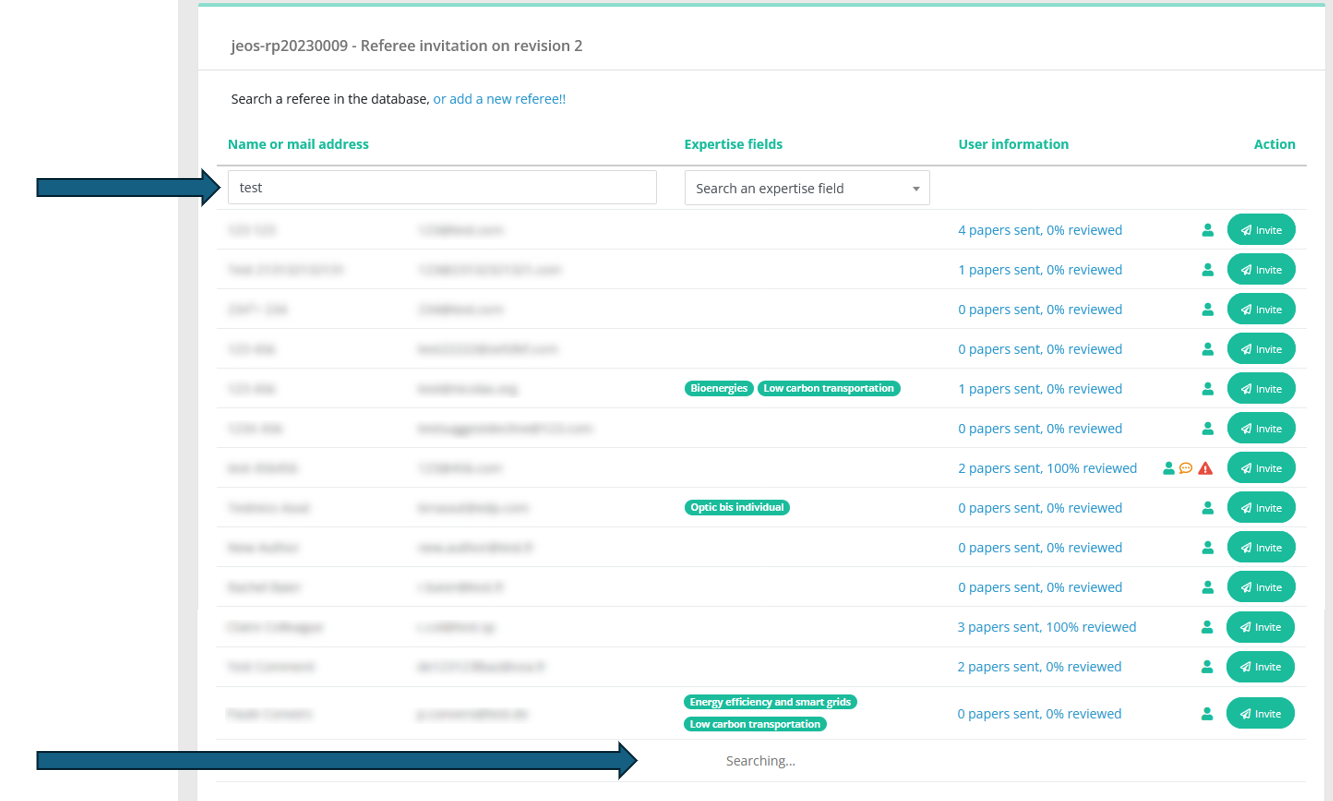
The search field has been simplified, and the number of results is no longer limited:
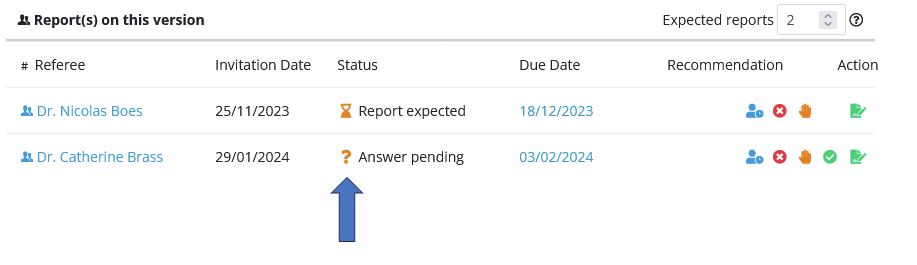
The referee status icons now distinguish clearly pending invitations from expected reports;
5.30 - Article lists: update on viewable / exportable columns
11 January 2024
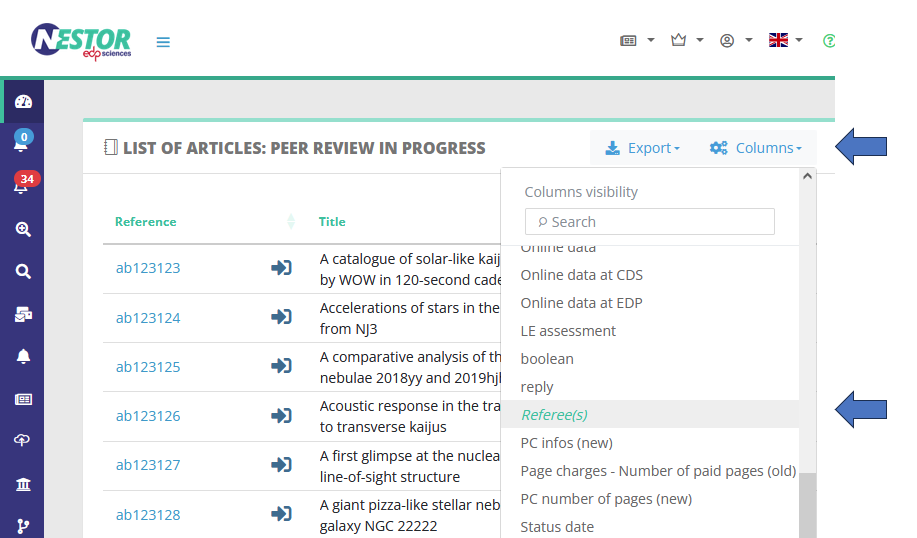
Article lists: the referee column
By default, articles lists now display a column dedicated to active referees:
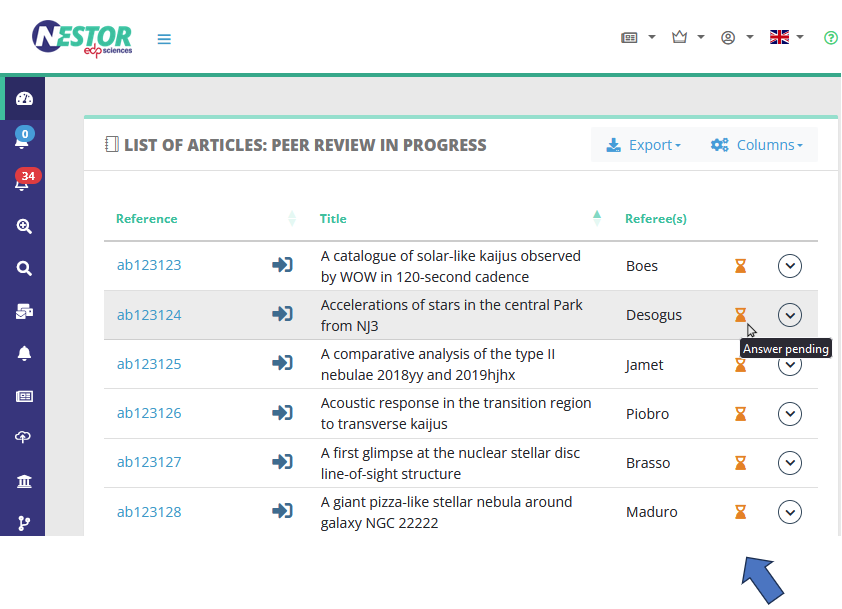
The column is designed to provide relevant information (status and reminders) on referees currently working on the paper, thus helping editors to quickly scan urgent manuscripts.
If your editors contact several referees on each article, they may want to disable this option in the column configuration:
Article lists: status date / last action date columns
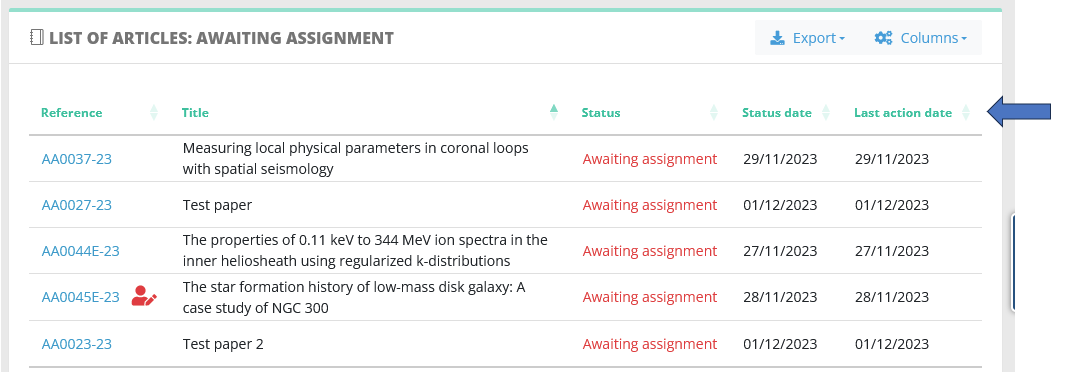
The former 'last update' column has been replaced by two different columns:
- The 'status date' is simply the date of arrival in the article status,
- The 'last action date' reflects the date of the last action taken on the paper, whether an action by the author, referee or editor.
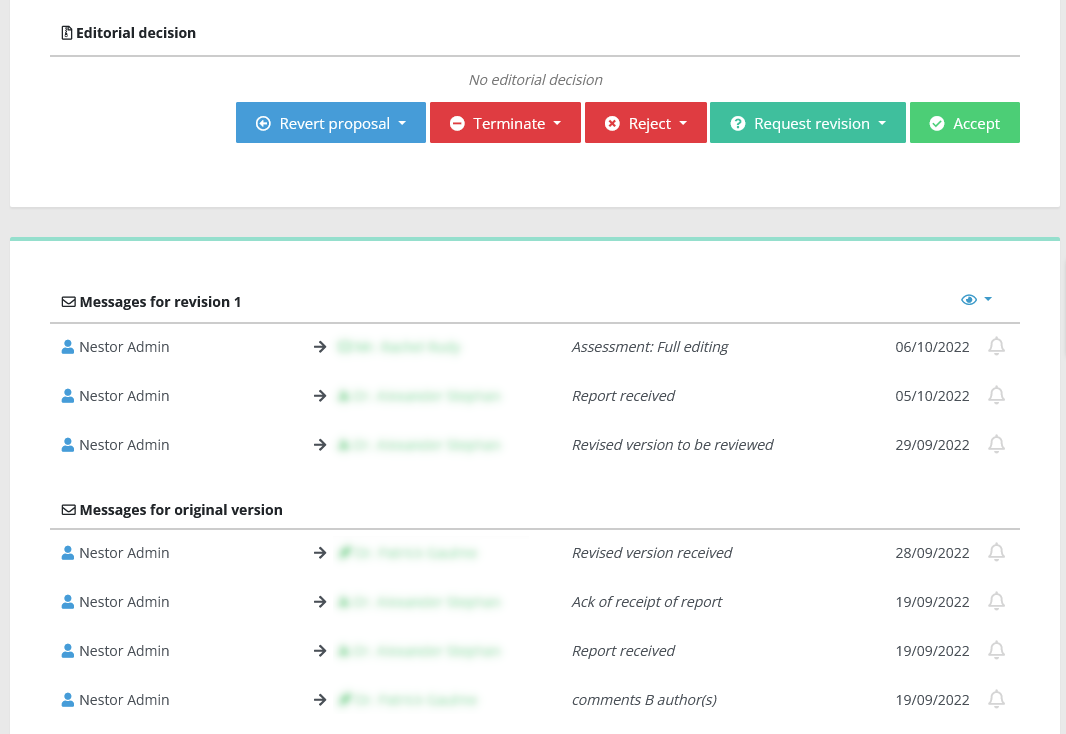
Complete mail history on the article page
The complete mail history is now available as soon as the article is loaded.
5.20 - arXiv identifier, friendlier editing behaviours on the article page
6 December 2023
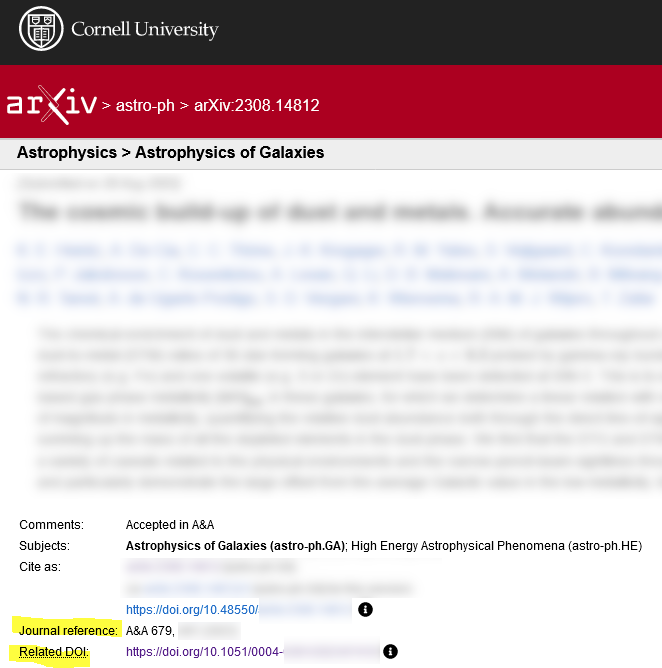
Adding the arXiv identifier
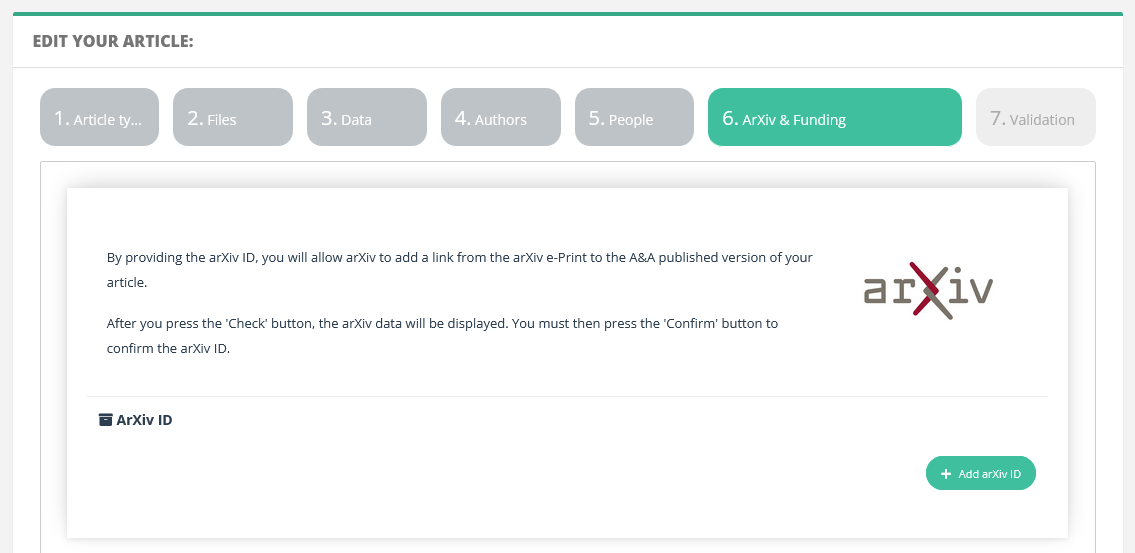
To unlock this form, activate it in the article type configuration.
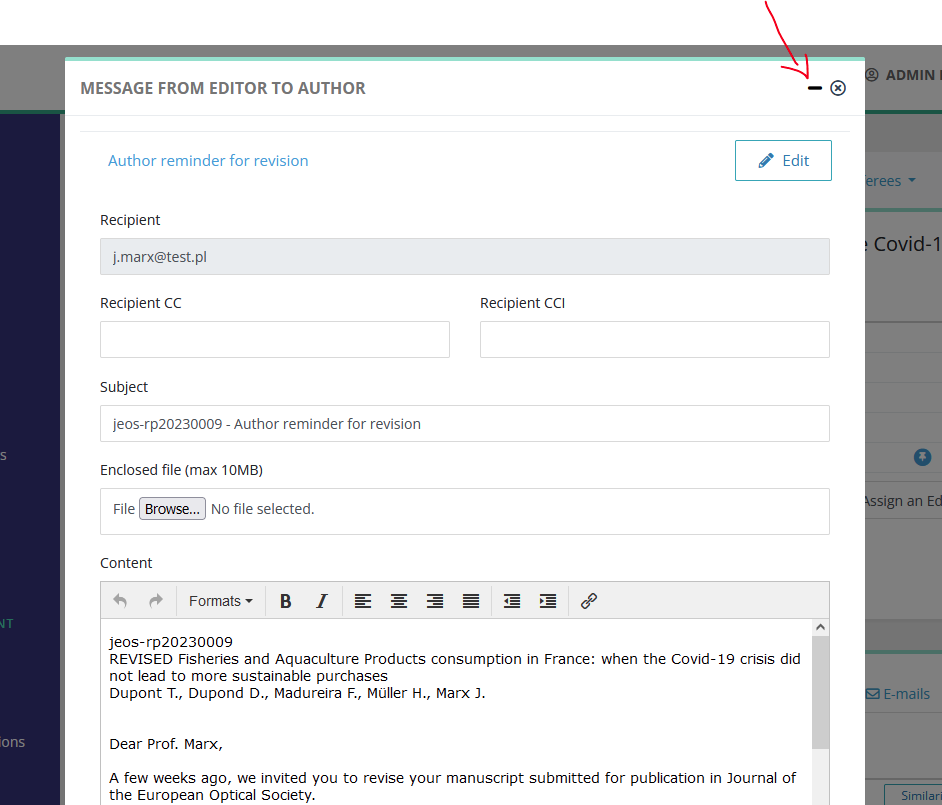
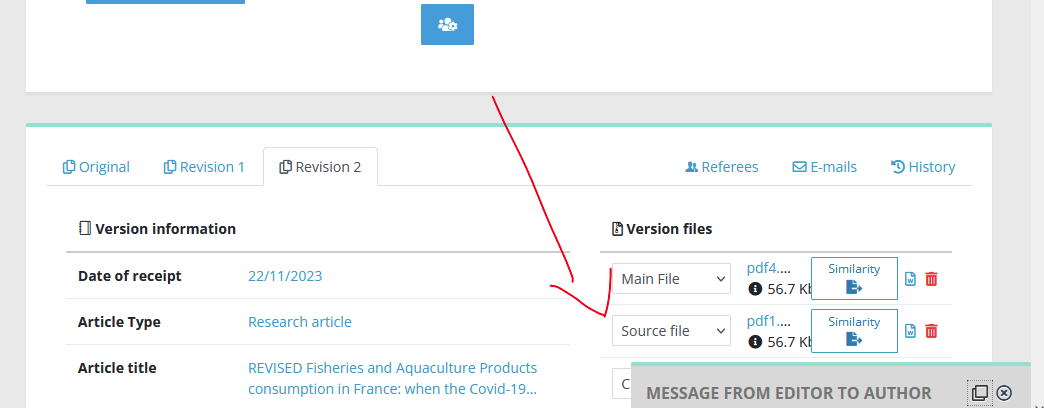
Editing information on the article page
Clicking outside of fields being edited does not lose information any more. Those include metadata fields, and also mail pop-up windows. Those windows are now minimized, and the edited data is conserved:
|
|
|
Hiding referee reports and the editorial decision
5.10 - Quality of life updates
10 – 22 November 2023
General
- Submission: major upgrade of the unzip/LaTeX compilation utility (and more to come)
- Various language and typos corrections
Editor interface: view on articles
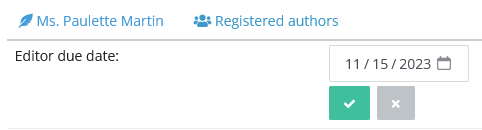
- Due date correction
Setting due dates in the past is now possible.
- Extension of the revert action:
To handle workflow corrections, more status transitions are now reversible.
Final decision reset is now handled properly.
- Email management
- Chrome: numerous fixes on mail pop-ups
- Better handling of variable insertions and line breaks in e-mails (HTML & txt)
- Mail history: added a third filter to mask automatic notifications to authors and referees
- New mail variables (see template configuration):
- Registered co-authors
- Final decision date

- Referees and authors' deep links are now masked in the interface, and visible only by the recipient.
- Referee module
- Improved view on referee information (especially on small displays)
- More secure invitations
A few editors reported scenarios where they had access to the referee activity regarding their own articles: fixed
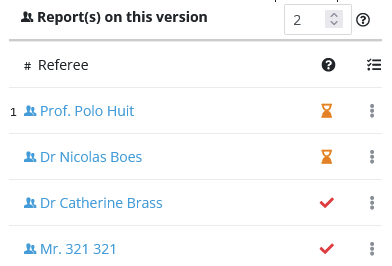
- View and edition of metadata during the proof validation workflow
Editor interface: view on article lists
- Update of the data table library: sorting/ordering/displaying
- Security has been tightened depending on the profile right "Global access": without this right, editors cannot find articles where they are not assigned.
5.00 - Saved searches display, revert actions, mail enclosures
7 November 2023
Customised display on search results
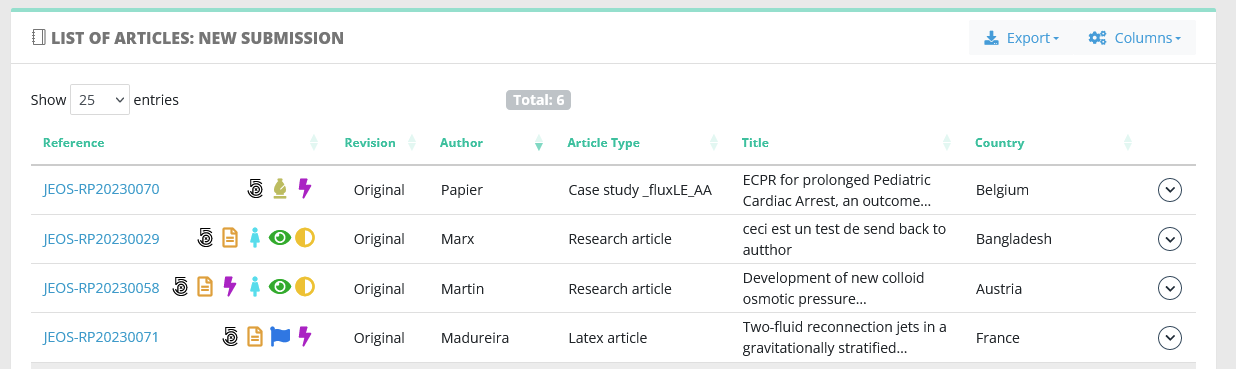
The improvements on article lists (which rolled out in 4.70) have been extended to saved searches. That means:
- displayed columns
- columns order
- preferred sorting criteria
- number of results displayed
are now saved independently for each saved search. For example if you search for a specific special issue, you can mask the column 'special issue' in the results, while keeping it in your regular dashboards.
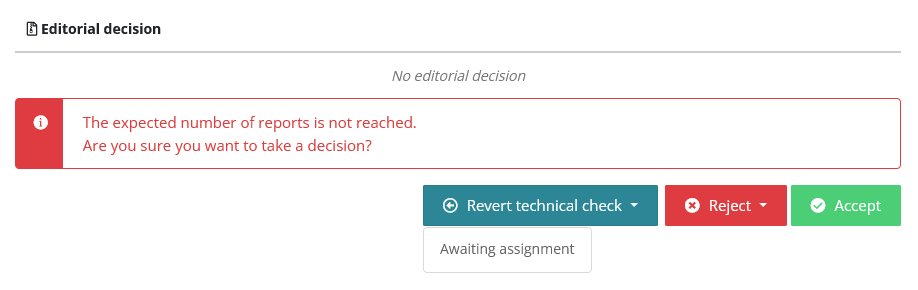
Improvement on revert actions
The scope of revert actions has been extended to all non-critical statuses. This allows easier management/corrections of article workflows, specifically for technical checks and such.
Furthermore, revert actions are labelled more explicitely, and the status of arrival is displayed when clicking on revert buttons.
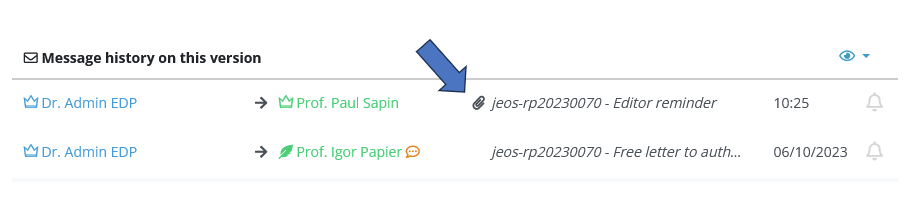
Mail enclosures
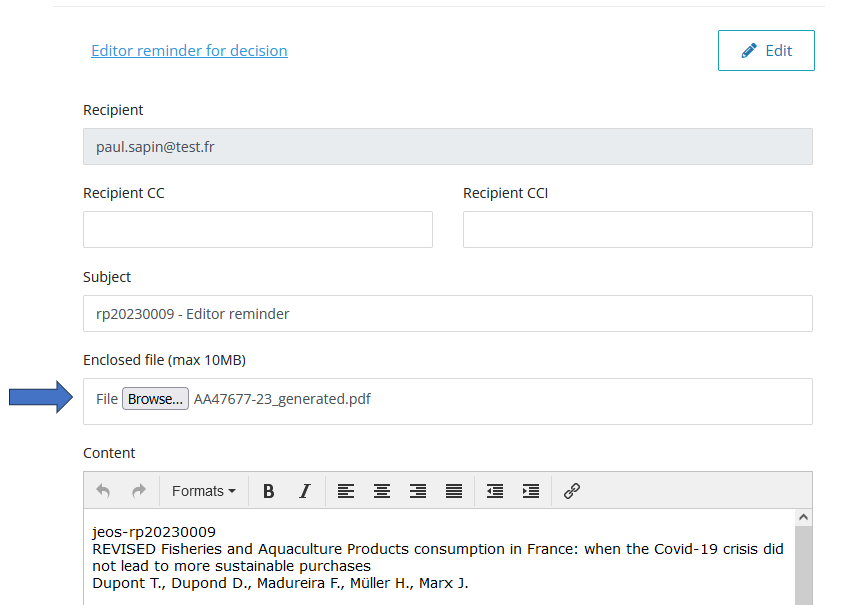
In mail pop-up windows, editors can now enclose files. Size is limited to 10MB, and files are visible in mail history.
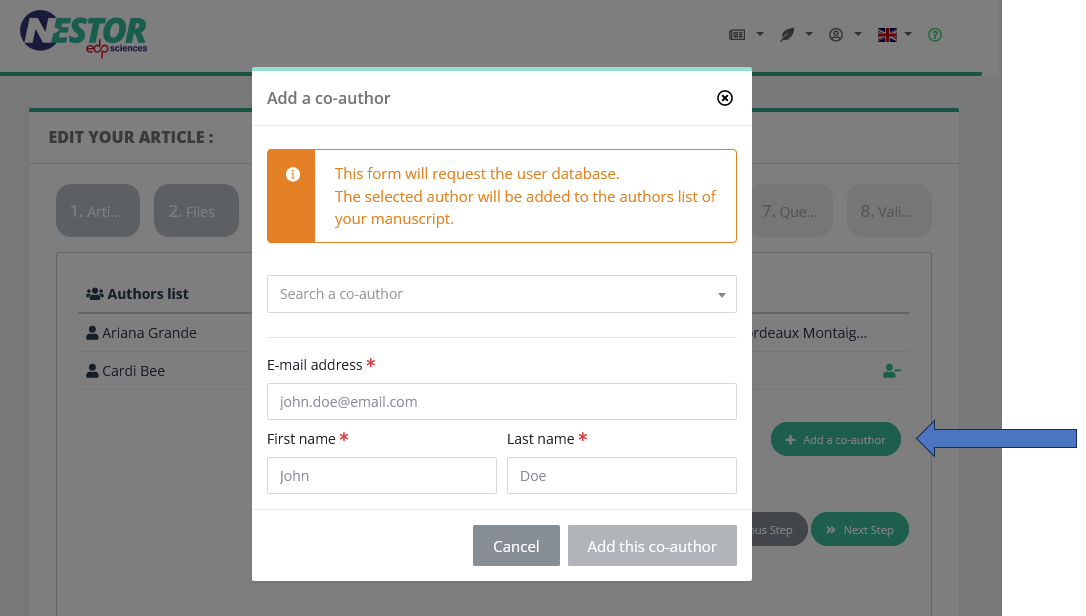
Adding co-authors at submission
For the corresponding author, the different functions to add co-authors have been streamlined in one convenient button:
LaTeX compilation: fixes on compressed files
We benefited from a lot of feedback from authors submitting compressed files. We consequently improved our decompression methods, which accordingly fixed several compilation errors.
This change is visible only if you require LaTeX compilation at submission.
4.80 - Submission instructions, long answers, referee similarity check
12 October 2023
Improvement on submission instructions
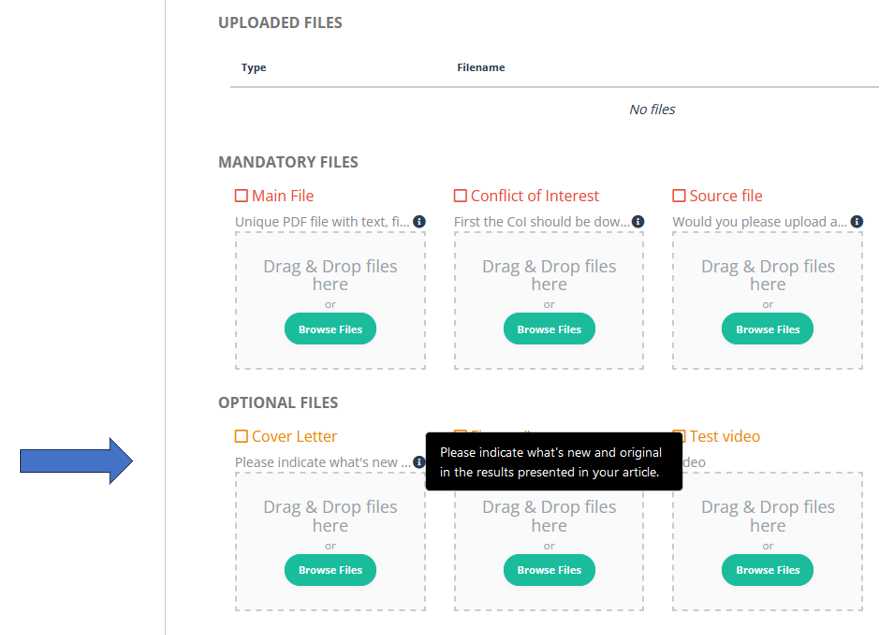
The journal configuration already allows to provide a thorough description of your file types and custom fields:

This information is now displayed properly to the authors. When the description is too long, it will be inserted in a tool tip like so:
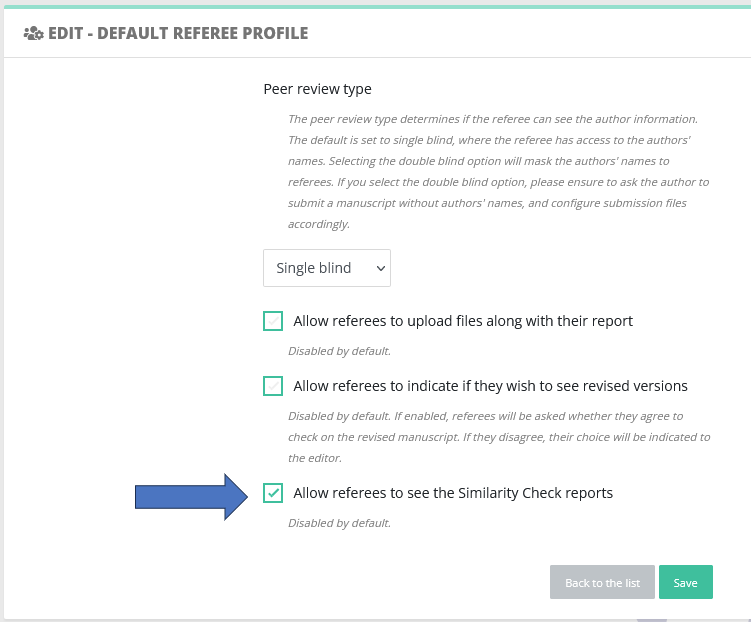
Similarity check for the referees
Referees may now have access to Similarity Check results.
To do so:
- Similarity check must have been triggered on some files
- The referee profile must have this new right activated:
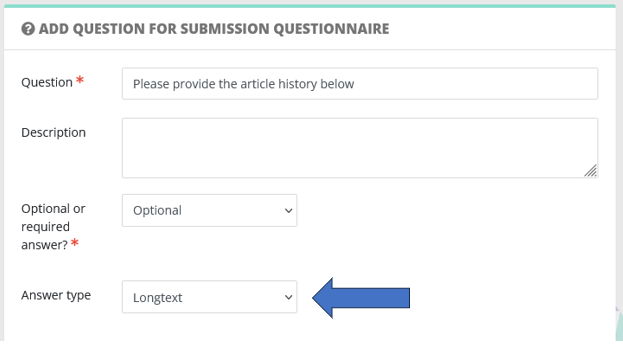
Small questions? Long answers!
At long last, answers to author/referee questionnaires may now be configured as long text:
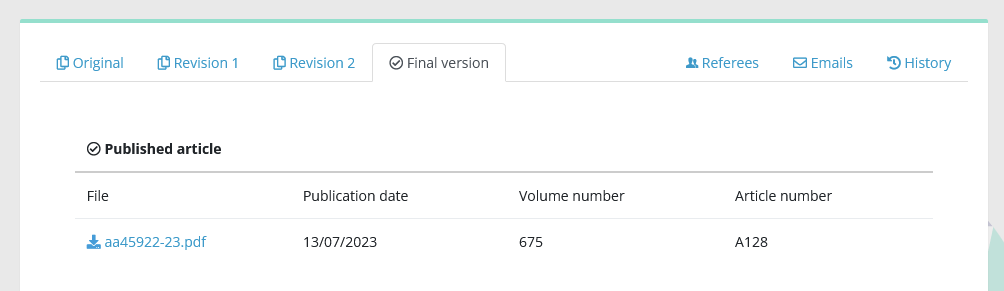
Improved view on published articles
4.70 - Quick search, sorting lists, security
21 September 2023
Improvement of the quick search
Besides looking up the reference, quick search has been expanded to corresponding authors names and article titles.
When the editor inputs several items, these are combined with the AND operator.
So for example the following request:
martin proton
will yield all articles
- with 'proton' in the title
- and the following corresponding authors:
Nicolas Martin
Martin Schlumberger
Martine Alaplage
Improvement of article lists: better sorting, saved preferences
The display of article lists has been improved:
- display preferences are now saved in your account! When you modify any list-related setting, it will not be reset when you reset your browser cookies! This affects:
- displayed columns
- columns order
- preferred sorting criteria
- number of results displayed
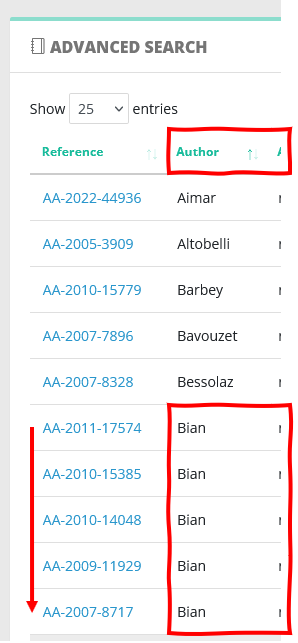
- clicking on a column title will sort articles according to this column. If the same value is found on several articles, articles will now be sorted by most recent (according to the reference):
Numerous performance improvements in the back office: several elements are now stored in the server cache, which improves overall responsiveness.
Numerous fixes to control resources access according to user rights.
4.60 - Conflict of interest checks, improved flags
31 August 2023
Improved checks for conflicts of interest
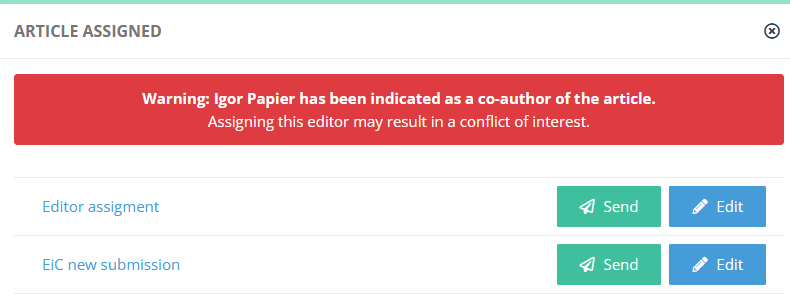
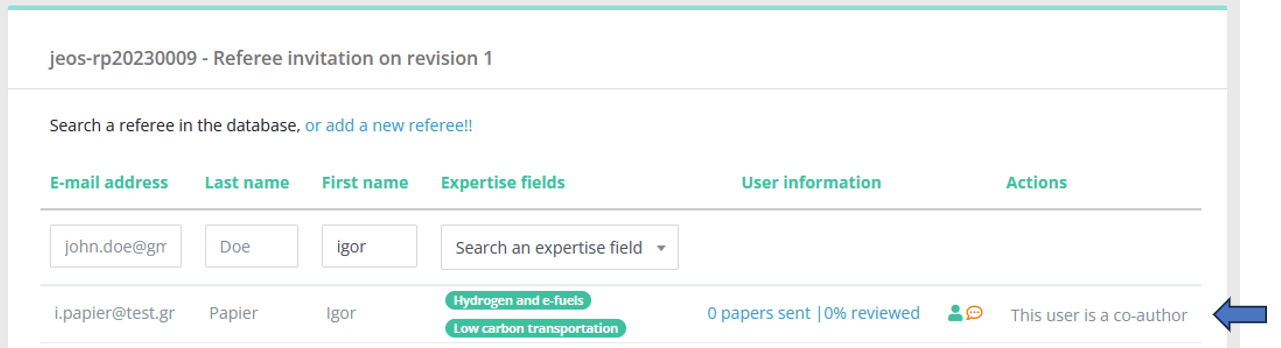
Sometimes, editors submit their own articles, and should be prevented from handling peer review. When that happens, prominent warnings / blocks have been implemented.
Flags configuration: no value / any value
Flags on closed lists are now easier to configure.
For example, if you want to flag special issue articles, regardless of the special issue, you can do so by selecting "Any value" in the configuration:

Conversely, "No value selected" will flag articles where no special issue has been specified.
Fixing flags according to profiles
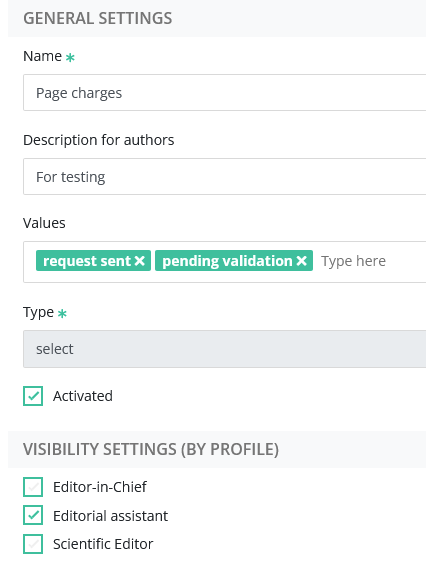
By default, configured flags were always visible, to all editors. This proved clumsy, because editors could see a flag without seeing the flagged data (more information on article visibility here).
|
For example, let us take a custom field used for administrative purposes: 'Page charges', which is masked to scientific editors. In this case, any flag related to "page charges" will be also masked to scientific editors. It will be visible only by editorial assistants. |
 |
Searching editors with advanced search
It is now easier to look for editors with the advanced search. Instead of having to write names, Nestor will now propose the closed list of editors relevant to the selected criteria. This will prevent typos and missed searches.

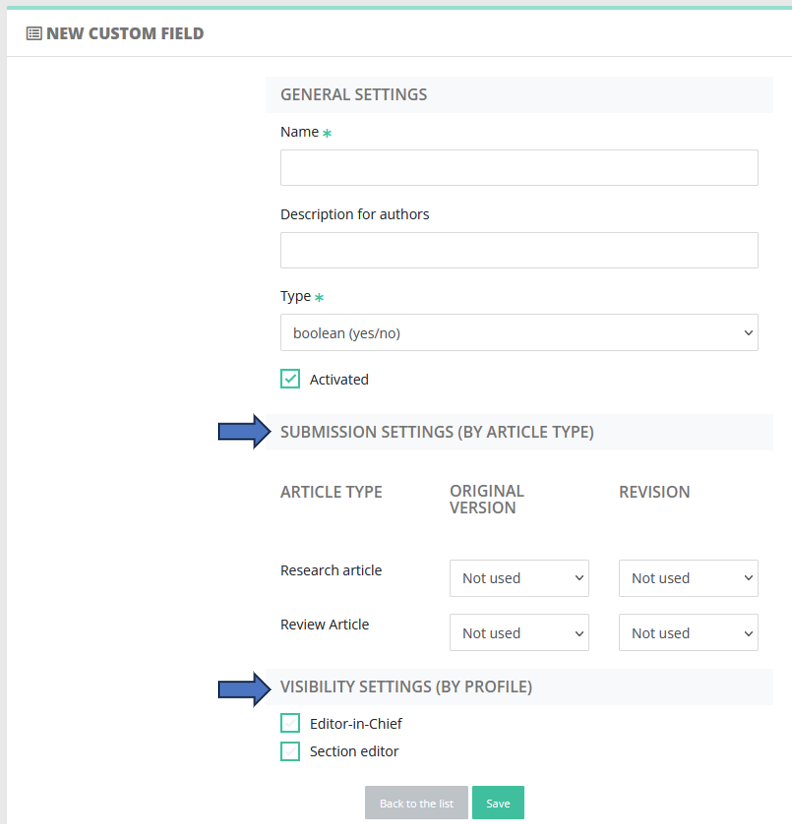
Easier configuration of file types / custom fields
When configuring these, articles types and profiles are now directly visible and can be linked properly.
4.50 - Editor dashboard refactoring, minor graphic updates
27 July 2023
Editor interface: improvement of the personal dashboard
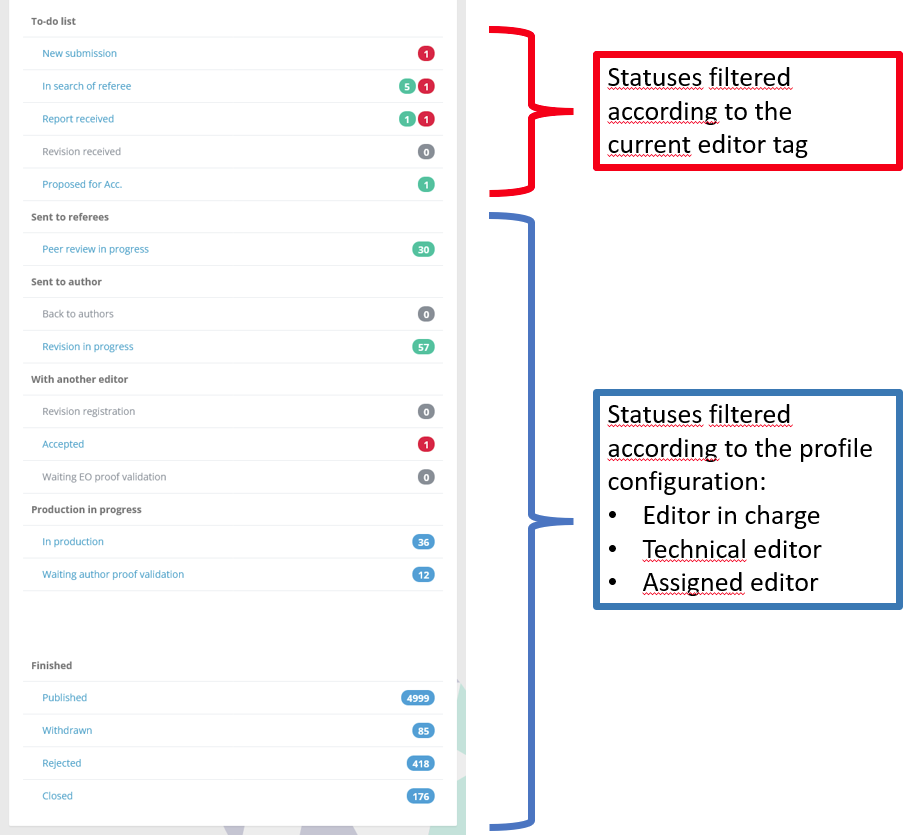
The personal dashboard received a major update regarding editorial responsibility. Beforehand, all articles were filtered according to the profile configuration:
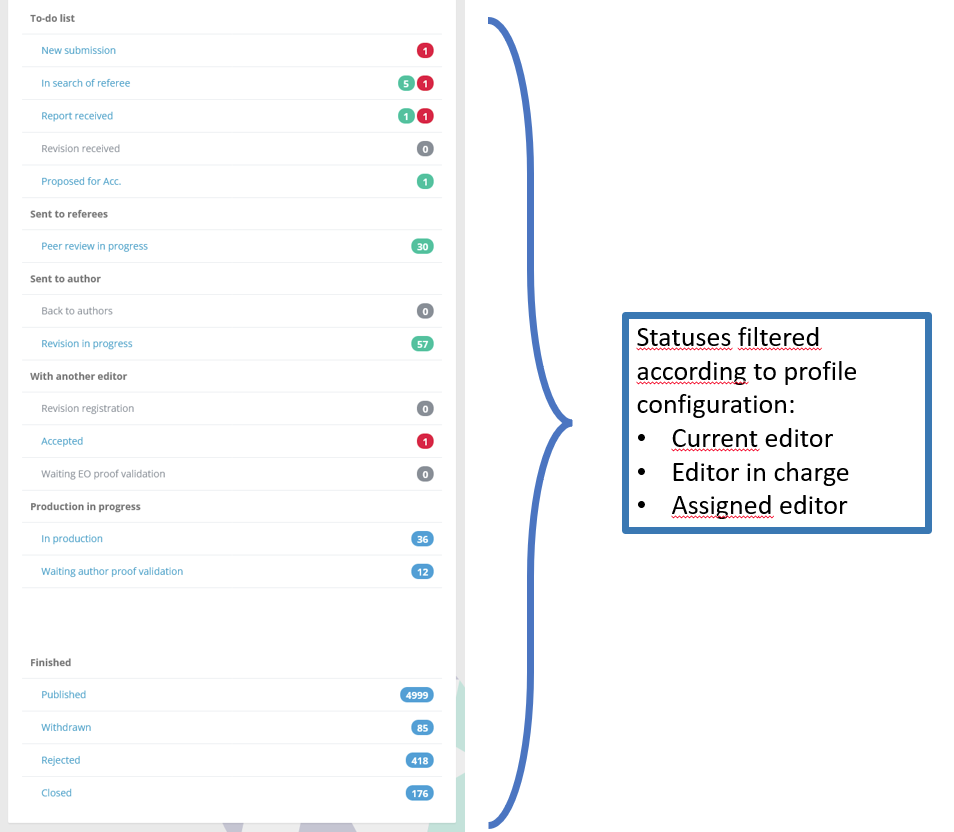
Now, the to-do list will be treated distinctly, to display only articles where the editor is tagged as "current". Details are documented here.
Editor interface: introduction of technical editors
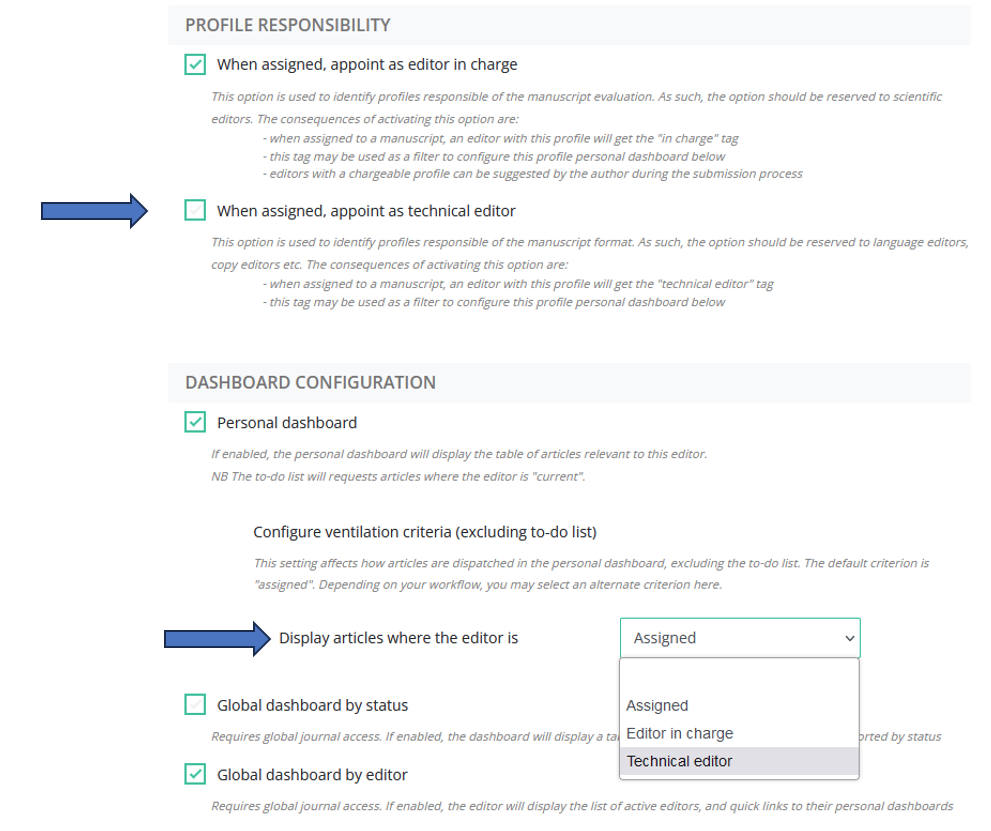
The "technical editor" is a new notion to handle editorial responsibility regarding an article. It works similarly as the "editor in charge" tag, and is used to filter articles more precisely. It will be useful for any editor with a copyediting / proofreading profile. This new feature is configured in the profile.
Expertise fields configuration
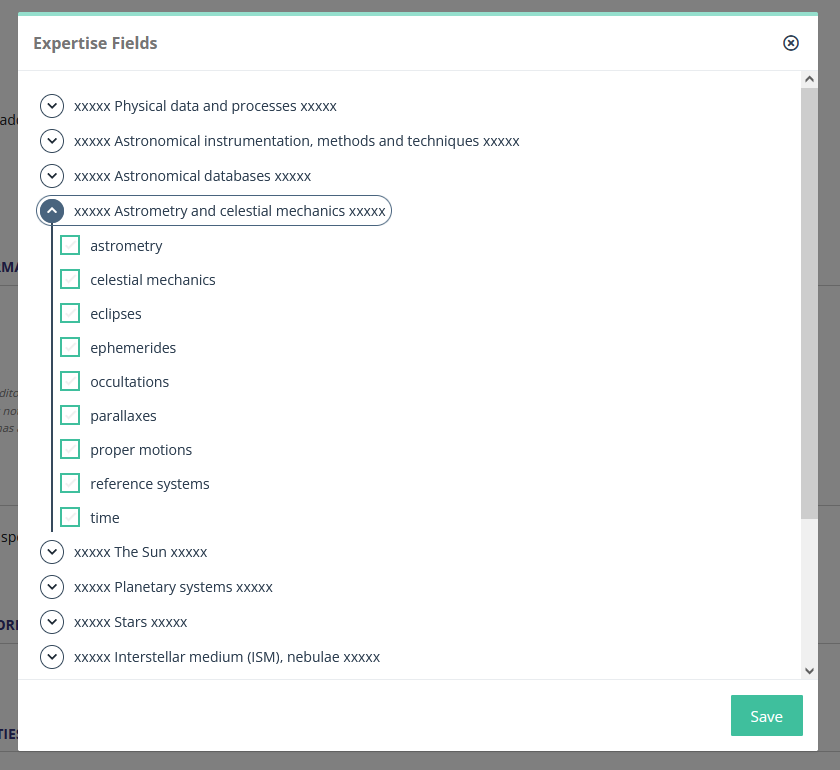
The interface used to link EFs to articles/authors was not super friendly. It has been made clearer:
Datatables display configuration
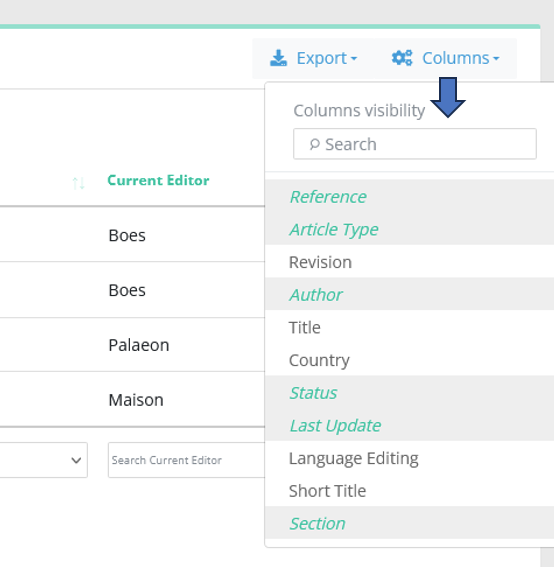
Columns display choice is now much more intuitive, and column order is now saved properly:
4.40 - Automatic Similarity Check, automatic referee notifications, mandatory expertise fields
22 June 2023
Similarity Check: makeover and automation
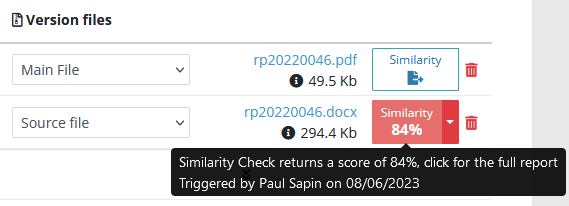
- On article files, Similarity Check (SC) buttons and results are now much more visible and understandable:
- At last, SC can be triggered automatically as soon as the author submits the paper!
If the feature interests you, make sure to activate it in your file type configuration. File types relevant for SC are usually manuscript files, which have the "Main file" code.
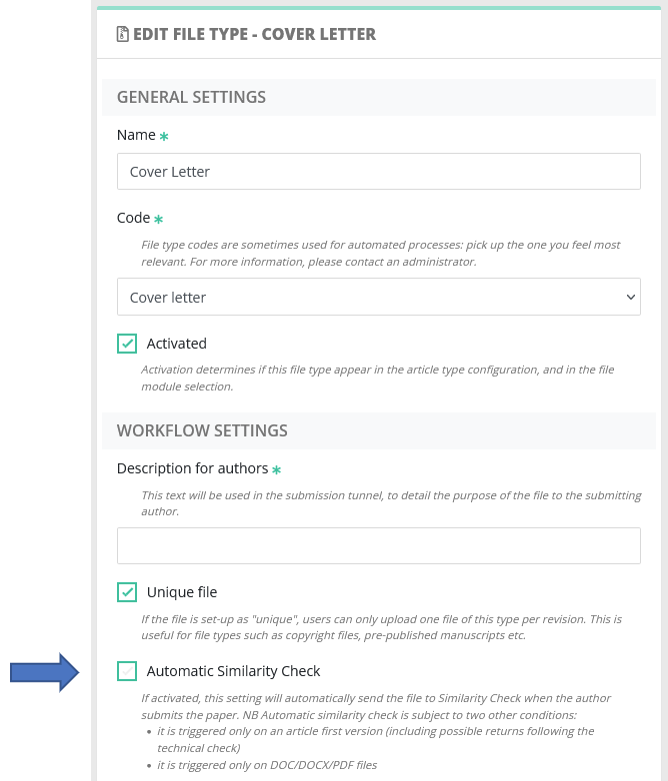
Please note that automatic SC is triggered only on first versions! Manual SC remains available at any time (provided you have the relevant rights).
Automatic notifications to referees with a report
A new type of recipient appears in the e-mail configuration: referees with a report:
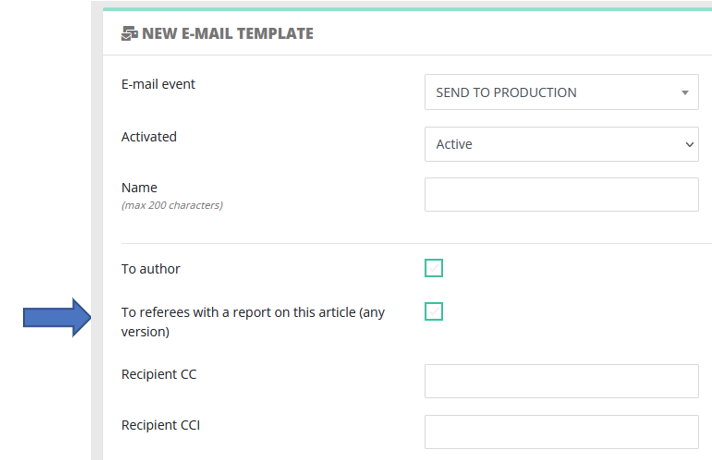
This can be used to automatically thank referees, typically when a final decision is reached on the article. This new type of recipient will be available for the following events:
- acceptance
- rejection
- withdraw
- send to production
Mandatory Expertise fields
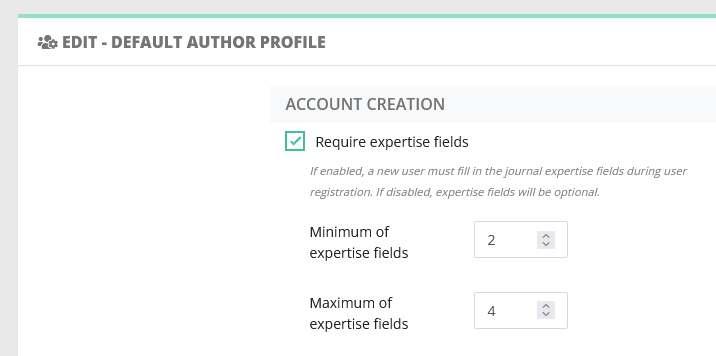
During user registration, authors may now be required to fill in their expertise fields. To do so, two conditions are necessary:
- some expertise fields must be configured for the journal
- this option must be activated in the author profile
Redesigning action buttons
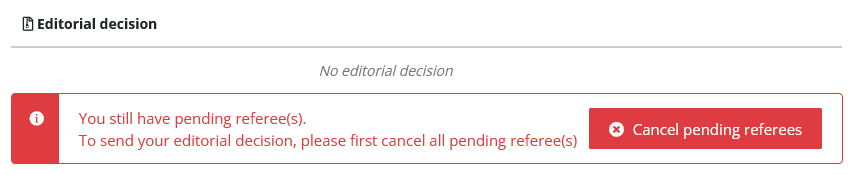
- The unlock action "Cancel pending referees" has been moved from the referee module to the decision module, where it is more intuitive.
- Shortcut actions in e-mail popups.
|
|
These two shortcut actions have proved too effective: some editors sent e-mails unbeknownst to them, or on the contrary did not send the intended e-mail. |
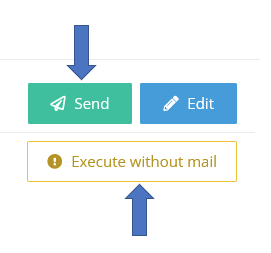
Consequently, these actions are now conditioned by a new profile right. As a rule of thumb, we advise to disable this right for scientific editors, and reserve it to "editorial office" profiles:

4.30 - Ajax, configuration pages, improved proof workflow
04 May 2023
Ajax everywhere
Thanks to Ajax, Nestor quits refreshing whole pages each time you edit an article!
Now, Nestor refreshes only necessary parts, in the background. On the whole, response times and user experience feels much faster.
Editor interface: small improvements in configuration pages
With an editorial office account, you probably noticed that the left menu is getting more crowded with each version.
- We have reordered the different options, to (hopefully) make more sense. In the near future, the left menu will probably undergo another makeover to save space / be clearer. Your suggestions are welcome.
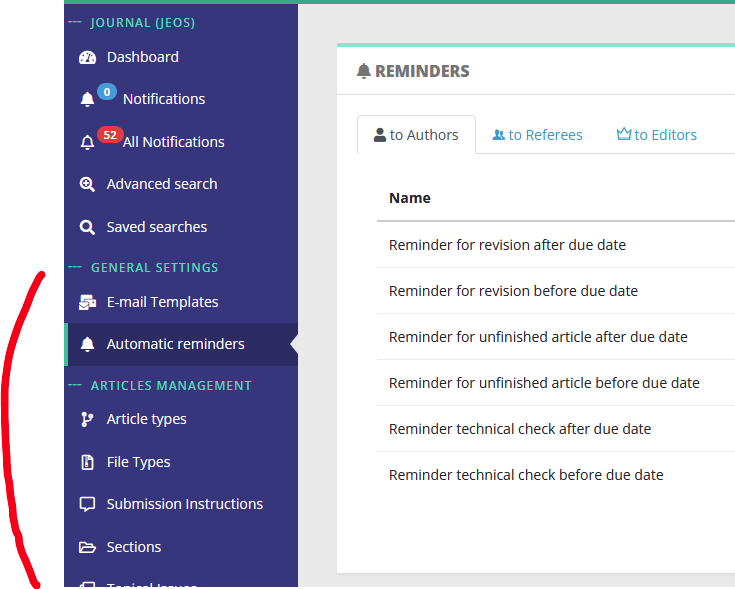
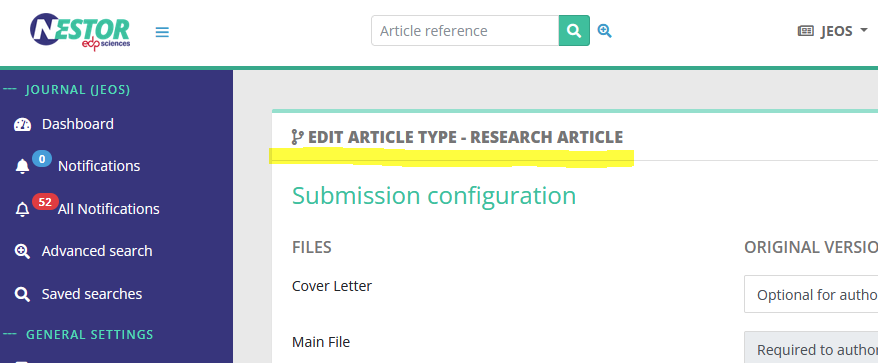
- Configuration pages have been renamed properly:
- Object lists
- Creation pages (New object)
- Edition pages now display the object name (Edit object - Name)
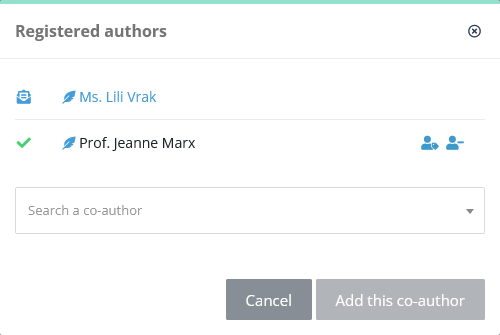
Editor interface: adding co-authors is now easier
Author interface: Improved proof correction workflow
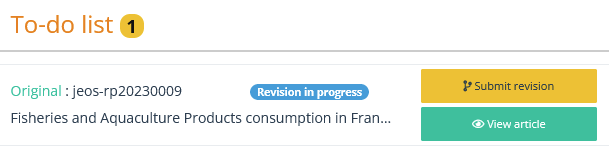
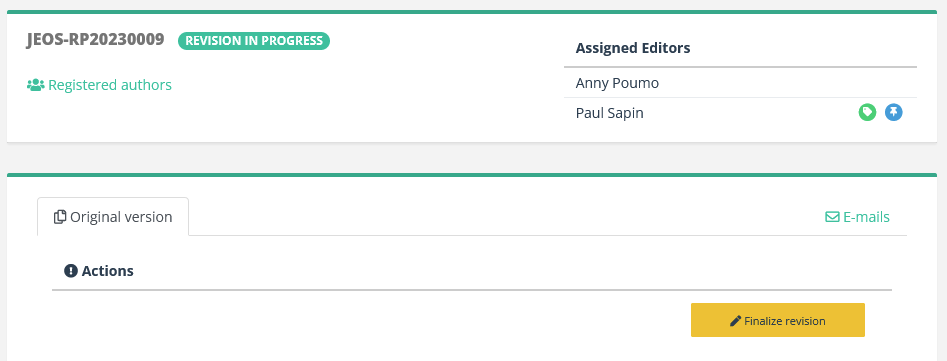
- For a given article, critical actions are now visible both on the dashboard and the article.
| Dashboard page |
Article page |
 |
 |
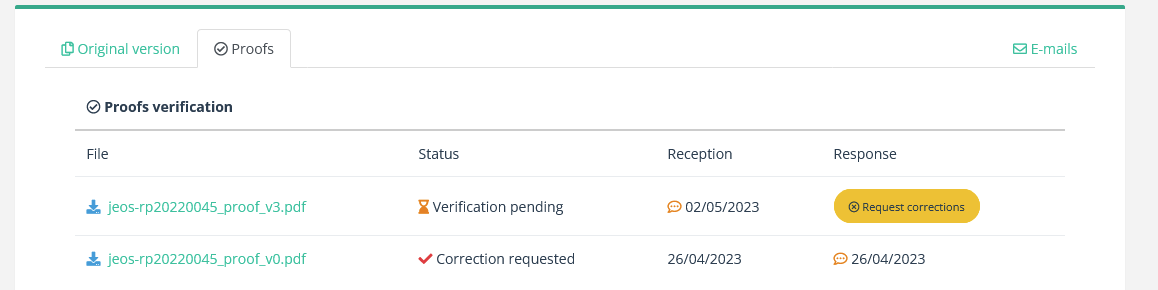
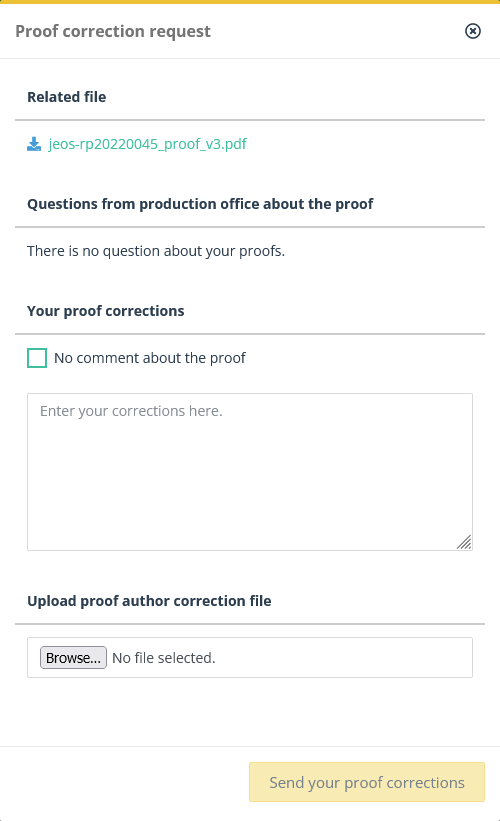
- The proof correction interface has been revamped and lightened
4.20 - Editor reminders, notifications
15 March 2023
Automated editor reminders
Editors may now receive automated reminders by e-mail!
The idea is to send, on a regular basis, the to-do list summary to each editor. The formatted e-mail will look like this:
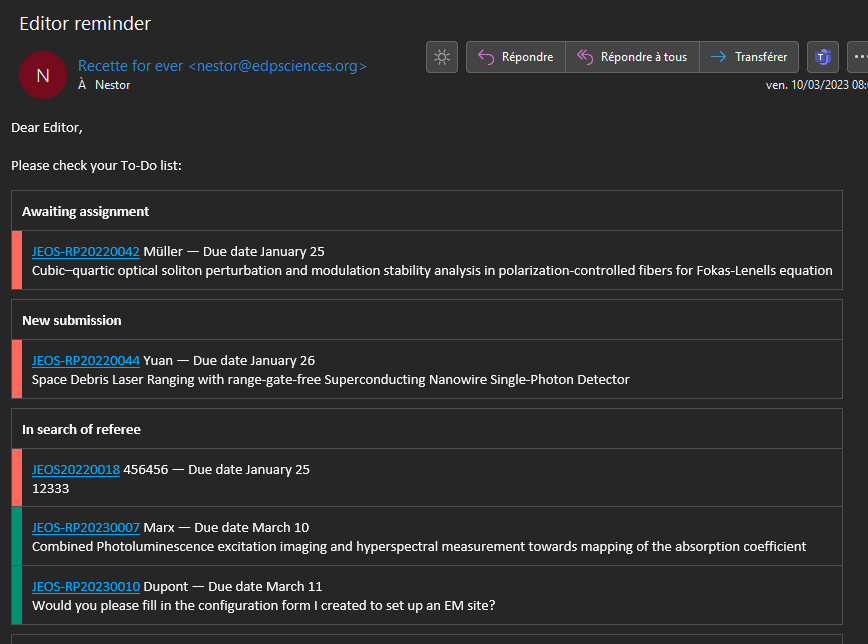
This will save time to editors and editorial offices:
* For editors, so they have an overview of their workload without needing to logging into Nestor.
* For editorial offices, as this will help to alleviate the need for manual reminders.
Editor reminders are easily configured in the reminder configuration.
Please ensure to configure a linked template, which must include the all-important variable: {{ editorReminderList }}
Internal notifications improvements
The notification page has received a major update. Indeed, for any given article:
- the list now displays all notified e-mails (with the notification bell)
- the content of each e-mail is now readable directly (no need to check the article)
- notification bells can now be disabled from this page (no need to check the article)
The end result looks like this:

Internal Notifications are used for important e-mails, when editors' attention is required on a specific point, outside the usual article workflow. As such, internal notifications serve as a complement to the editor dashboard, to handle special cases.
Author's suggestions
If suggestions for referees are requested to the author during submission, they will be displayed much more prominently on the article page:

Unstuck articles in production: "Set published" action
When an article is in production, the status may now be switched to to "Published", provided you have the relevant editor right.

4.10 - Co-author search, revert actions
31 January 2023
New documentation pages
We are happy to announce the opening of our new documentation website.
Help links will now direct to this website, where all users may retrieve help articles and release notes.
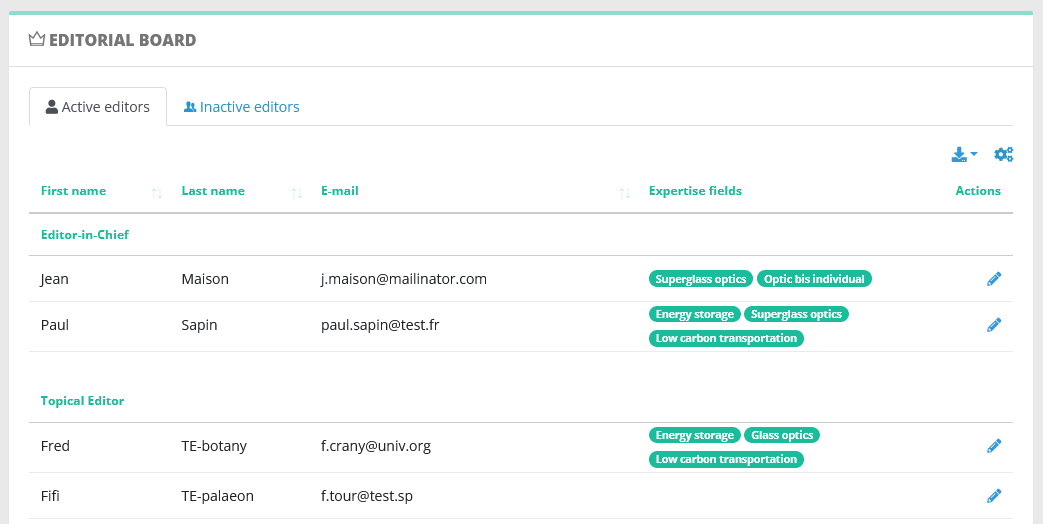
Editorial board page improvements
This page is aimed at editorial offices and EICs, to get a quick overview of the current editorial board information:
- the list has been divided into active/inactive editors in the journal
- those two lists are sorted by profile for better readability
- they are exportable in csv/xls/pdf (just like articles list)
- they now display editor's expertise fields
Quick search filter on expertise fields
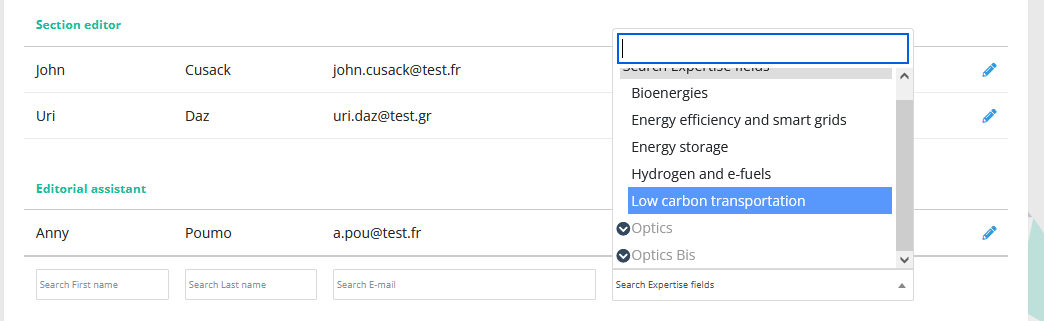
The expertise field filter has been improved. Instead of searching with full text, the filter now proposes the journal's active expertise field. This filter can be applied to the following tables:
- articles datatables
- board datatables
- referees searches
- user searches
Co-author search tool
During the submission process, the corresponding author may now use a new tool, allowing him to:
- search colleagues in the journal user database
- easily add them to the co-authors list

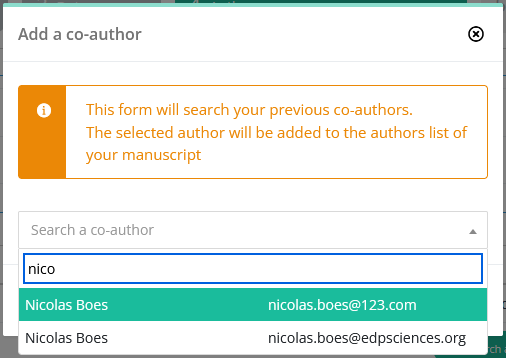
Revert actions have been merged
Reopen / revert / send back: these 3 similar actions have been merged into a single action, allowing an editor to:
- rewind and correct the article history
- warn the author if necessary
This is especially useful to cancel editorial decisions and handle appeals. Hopefully, having a single action will clarify your interface. The "revert" action is straightforward, it will:
- erase the last status on an article
- null any final decision data
"Revert" is available according to your profile's rights and the article status.
For example:
- you may revert a revision request if you have the right to request revisions
- but you cannot revert a revision if you cannot request revisions.

4.00 - Author and referee dashboards, mail template filters
6 December 2022
Major updates
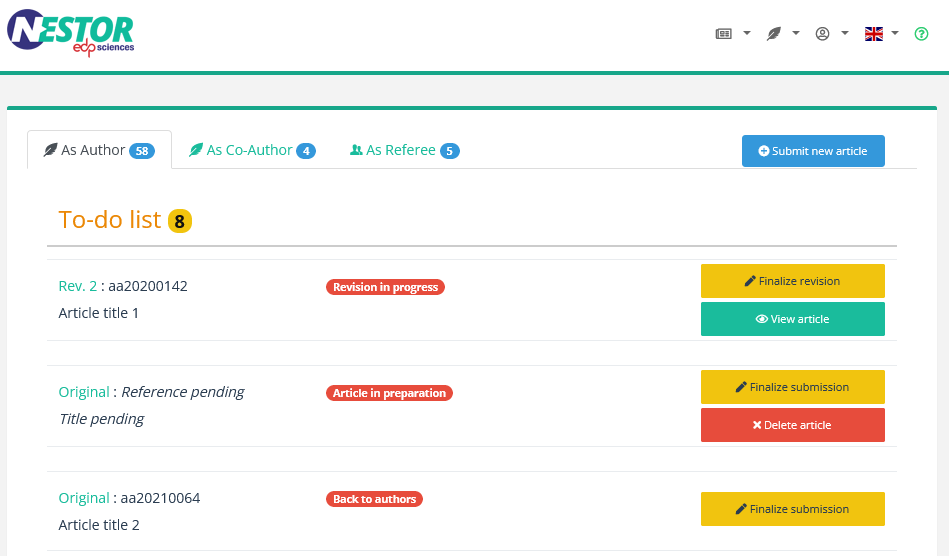
- Referee interface
At long last, referees now have access to their completed reports.
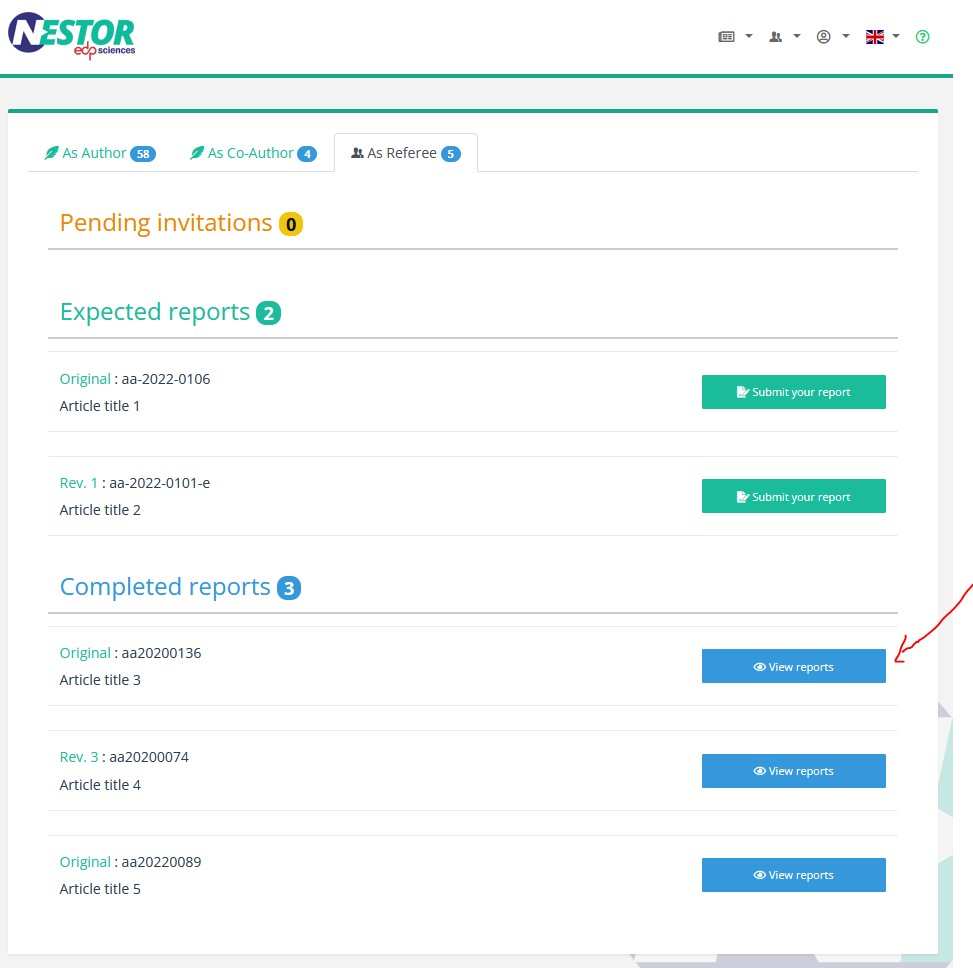
- Mail configuration: user events can now trigger automatic messages in parallel.
At the moment, the feature is limited to editor assignment:
- the EIC assigns and contact an editor to handle an article
- in parallel, the author receives an automatic warning, so that he knows the article is being handled.
We intend to generalize this feature to other events.
For example, acceptance/rejection could trigger automatic thank you mails to referees.
Please do not hesitate to share your ideas by replying to this message.
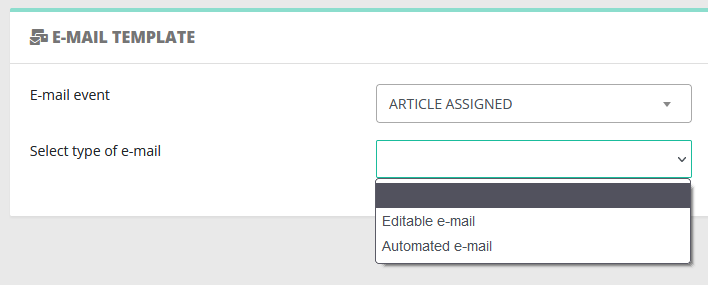
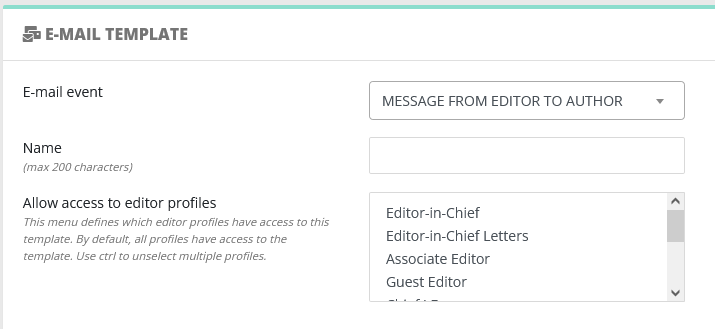
- Mail configuration: filter available messages according to editor profile.
Nestor was designed so that editors have only access to mail templates relevant to their profile rights.
However, we realized access to a template is sometimes linked to the profile, not to any right in particular.
This is particularly relevant for templates with no direct impact on workflow, such as free letters.
For this reason, some events now offer the possibility to restrict access of the template according to the profile.
- Performance optimization
Page loading times have been improved in the whole system.
This will be felt especially when your dashboard is heavily crowded, or if your journal has a lot of articles.
Minor updates
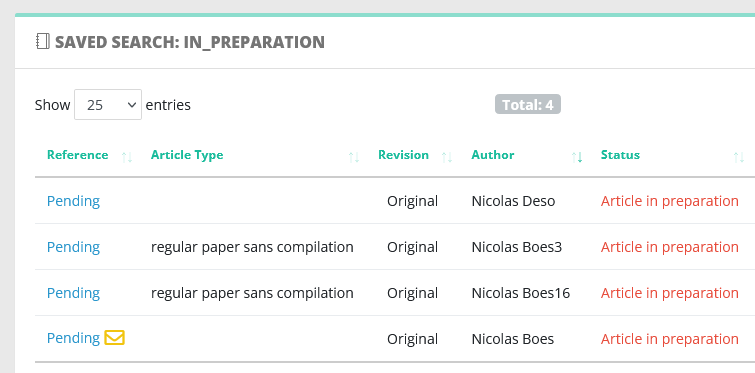
- Pending submissions
Pending submissions are now accessible via advanced search. They will appear with a "pending" reference. Those submissions are being edited by the author, be careful when you access them!
- Inactive editors rights
As of 4.00, inactive editors will not benefit from administration rights attached to their profile. They will keep the benefit of article-related rights.
This is useful when an EIC steps down, but needs to finish working on his last articles.
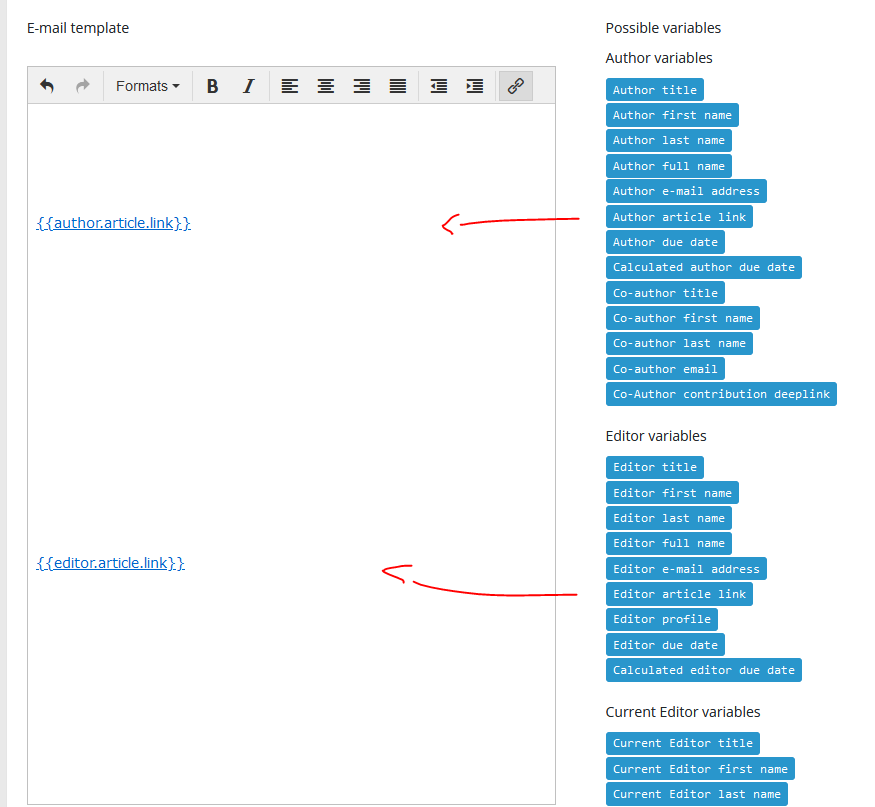
- Mail configuration: HTML deeplinks
We have prepared new variables to insert in mail templates.
When used, these variables will generate a *clickable* article link to the recipient of the message. This will save a few copy/pastes.
3.80 - Author and referee rights
21 October 2022
Major updates
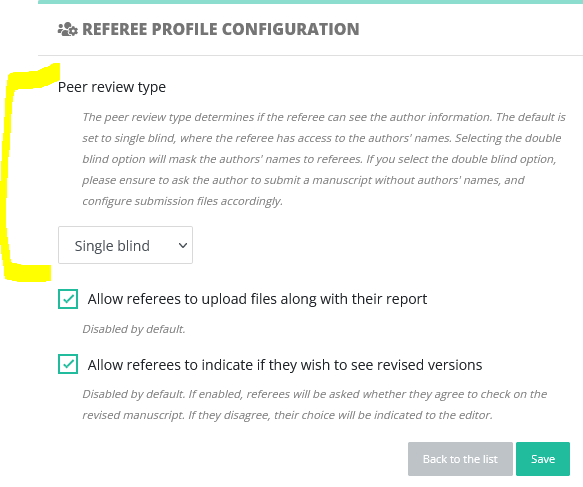
- You may now configure specific rights for authors and referees.
In the profile configuration, please have a look at these new pages and ensure they match your journal needs:

- In particular, settings related to peer review confidentiality have been transferred here:

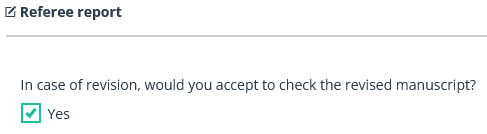
- When uploading a report, referees may now indicate if they want to check revisions :
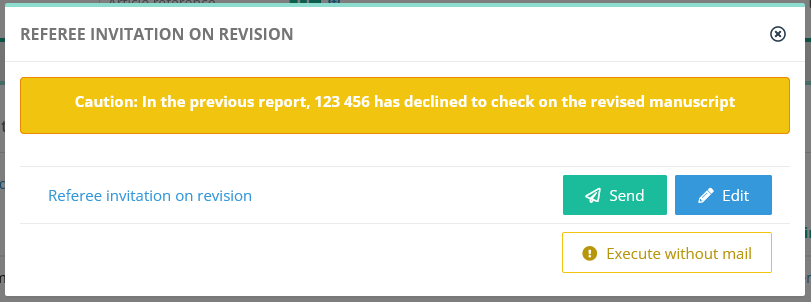
In case the referee refuses, the editor will be informed accordingly when handling the revised version:
Minor updates
- On the Nestor home page, user registration has been secured to prevent registration by robots.
- When using quick search on a single reference, you will be redirected automatically to this reference.

- Template configuration and advanced search: Lists of events / statuses have been streamlined.
- The account merging feature has been secured by an editor right:

3.70 - Instructions to authors, account merging, LaTeX extraction
8 September 2022
Major updates: relevant to administrators only!
- Submission tunnel configuration: instructions to authors
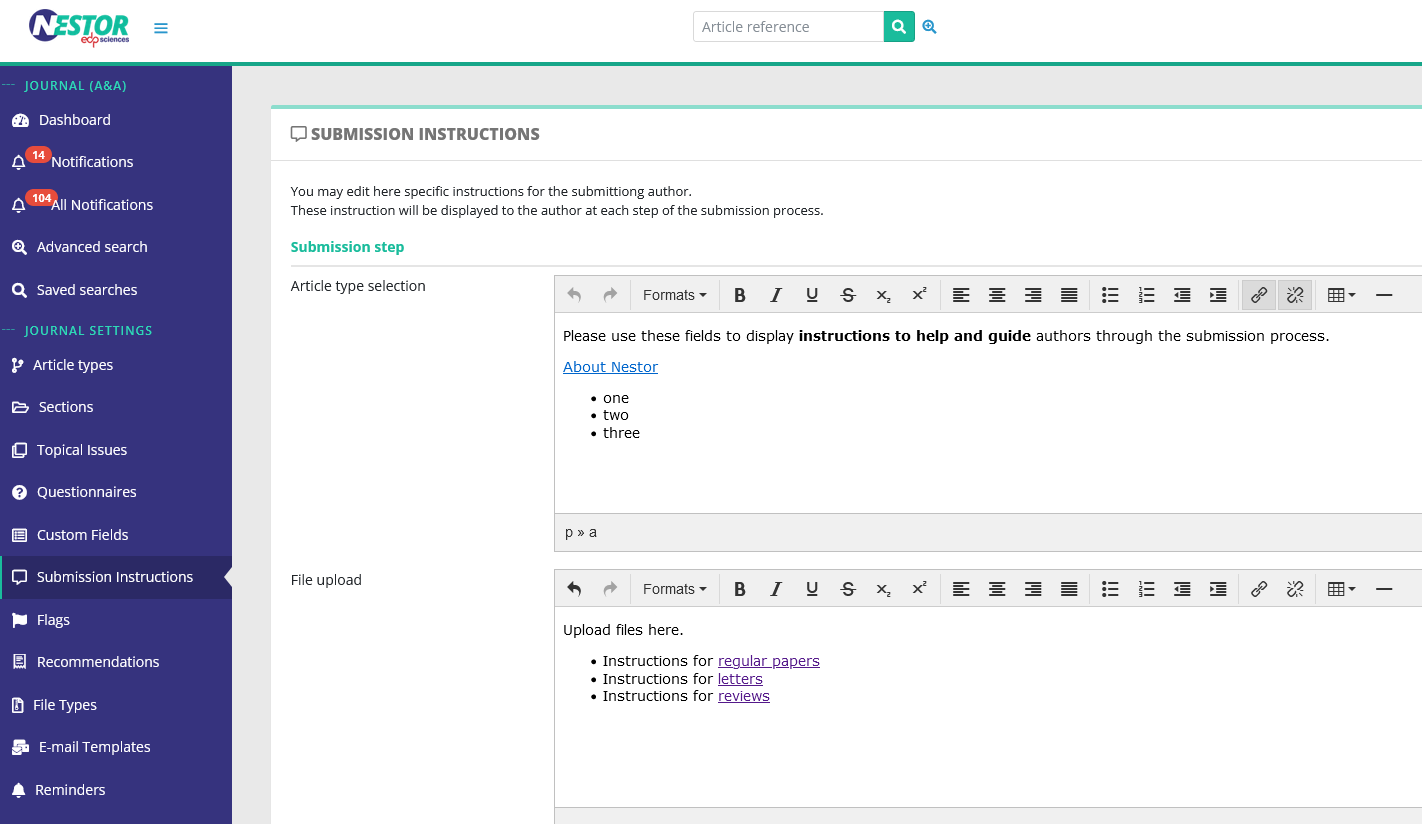
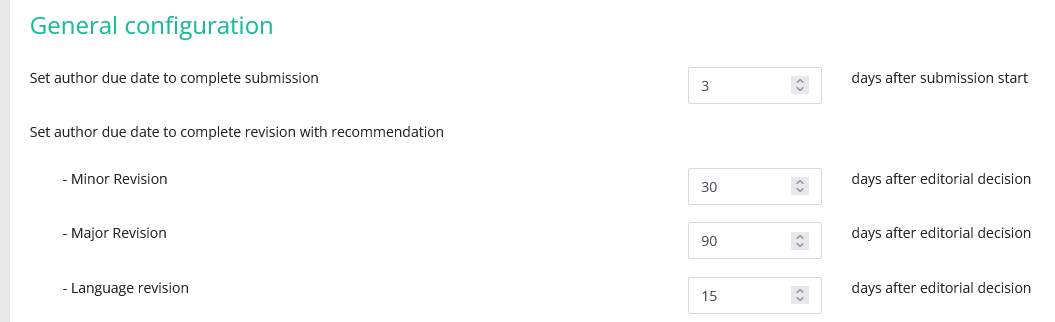
An oft-requested feature, each step of the submission tunnel is now editable to display specific instructions. These instructions are configured in HTML, and can display links, tables or any relevant information to accompany authors during the submission process.
- Profiles configuration
The profiles configuration has been improved:
- For more clarity, available configurations have been sorted and divided into three thumbnails.
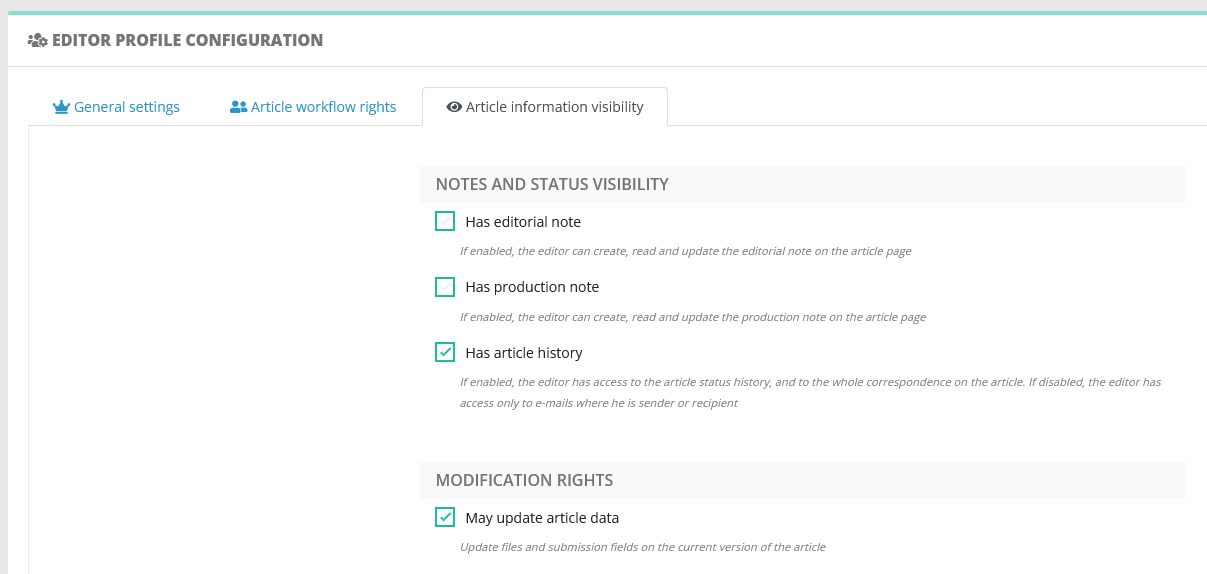
- One thumbnail is new and allow to configure the profile view on the article information.
For example, copy editors do not need to have access to custom fields or keywords on an article. Therefore, this information may now be masked specifically to copy editors.
- Account merging
User accounts may now be merged, please be super careful when merging accounts!
This will result in the following:
- author, editor and referee activity of the deleted account will be transferred onto the preserved account
- the personal information of the deleted account will be discarded (saved institutes, expertise fields, ORCID, availability, saved searches and profile)
- LaTeX data extraction
If your journal uses the LaTeX format for submission, information is now automatically extracted from the submission files to feed the Nestor database:
- title
- abstract
- authors list
This saves a few minutes to authors during the submission process.
Minor updates: relevant for everyone!
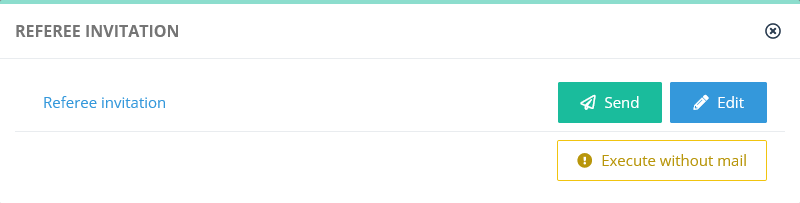
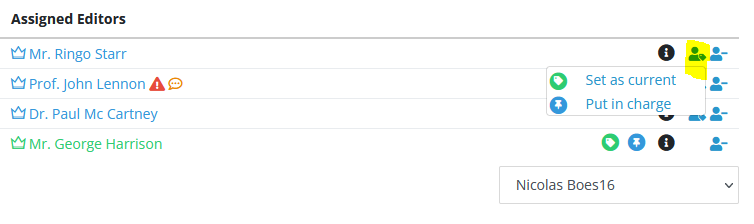
- Editor interface: editor responsibility (in charge/current) is now easier to correct.
3.60 - Action bar, simplified workflow actions
3 August 2022
- Behold the shiny quick actions bar: on the article page, critical actions and mails are now conveniently gathered at the top. Available actions are sorted by user, and will be relevant to your profile's rights and to the article status.

- Several minor improvements on the article page:
- the upper module has been compressed to save screen space
- the style of pop-up windows has been uniformized
- decision and mail history modules have received a long overdue makeover
- The sending of an e-mail is no longer mandatory to trigger critical actions such as:
- editor assignments
- referee invitations
- proposals and decisions
This simplifies technical support, by allowing you to correct the article workflow unbeknownst to other users.
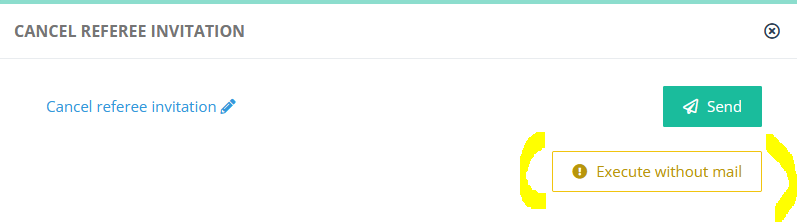
- Article type switch and lock: as for custom fields in v3.30, the article type may now be updated automatically when sending an e-mail, by creating a rule in the mail template configuration.
Furthermore, authors may now been prevented from modifying the article type on revisions. These two changes allow a tighter editorial control on the type of an article.
3.50 - Workflow refinements
4 July 2022
- Workflow refinements: recommendation/decision rights are now totally customizable depending on the profile:
Example 1: some editors needs both the right to request a revision, and the right to recommend the revision to their parent.
Example 2: in some workflows, editors sometimes do not have the rights to reject or even to recommend rejection.
- New actions and rights: in addition to being rejected/withdrawn, articles may now be closed and deleted.
- Update of the advanced search: search criteria may now be combined using groups, AND/OR operators.
This dramatically improves the usefulness of advanced searches (which can be saved and displayed on the dashboard).
- New visibility rights: status and mail history may now be hidden depending on the editor profile.
Typically, this is useful to hide referees' information from copy editors.
3.40 - File and co-author module improvements
17 June 2022
- The file upload tool for editors has been simplified and mirrors what the author sees during the submission process.
- Improvement of co-authors management:
- The possibility to resend the confirmation letter to a co-author who has declined by error.
- It is now possible to contact a co-author even if he/she is not registered in the system.
- Up to now, there was an expected number of reports (to take a decision) set by default for each article type.
For editors, this threshold determines warnings and status' transitions.
With this new version, editors may now change this threshold on the fly on each article.
- Cancelling pending referees
When an editor has received enough reports, he/she must cancel the pending referees to unlock the decision buttons.
With several pending referees, a lot of clicks were necessary to cancel all referees and unlock the decision.
With this new version, editors may now cancel all pending referees in one go.
This action can trigger an automatic message to cancelled referees. To do so, please ensure to create a mail template using the mail event:
CANCEL_PENDING_REFEREES.
- Article datatables
New columns are now available for display in datatables.
Here are some examples:
Country of the article
Submission date
Technical check date
First referee report date
Final decision group
Final decision
Final decision date
Production date
First proofs receipt date
First proofs validation date
3.30 - ORCID fixes, field update when triggering e-mail (rules)
15 April 2022
- User account pages:
- Account pages may now be modified on the fly. No more need to use clumsy save buttons =)
- Numerous fixes regarding ORCID:
- Nestor accounts cannot be created via ORCID any more. ORCID authorization policy proved too confusing )=
- Authors, co-authors and referees are now invited to link their ORCID accounts when completing a critical action (paper submission, report upload...)
- Editors cannot edit ORCID ids on other users any more, this complies with ORCID policies and simplify ORCID management.
- Custom fields
- Select custom fields may now be updated automatically when sending an e-mail, by creating a rule in the mail template configuration.
- Custom fields may now be searched with the advanced search feature
- Nestor mail system address
- Nestor now correctly fills the sender name when sending e-mails
- The "reply-to" address is no longer generic, and may now be configured for each journal
3.20 - Article flags
18 March 2022
- Custom fields and flags:
- custom fields are now displayable in articles lists
- select fields (both standard and custom) can now trigger flags on article lists and article pages
These two features are very useful to identify specific workflows / critical articles
- Mail history: users may now mask automatic mails in mail history.
We realised mail history could get very crowded when several co-authors/editors are involved in an article.
Masking automatic mails to show only "human" messages helps editors to identify important messages in the article history.
- Referee invitations:
- when inviting a referee, a warning is displayed to the editor if the referee is currently working on another paper
- referee activity page: information is now more relevant
3.10 - Article configuration improvement, lists ordering
11 February 2022
- Improvement of the editor assignment tool.
It is now possible to completely reset the editor list on a given article.
- Improvement and simplification of the article type configuration.
Standard fields/custom fields/file types configuration is now standardized.
- The drag and drop ordering feature has been improved and extended to the following lists:
- editor profiles
- saved searches
- article types
- file types
- sections
- special issues
- custom fields
- recommendations
This helps to present information in a more structured way. By ordering important items first, users will be able to identify them more easily in their interfaces.

3.00 - Data exports
16 December 2021
- Release of the data export feature, accessible from article datatables:

2.90 - Post-it, unique file and production sending
16 December 2021
- Release of the "post-it" tool
This tool provides a simple way for editors to share important information on an article, by displaying an "editorial note" on the article page.
- Improvement of the file types and production configuration
This allow editors to handle special files, typically used for typesetting purposes.
This includes:
- copyediting files
- forthcoming pdfs
2.80 - Responsive design, editor in charge
10 November 2021
- Release of responsive design for the editor interface: aticle pages are now displayed properly on mobiles.
- Release of the "Editor in charge" feature, and refinement of the article workflow (two new article statuses).
These allow better filters to display personal dashboards.
2.70 - Article page: information correction
27 September 2021
- Improvement of the article page:
- Information display is clearer.
- Information modification is easier, and does not require page reload anymore.
2.60 - Advanced search
9 August 2021
- Release of the advanced search tool:
- combine multiple criteria to refine your article searches
- saved searches
- display saved searches on dashboard
- Improvement of the referee decline tool: provide a fixed list of common decline reasons
- Restrict editors rights to search/access their own authored articles
2.50 - Internal notifications
18 June 2021
- Release of the internal notification tool
Important mails sent by Nestor are now emphasized in the recipient interface:

Mail alerts are now displayed in the editors' left bar.

- Improvement of the editor dashboard
Global and personal dashboards have been merged into a unique page.
2.40 - Stand as user
29 May 2021
- Improvement of the user bar
The previous user bar was confusing for some users, especially to editors who had to juggle between author/editor interfaces. The user bar has been redesigned, and is now unified across all interfaces.

- Release of the "Stand as" tool
A much-requested feature, this allows you to connect to Nestor with another user account. This comes in handy to handle user support and help editors/authors. The feature is available if your profile has the associated right (cf profile administration), and a button will appear in users' information page:
