
Editorial assignments
Manual assignments
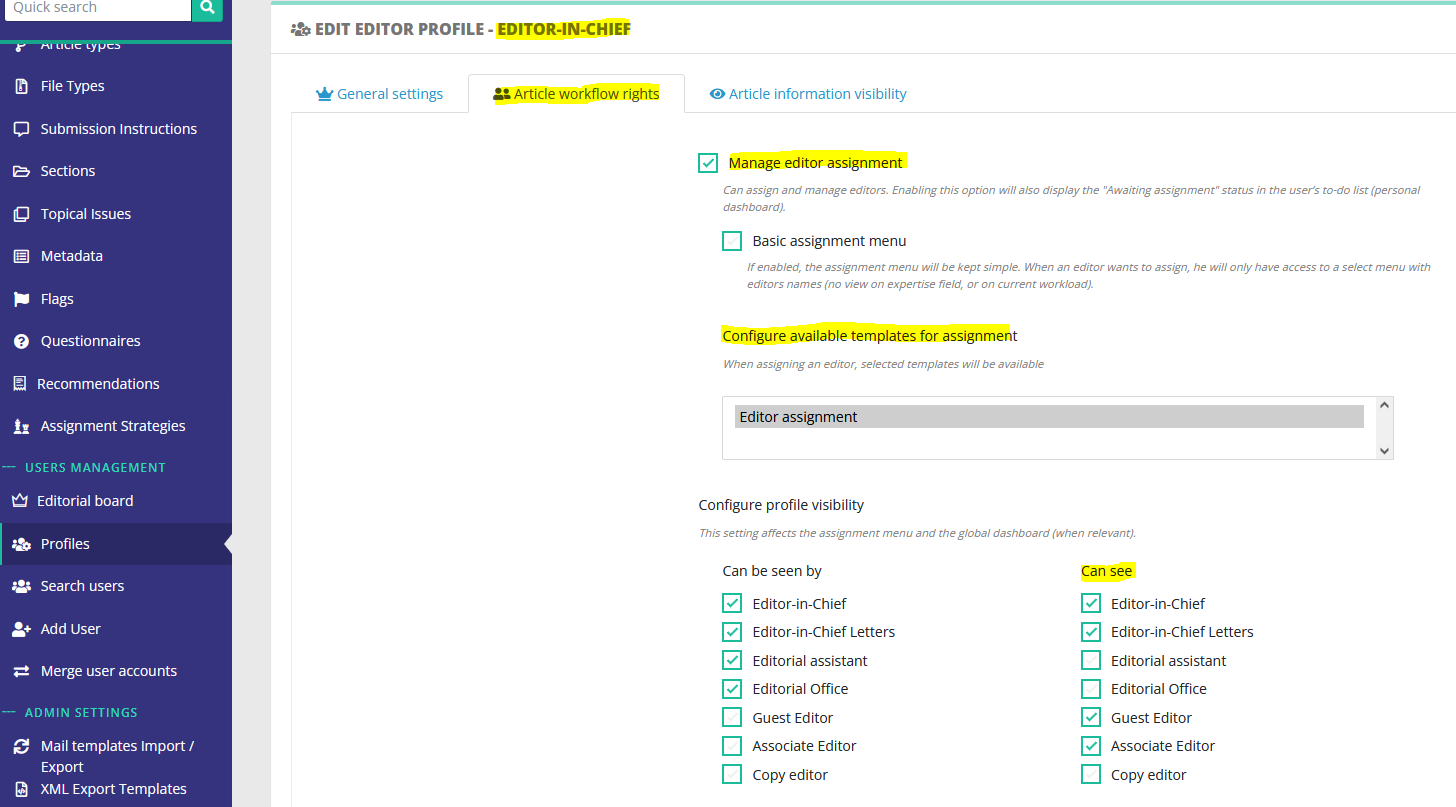
Configuring a manual assignment is done at the profile level. For a given profile:
- ensure it can manage editor assignment,
- and check which profiles he can see.
For example, an Editor-in-Chief will usually have the right to assign:
- himself or another EIC
- an associate editor
- a guest editor
Automatic assignmentsassignment and editors' chainsstrategies
Automatic assignments can be configured when the first version of a paper is submitted. This is done on this dedicated page:
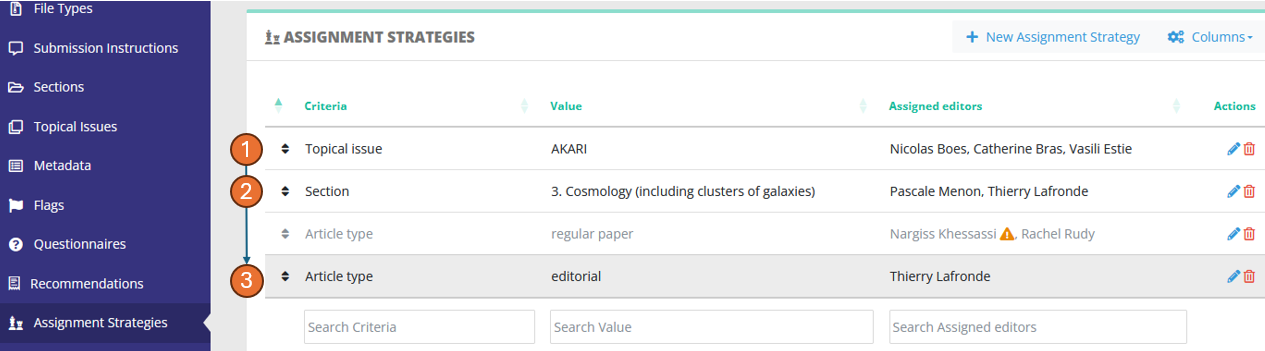
AutomaticWhen assignmentsan article lands in the status "Awaiting assignment", Nestor will check the strategies defined here and apply them if the criteria are met. The goal is to quickly dispatch articles to relevant editors based on the article metadata. The dispatch criteria can be any standard or custom field.
Stragegies are sorted by priority, with upper strategies having higher priority. As soon as a criteria is met, the strategy is applied, and lower strategies are ignored. An automatic assignment with inactive editors will always be ignored (see ⚠ in the screenshot)
OnceFor example in the screenshot above, a couplepaper criteria/valuewith:
- no topical issue
- in section "3. Cosmology"
- and which is
fullfilled,a regular paper
will match the assignmentsecond appliesstrategy and nobe assignmentdispatched belowto isPascale applied.and InThierry.
example
Strategies and filiation links
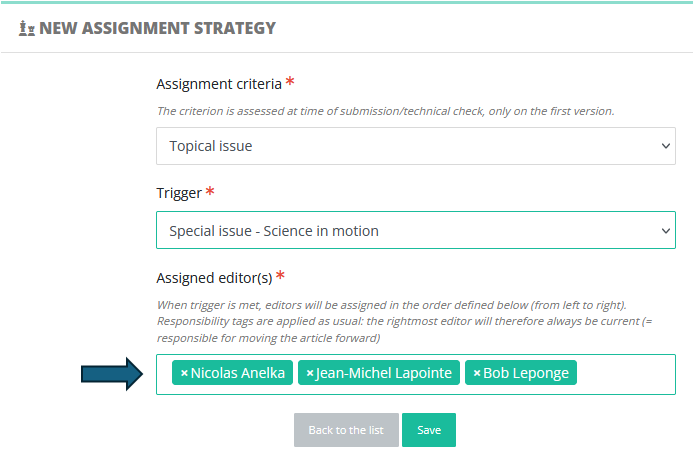
For a submittedgiven paperstrategy, belongsmultiple toeditors the special issue Akari, then it willcan be assigned toon Nicolas,the Catherinefly:
When The assignments belowthere are ignored.
Aneditors editors' chain isin a set of several editors. When assigning a chain,strategy, Nestor will respectassign them sequentially from left to right and apply responsability rules. As such, the lastrightmost editor in athe chainstrategy will always be the current editor and will receive the assignment notification. His parent editors are merely put in cc of the notification.
This is extremely useful to assign several affiliated editors to handle e.g. a special issue:
Editor-in-Chief > Associate Editor > Guest Editor (= current)
In that example, the Guest-Editor will be responsible for handling the peer review, and his decision proposal can be subject to validation by his parent editor (in the screenshot above: the Associate Editor).