
Login
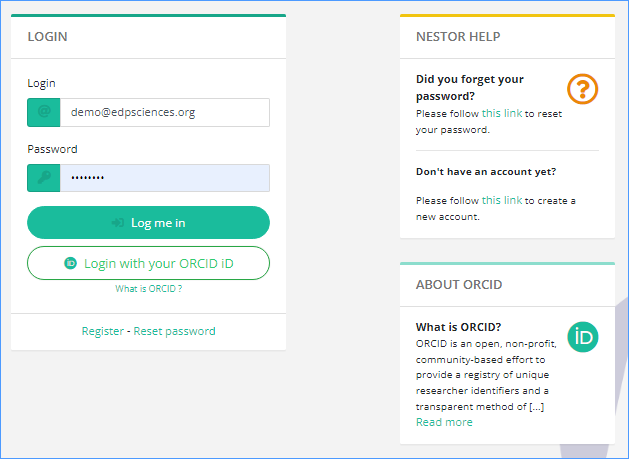
From https://xxxxx.nestor-edp.org/ please, click on the LOGIN button at the top.
You will be requested to enter your e-mail and password.
- If
Onceyouconnnected,are editor of the journal, you will always land on the editor dashboard - Otherwise, if you have
accesspendingtoarticlesyourasactivitiesreferee, landing on the referee dashboard - Otherwise, if you have active articles as author,
co-landing on the authorordashboard - Otherwise,
availableif you have active articles as coauthor, landing on the coauthor dashboard - If none of the above apply, you will land on the author dashboard.
Switching dasboard is done via the selection menu in three dedicated tabs. Or you can switch from your author role to referee role using the menuupper at the top.right:
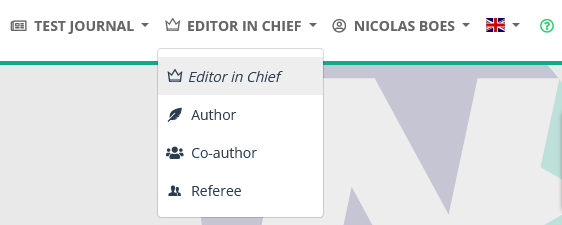
For editors previously using MMS, your codes have been migrated. Do not register again. Type in your e-mail address (the one used with MMS) and the password you used to access MMS. If you got some connection problem, please click on the ‘Reset password’ link' https://XXXX.nestor-edp.org/resetPassword
As an editor, once you’re connected, you access directly your interface as editor.
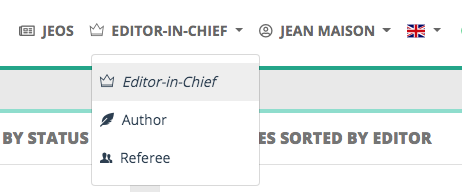
You can switch to your interface as author or referee using the role menu close to your name.