FAQ
I cannot send my decision on this article, what happens?
If youthe wantdecisions buttons are available, this means one of two things:
Most of the time, the issue is caused by the status of the article. Typically the two following statuses lock the editorial decision:
This is to prevent two different persons working on the article at the same time.
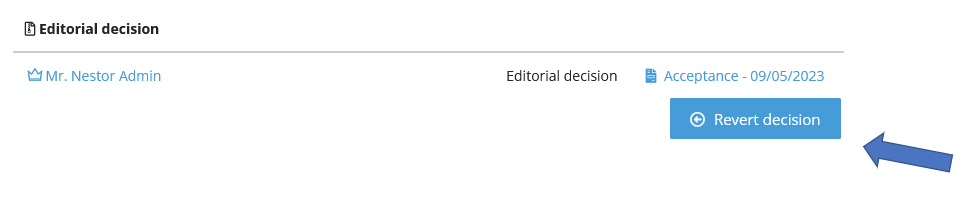
I made a mistake when sending the decision, how can I resend it?edit
You must first revert your previous decision! This is done via the decision module:
I receive too many e-mails from the system, how I can I disable them?
Mail alerts can be disabled via your personal account. informationP, pleaselease click on your name and on ‘My profile’.:

From there, go the Art System:I want to submit a paper myself, how can I reach the author interface?
By default, Nestor will log you with your editor account. If you want to submit a paper where you are the author, you must switch your role! This is done here:

How can I change my e-mail address?
Please click on your name and on ‘My profile’:
From this page, you can:
- Change your e-mail address and reset your password
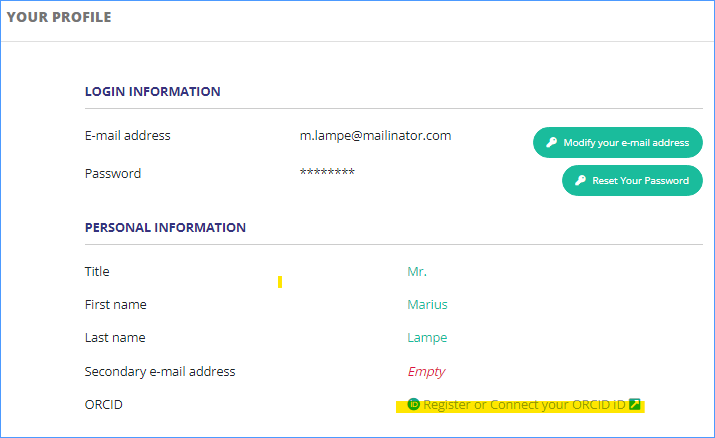
- Link your ORCID account to your Nestor account
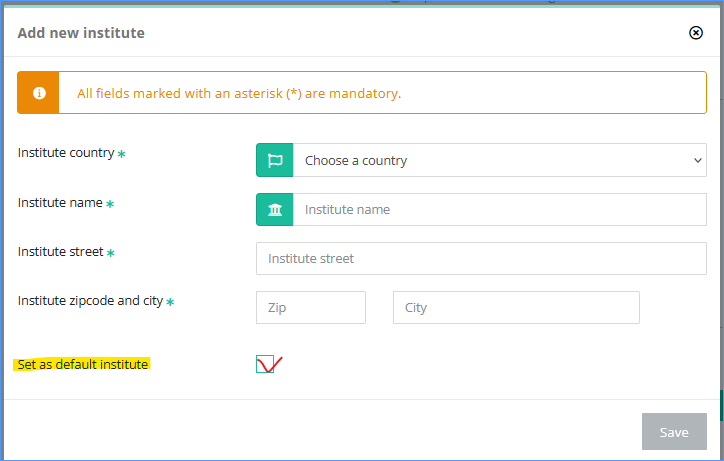
- Add or edit your institutes
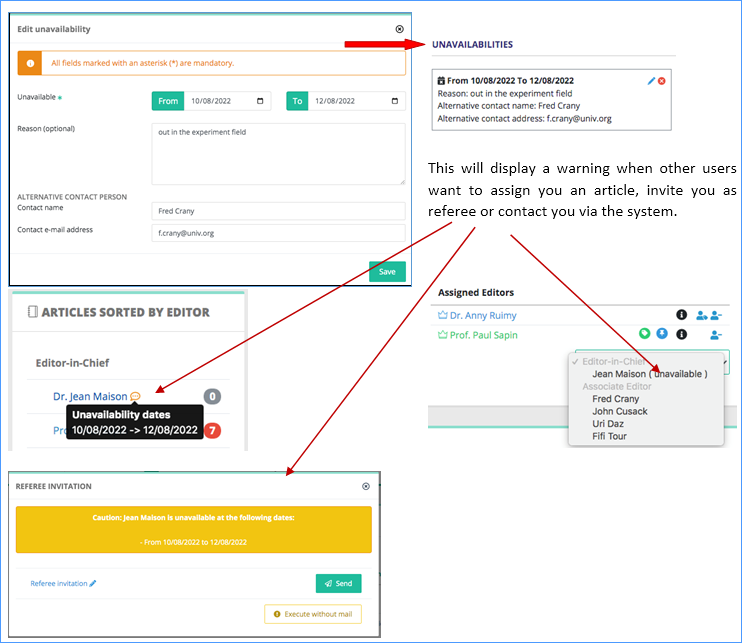
- Set unavailability dates
Change your e-mail address and reset your password

Link your ORCID account to your Nestor account
Click on the ORCID link.
Sign in to ORCID
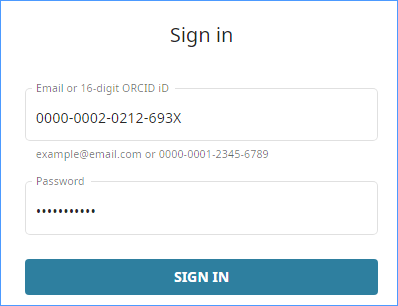

Your Nestor account is now linked to ORCID. If needed, you can delete the link with the red button.

Add or edit your institutes
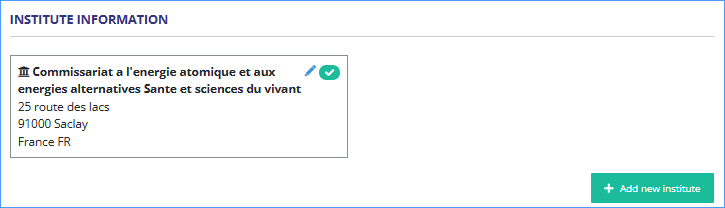
You can add another institute and choose the one by default.
Set unavailability dates

Add your dates and more information if you want.