# I want to link my ORCID and update my personal information
Once registered and logged in, please click on your name and on ‘My profile’.

From this page, you can:
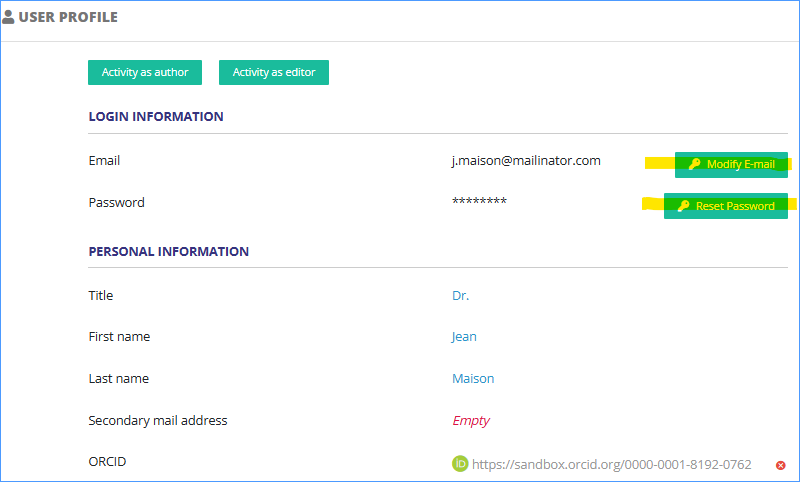
- Change your e-mail address and reset your password
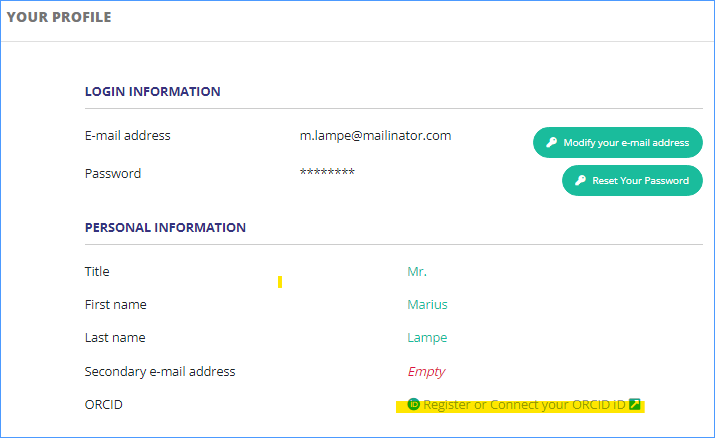
- Link your ORCID account to your Nestor account
- Add or edit your institutes
- Set unavailability dates
---
##### **Change your e-mail address and reset your password**
[](https://doc.nestor-edp.org/uploads/images/gallery/2023-01/zraUcfQ7IeZFRZF3-image.png)
---
##### **Link your ORCID account to your Nestor account**
Click on the ORCID link.
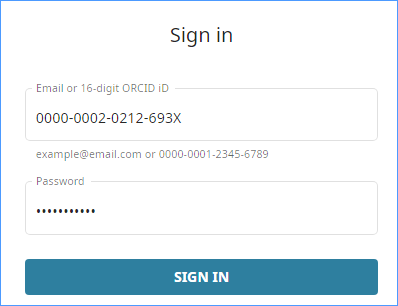
Sign in to ORCID
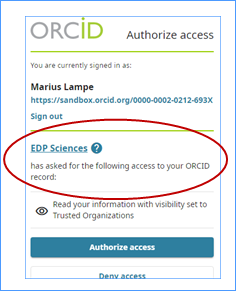
Make sure to authorize access to EDP Sciences.
[](https://doc.nestor-edp.org/uploads/images/gallery/2023-01/fsSpo0x1BZHc6RBT-image.png)
Your Nestor account is now linked to ORCID. If needed, you can delete the link with the red button.
[](https://doc.nestor-edp.org/uploads/images/gallery/2023-01/K2ugN7Bd4BNm2uwR-image.png)
---
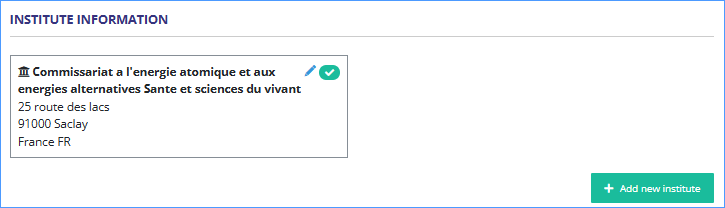
##### **Add or edit your institutes**
[](https://doc.nestor-edp.org/uploads/images/gallery/2023-01/oZcxTBXhNynBZZHq-image.png)
You can add another institute and choose the one by default.
[](https://doc.nestor-edp.org/uploads/images/gallery/2023-01/XNAN6O8tRLedA90y-image.png)
---
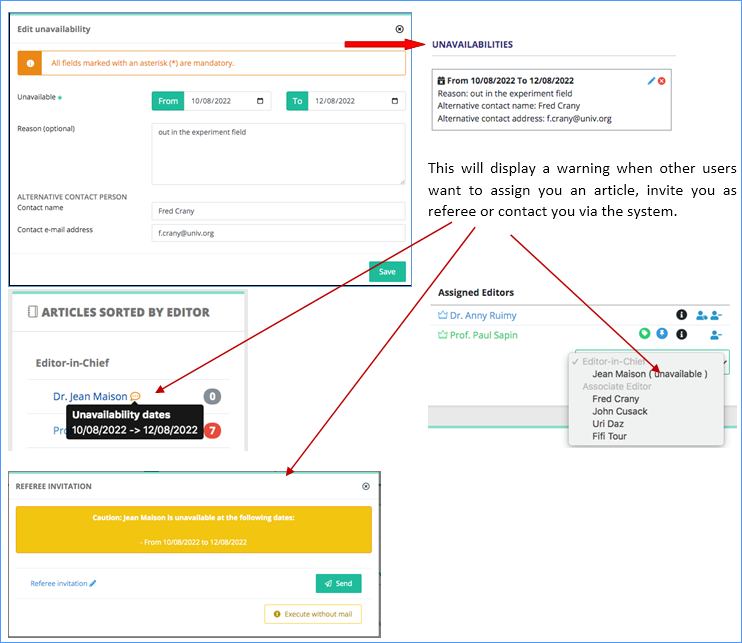
##### **Set unavailability dates**
[](https://doc.nestor-edp.org/uploads/images/gallery/2023-01/smIuhVabjUPK26M0-image.png)
Add your dates and more information if you want.
[](https://doc.nestor-edp.org/uploads/images/gallery/2023-01/qwQwgmQDYhc7vtNc-image.png)