I want to link my ORCID and update my personal information
Once registered and logged in, please click on your name and on ‘My profile’.

From this page, you can:
- Change your e-mail address and reset your password
- Link your ORCID account to your Nestor account
- Add or edit your institutes
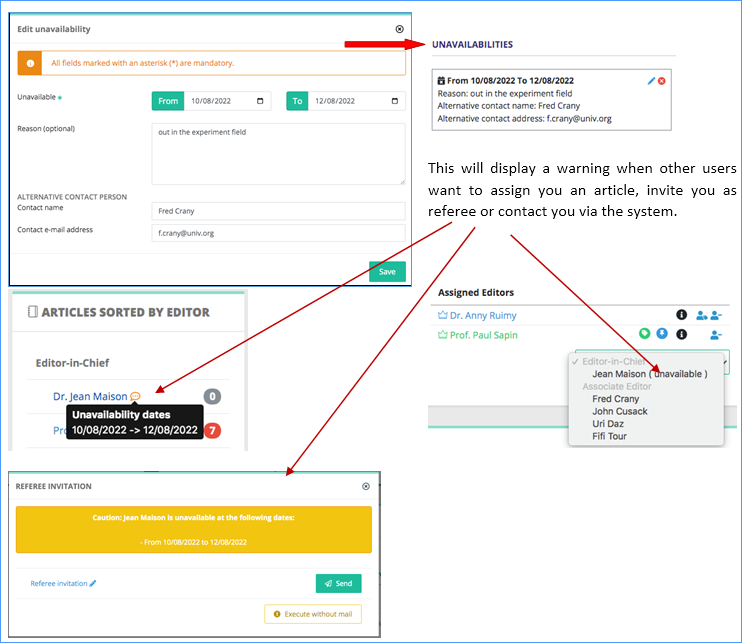
- Set unavailability dates
Change your e-mail address and reset your password

Link your ORCID account to your Nestor account
Click on the ORCID link.

Sign in to ORCID


Your Nestor account is now linked to ORCID. If needed, you can delete the link with the red button.

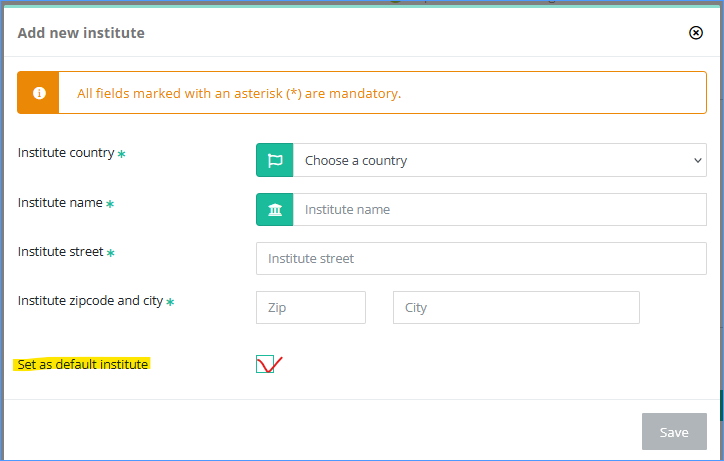
Add or edit your institutes
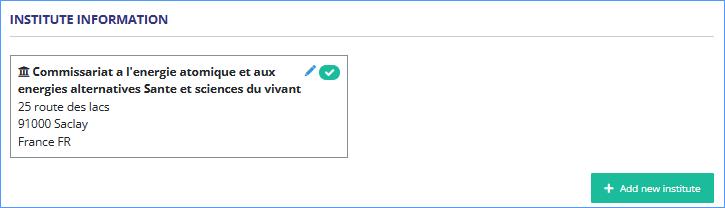
You can add another institute and choose the one by default.
Set unavailability dates

Add your dates and more information if you want.