7.60 - Assignments strategies
03/09/2026
Automatic assignment strategies
The automatic assignment feature has received a long-awaited makeover! The old configuration settings (article type/section/topical) have been discarded to make room for a dedicated page:
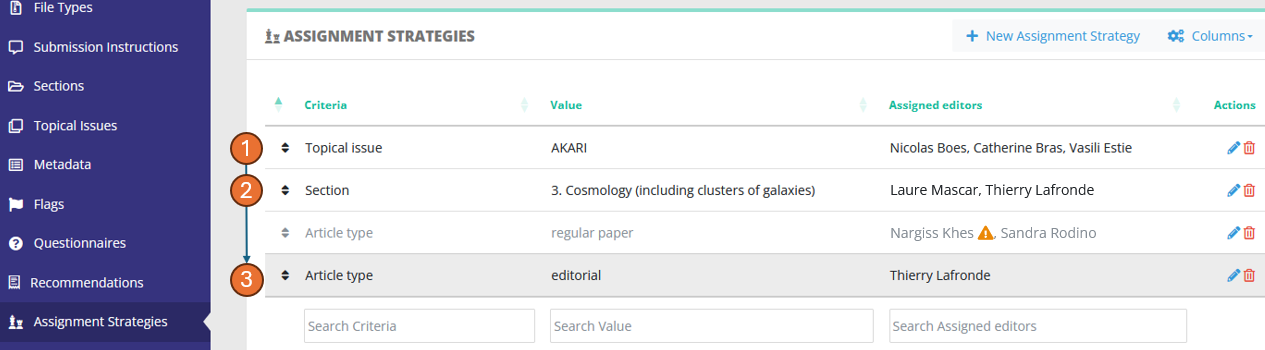
When an article lands in the status "Awaiting assignment", Nestor will check the strategies defined here and apply them if the criteria are met. The goal is to quickly dispatch articles to relevant editors based on the article metadata, thus saving many clicks to Editorial Offices. The dispatch criteria can be any standard or custom field.
Stragegies are sorted by priority, with upper strategies having higher priority. As soon as a criteria is met, the strategy is applied, and lower strategies are ignored.
For example in the screenshot above, a paper with:
- no topical issue
- in section "3. Cosmology"
- and which is a regular paper
will match the second strategy and be dispatched to Pascale and Thierry.
No strategy is provided by default, it is entirely up to you to decide which strategy you can apply to your journal.
Strategies and filiation links
For a given strategy, multiple editors can be assigned on the fly:
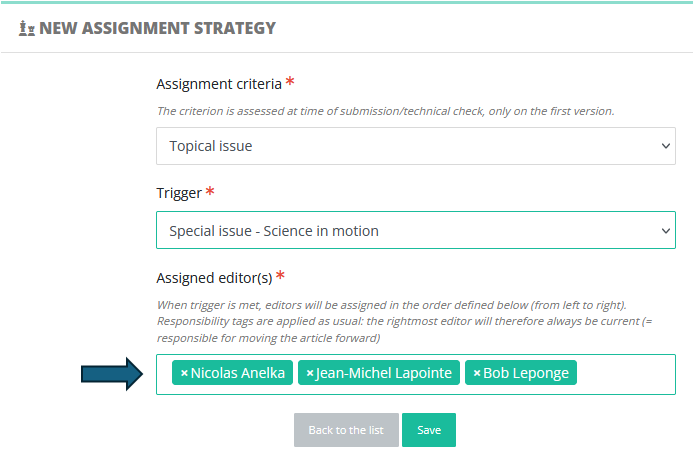
This is extremely useful to assign several affiliated editors to handle e.g. a special issue:
Editor-in-Chief > Associate Editor > Guest Editor (who is current)
In that example, the Guest-Editor will be responsible for handling the peer review, and his decision proposal can be subject to validation by his parent editor (in the screenshot above: the Associate Editor).
New action: skip assignment
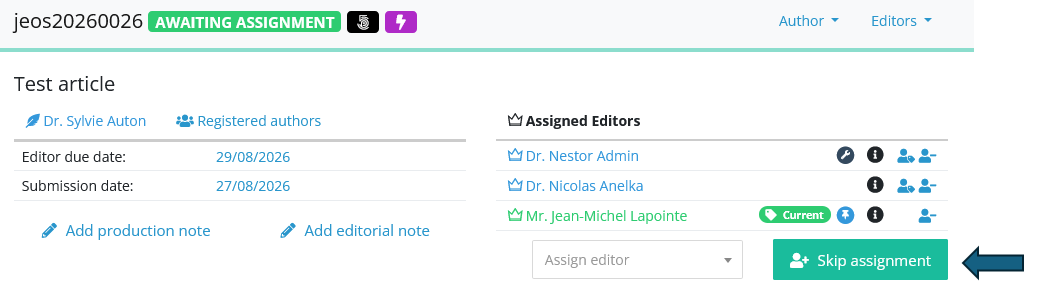
The technical check sometimes lead to EICs being stuck at the assignment step. This new action will unlock the situation:
Profile configuration: visibility on other profiles
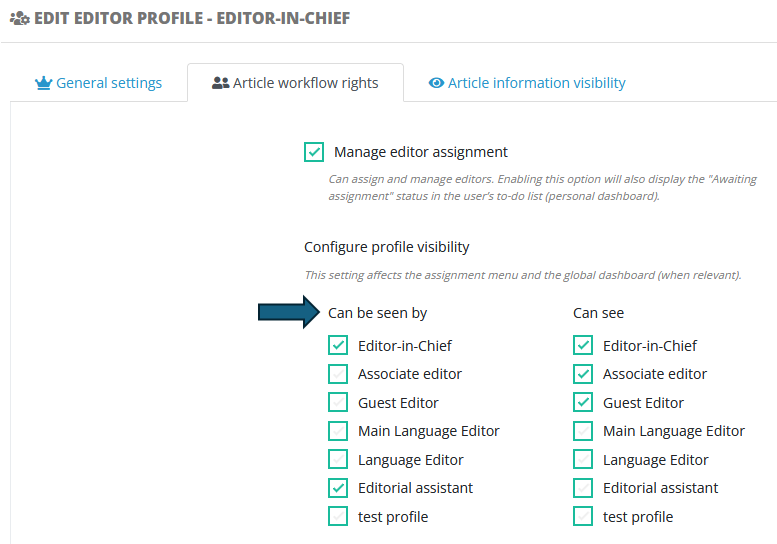
Profile configuration has been made easier thanks to the implementation of this new column: