# 5.70 - File renaming, author view on article history
10 June 2024
---
### Automatic file renaming
**Note: a very cool feature, which must be first activated in the [file type configuration](https://doc.nestor-edp.org/books/configuration-guide/page/file-types)**.
[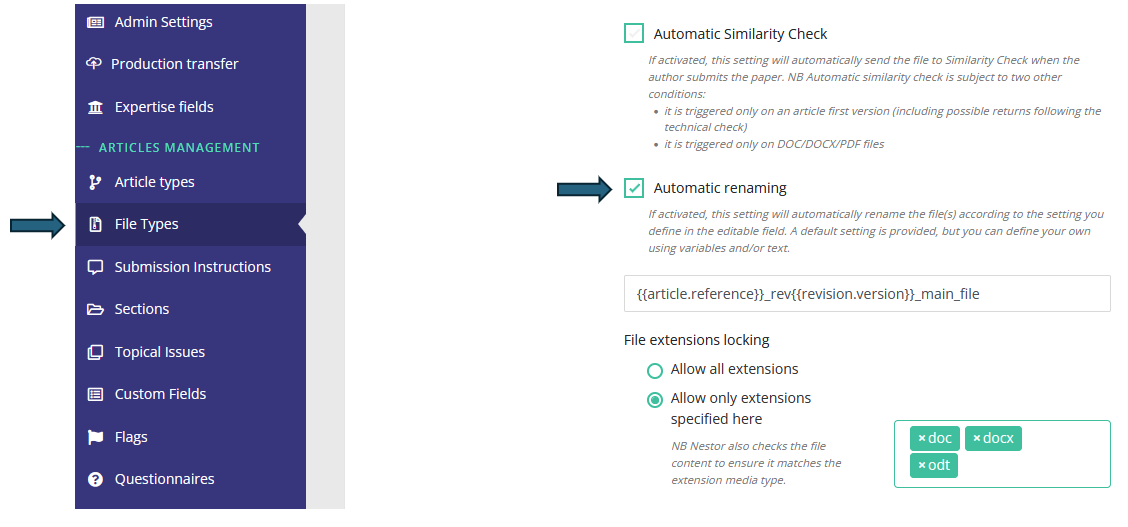](https://doc.nestor-edp.org/uploads/images/gallery/2024-06/mvbxlVYjCzfIQisX-image.png)
This new feature allows you to automatically rename author-submitted files according to their file types. This will be extremely useful for editors and referees, to identify author files downloaded from Nestor at a glance!
For instance: let us assume a journal named 'geo', requiring the following files at submission. In 2024, an author submits the 33th paper of the year. His files can be automatically renamed as so:
**File type**
**Original file name (by author)**
****Automatic Nestor renaming ♥****
**PDF manuscript**
mypaper.pdf
geo240033\_ms.pdf
**DOC source file**
manuscript.doc
geo240033\_source.doc
**Cover letter**
editor.doc
geo240033\_cover.doc
You can totally use variables to rename files according your specific criteria! (reference, version, author name etc).
---
### Author access to the article history
Following [5.50](https://doc.nestor-edp.org/books/release-notes/page/550-landing-pages-secure-deep-links-article-history-for-authors-production-workflow#bkmrk-article-history-now-), authors now have a wider access to the article history, seeing more statuses and even some actions related to referees (whose identities always remain undisclosed). The display of the page below is still simple and will be improved shortly.
[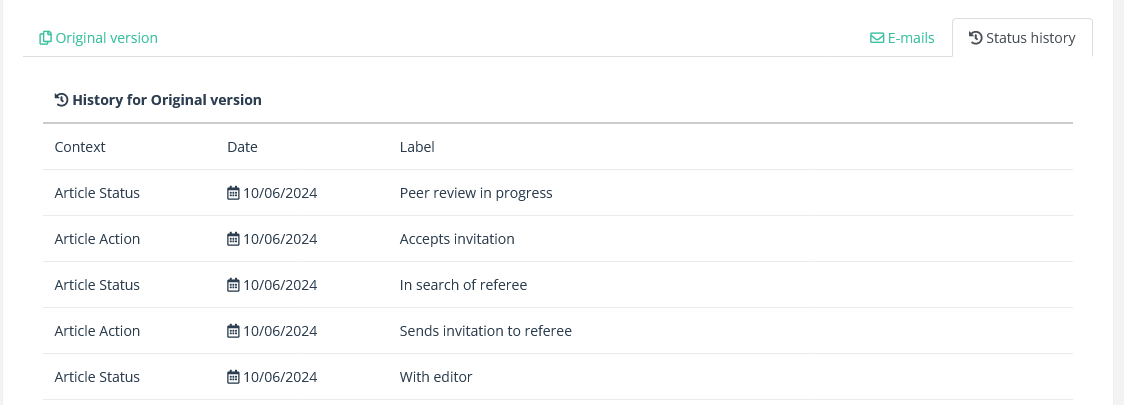](https://doc.nestor-edp.org/uploads/images/gallery/2024-06/FlpP3rYy7WpLlY8X-image.png)
---
### Referees reminder counter
The reminder counters and the last reminder date will now be reset when referees switch status,
[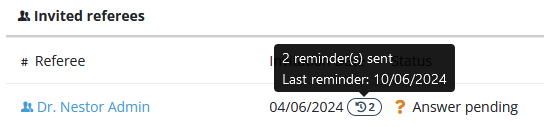](https://doc.nestor-edp.org/uploads/images/gallery/2024-06/595vJaypZPRBLXrm-image.png)
from 'Answer pending' to 'Report expected'
[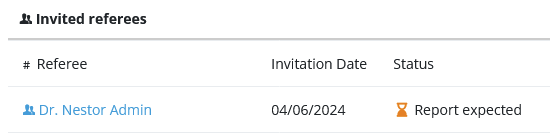](https://doc.nestor-edp.org/uploads/images/gallery/2024-06/MxS4K1fKqOKlZjye-image.png)
---
### Template variables
The code of template variables underwent a thorough cleaning. This impact email templates and XML generation, making them easier to maintain.
---
### QoL updates
#### User creation
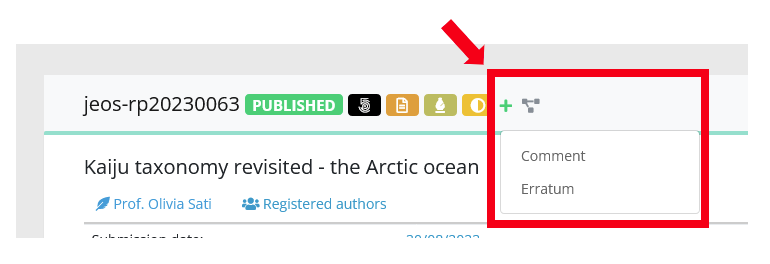
In the back office, creating a new user will redirect you to the newly created user page (finally!!!).
#### Erratum/comment creation
In the back office, when creating a child article: the metadata from the parent article will not be copied extensively (especially custom fields). Only the following fields will be copied:
\- Title
\- Section
\- Text authors list
\- Country
\- Expertise fields
\- Keywords
[](https://doc.nestor-edp.org/uploads/images/gallery/2024-06/9BEKwXcOPCTI23EM-image.png)