Technical check
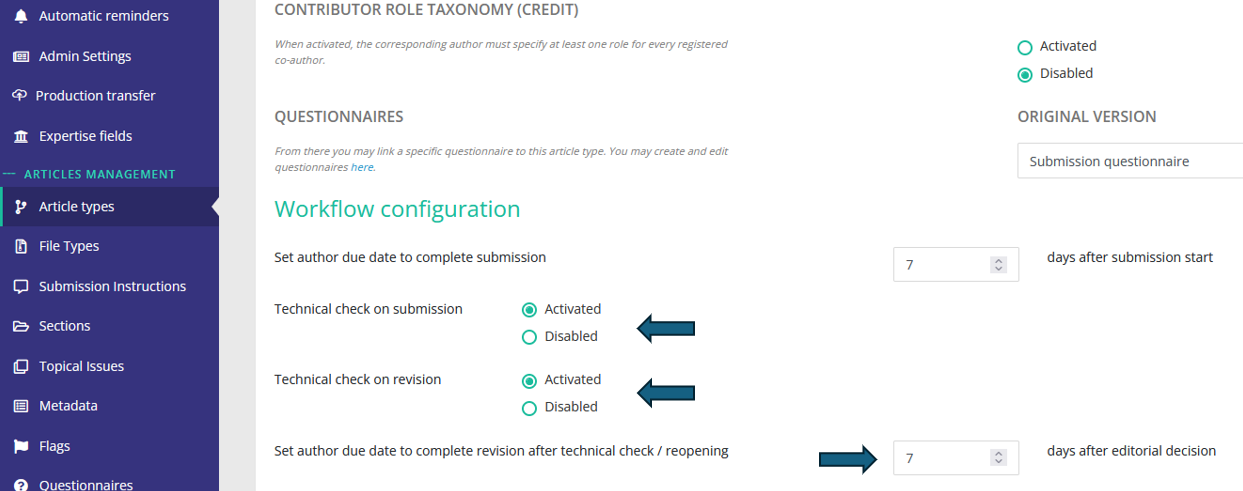
Article type configuration
The technical check workflow is first defined at the article type level. For each article type, you can enable/disable the technical check, and set up the time granted to the author to satisfy the technical check:
Profile configuration
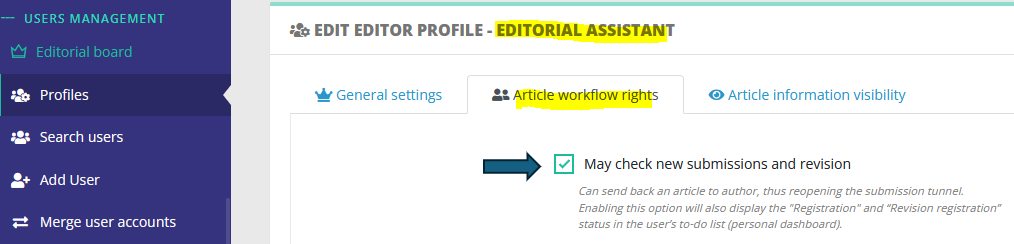
Once article types are configured, you must ensure at least one person can perform the technical check action.
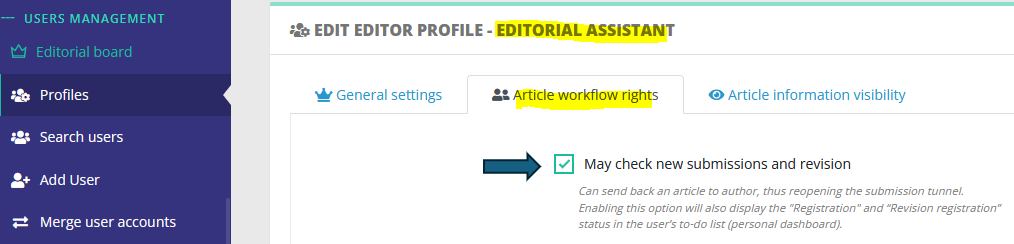
- To do so, at least one editor profile must have the right to handle technical checks:
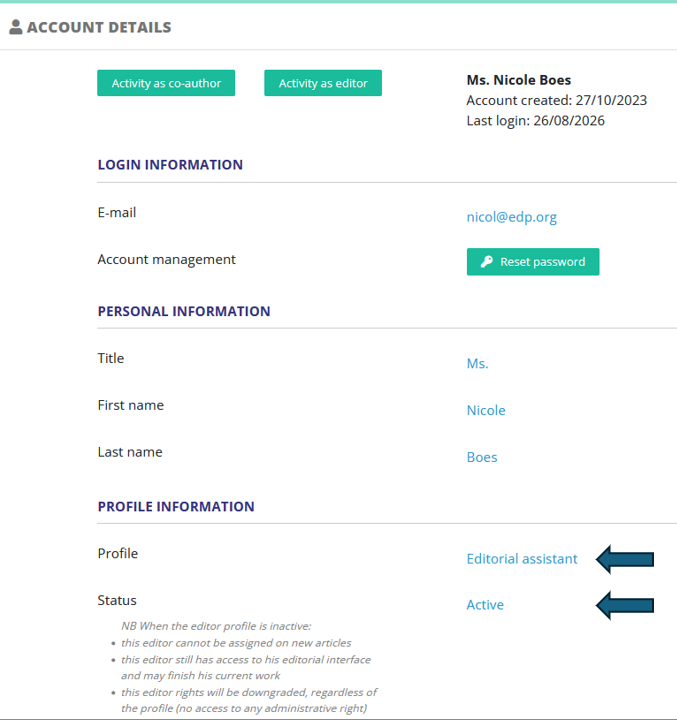
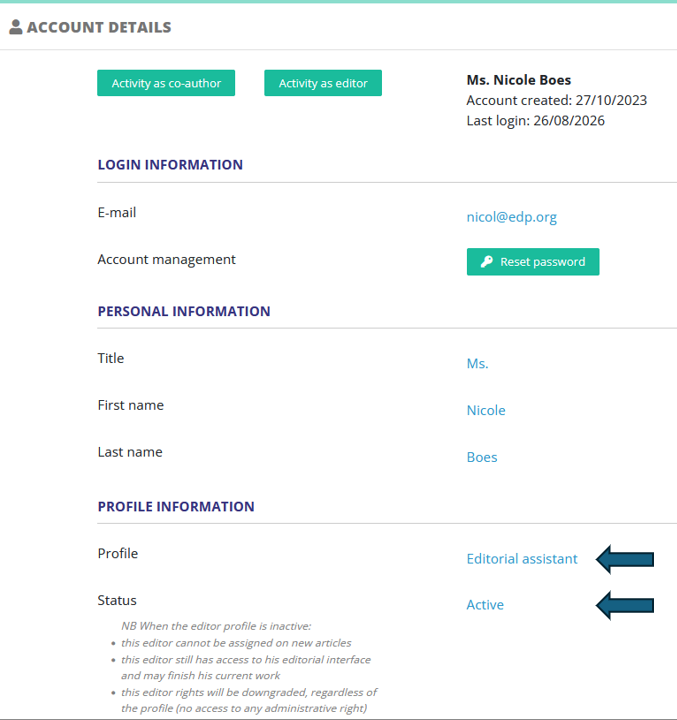
- Then, ensure this person account is set up with this profile:
Configuration of technical check e-mails
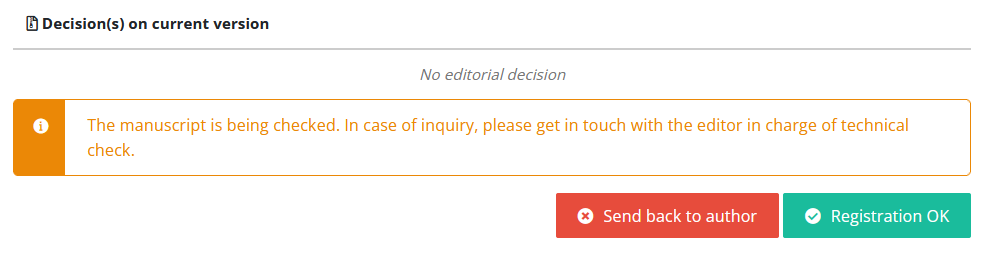
Once technical check is set up, new submissions/revisions will feature those two actions:
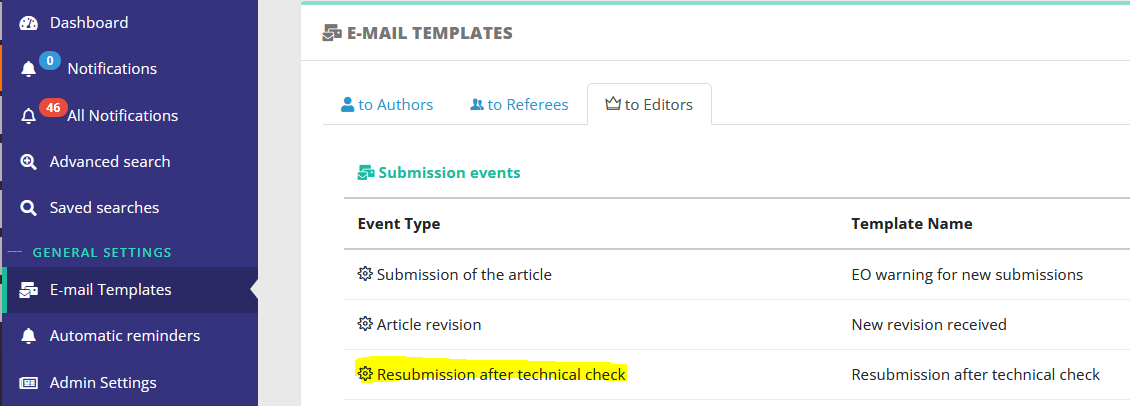
These actions trigger e-mails, whose templates are configurable in the mail configuration:
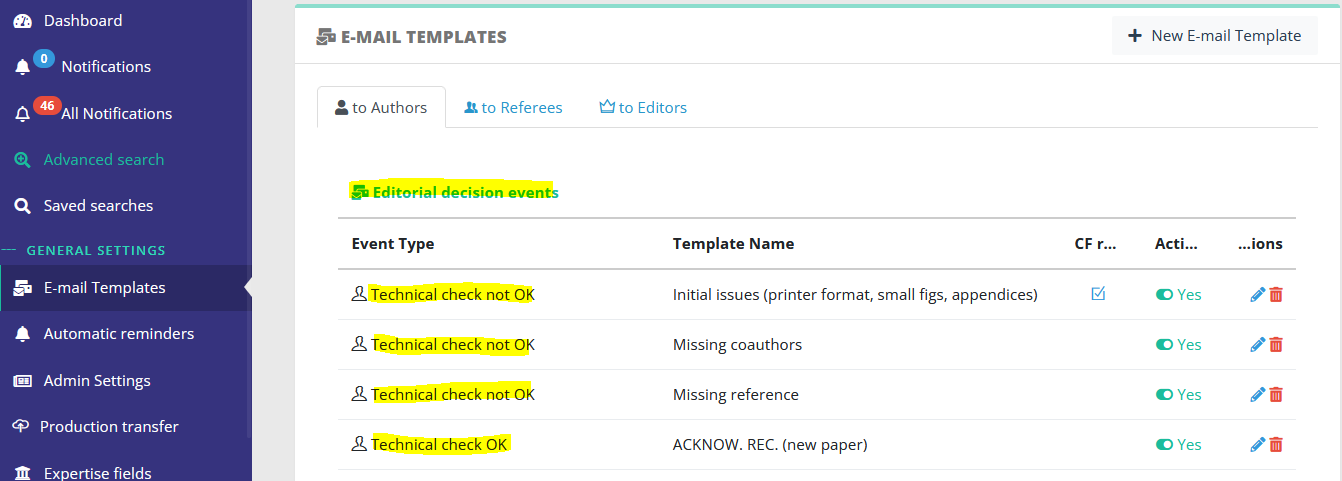
TC e-mails can be triggered only to the corresponding author, who will need to correct his paper accordingly.
NB A special event exists to notify the editor when the author revises after a technical check: