
Submission
Before configuring the submission workflow, please ensure the following are defined properly in your journal:
- File types! Many options are available here, such as auto-renaming, extension constraints, visibility etc
- Article categorizations (metadata)
Article type configuration
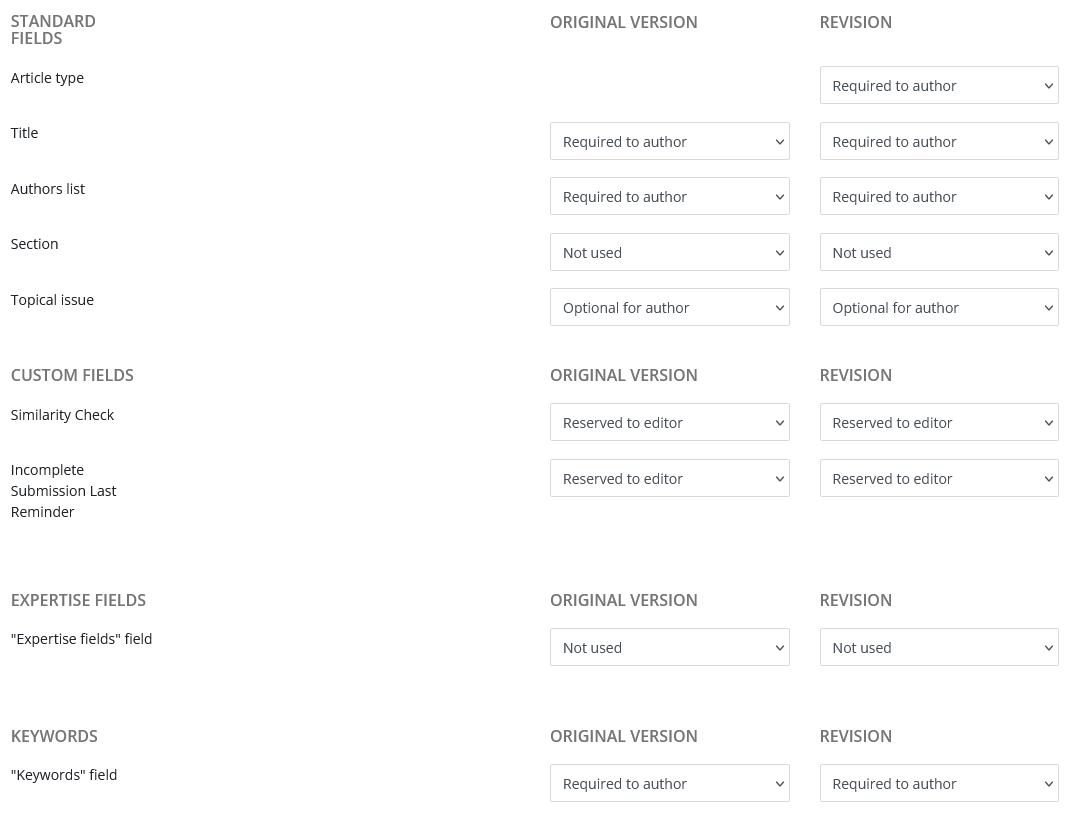
Once the above are defined, the submission workflow is easily configured at the article type level, where specific file types and metadata may be requested at submission or revision.
Two practical examples:
-
A cover letter may be mandatory on a regular article, but not on a preface article.
-
A first submission will never require a reply to the referee, while a revised version will often needs one.
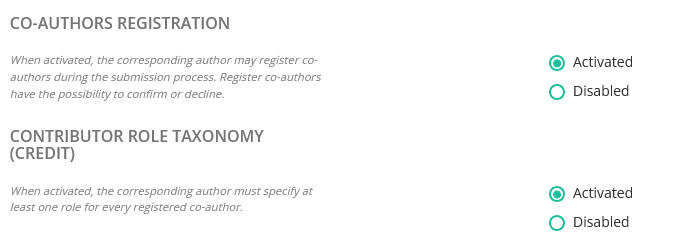
For each article type, you may configure:
- Required files

- Required metadata
Configuration of the submission questionnaire
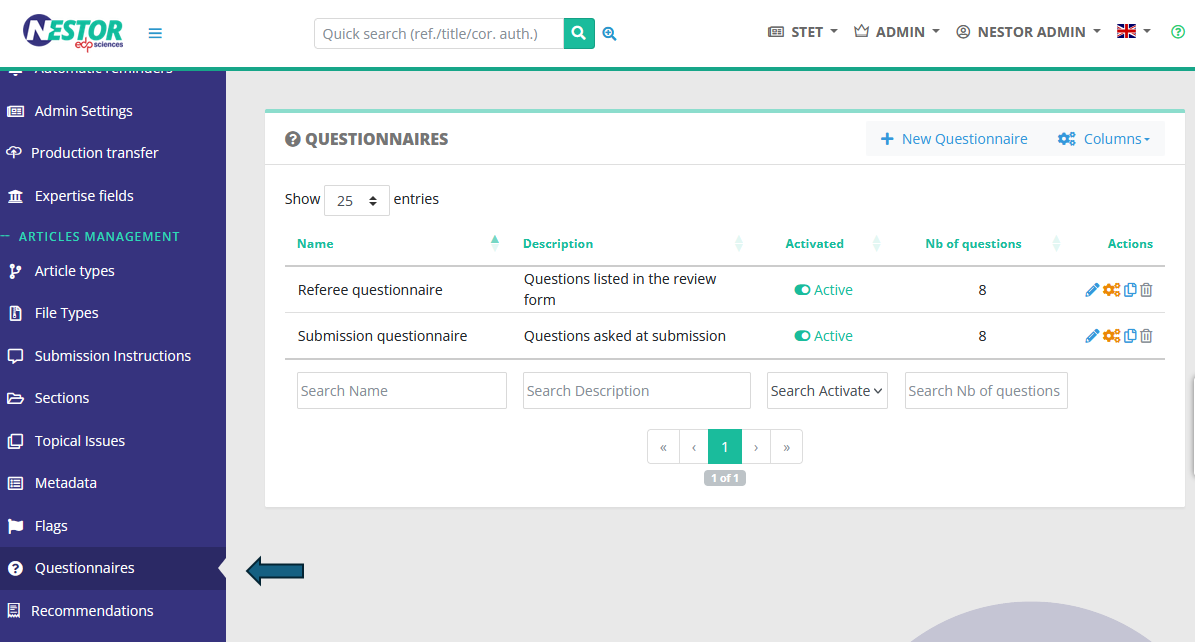
First, configure your questions to the author here:
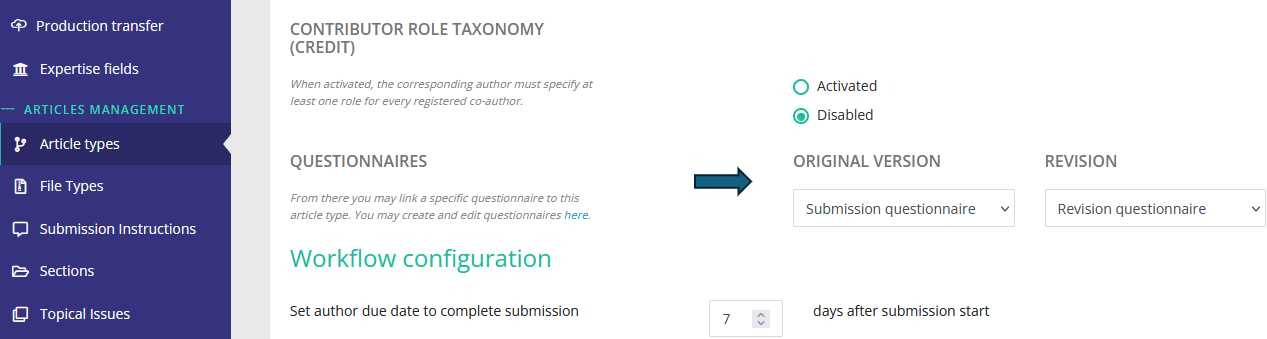
Then, set up the questionnaire in each relevant article type:
Configuration of submission instructions
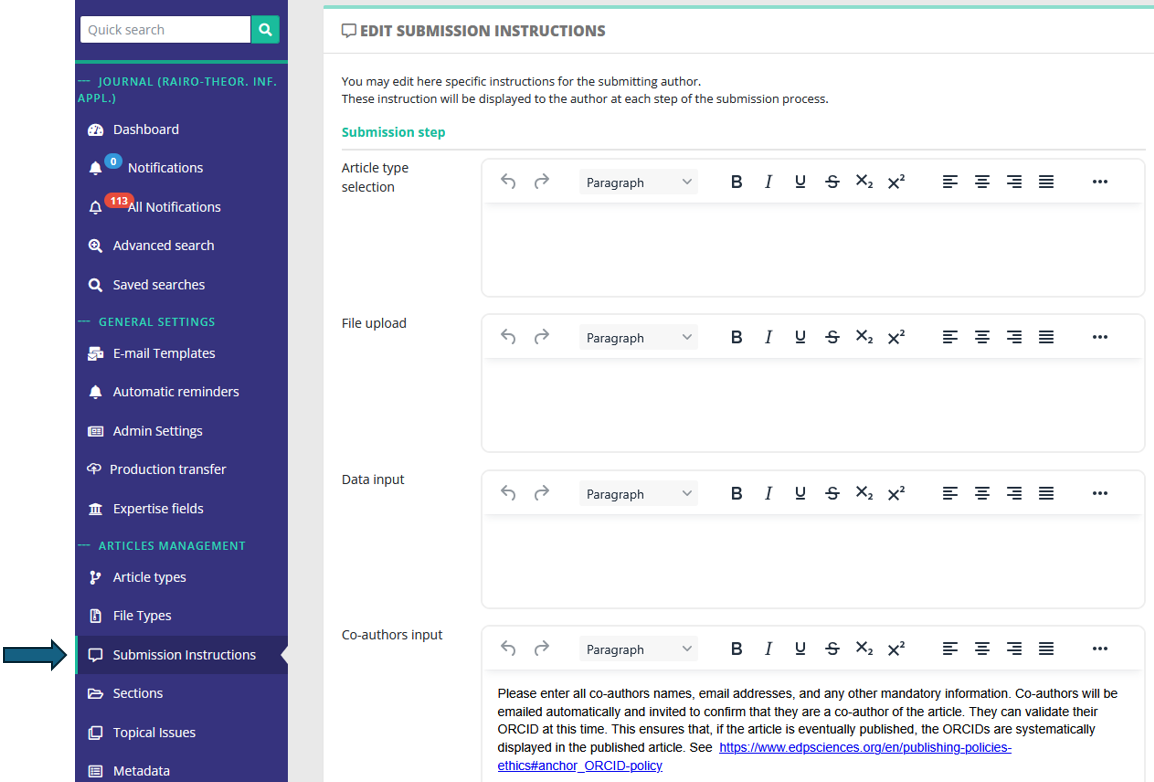
During the submission process, the author may be guided during each step of the submission. For this purpose, you may configure specific instructions here:
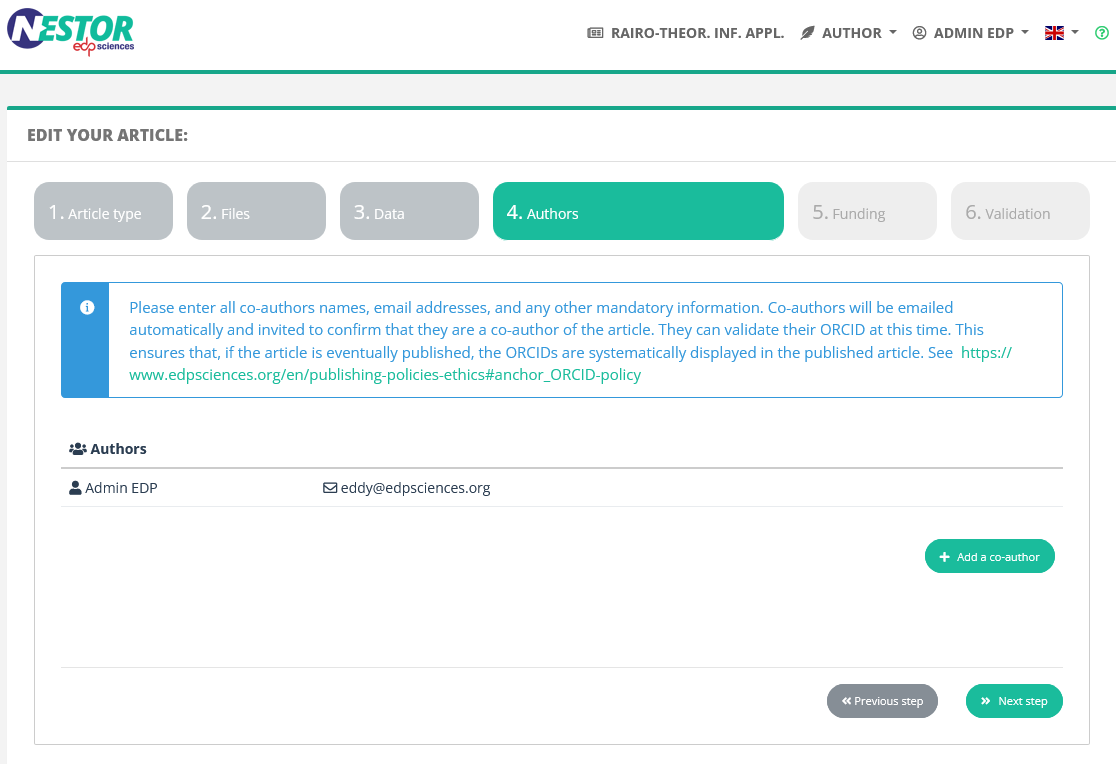
These instructions will be displayed to the author in the submission tunnel:
Configuration of submission e-mails
E-mails triggered by the article submission are configurable in the mail configuration.
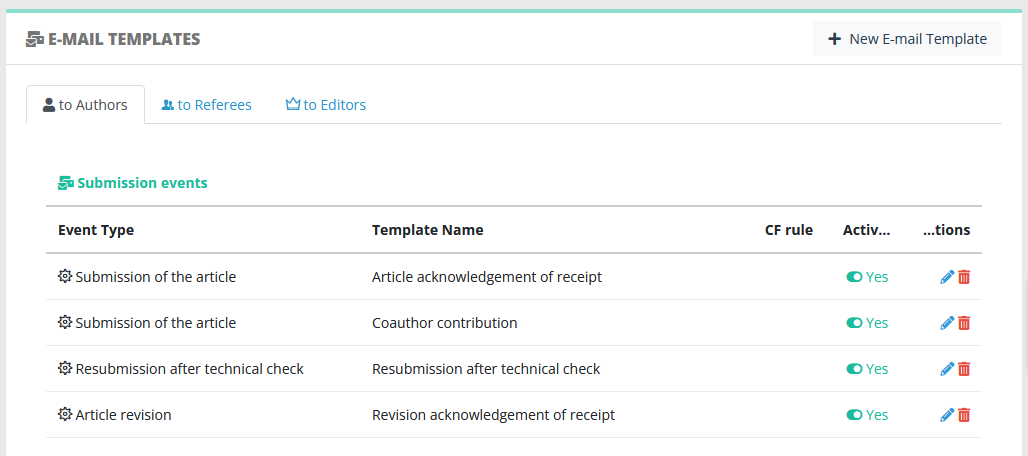
Submission e-mails can be triggered to these recipients:
- the corresponding author, typically an acknowledgement of receipt
- the co-authors
- the current editor
- other editors according to their profile, typically all people of the Editorial Office
The events triggering submission mails are:
- Submission of the article (for the first version)
- Article revision (any other version)