Notification bells

Important e-mails are sometimes lost in the crowd and overlooked by editors. This is especially true for e-mails outside of the workflow, dealing with particular cases etc. Notifications are here to prevent this! Nestor tracks e-mails tagged as "important" and highlights them in the recipient interface.
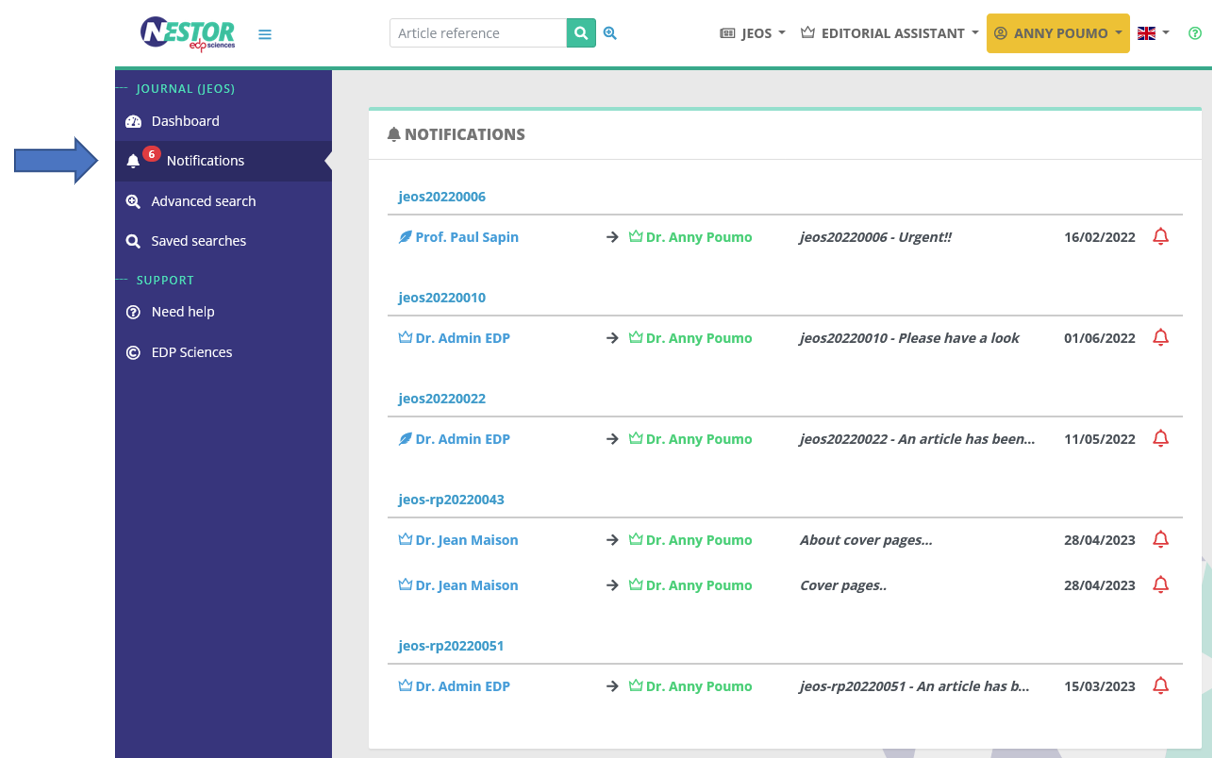
- In the home page, editors will retrieve important e-mails they have received via the notifications menu:
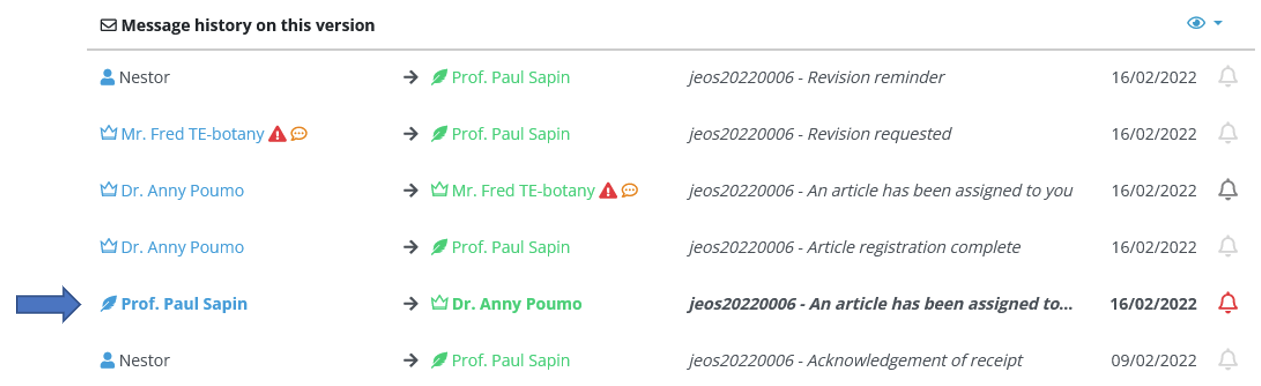
- In each article, they will retrieve them in the message history:
Setting up notification bells
Automatic notification bells
Nestor can tag an e-mail as "important" as soon as the mail is sent. To do so, the template must be configured accordingly:
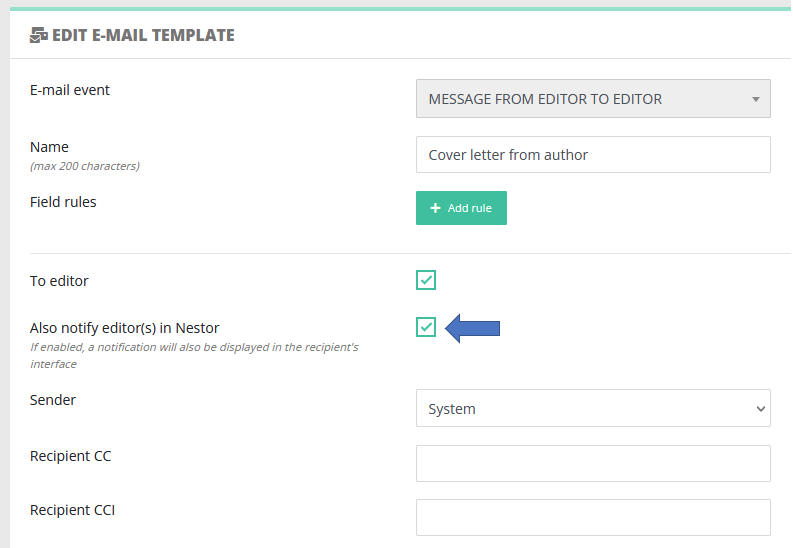 |
In this example:
- when the editorial office sends this message to an editor
- then, this message will be tagged with a bell in the recipient editor interface (in the message history).
Manual notifications
Regardless of the template configuration, notification bells can be set up manually on specific e-mails, when needed.
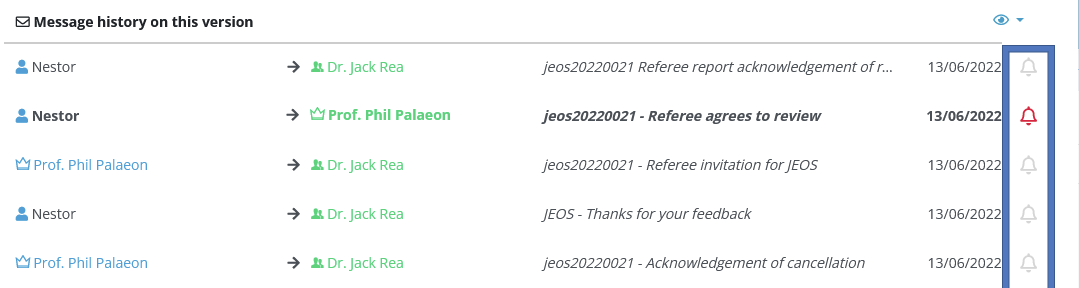
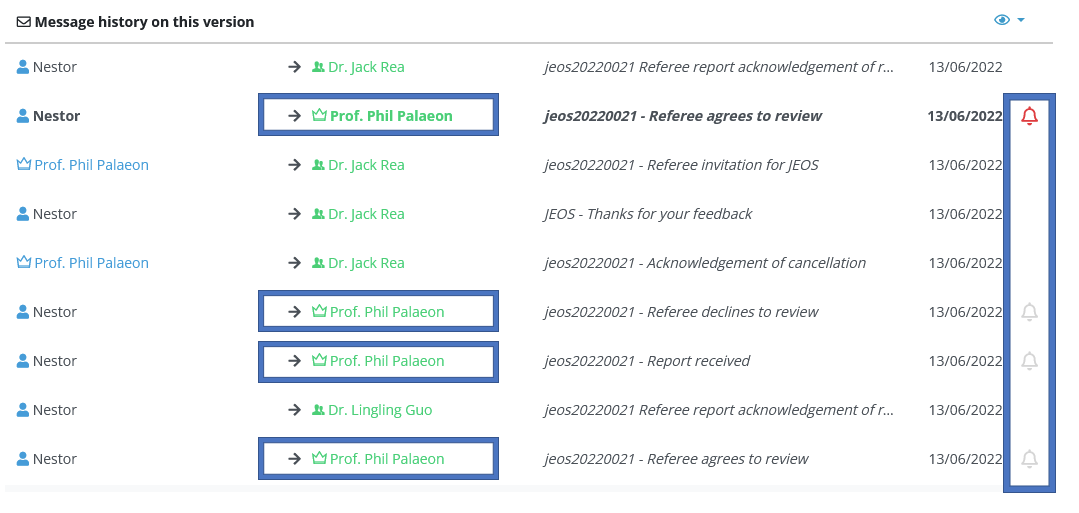
Note that an editor can see and uncheck important mails if he/she is the recipient. He cannot vizualize/uncheck notification bells on other e-mails (to other users). For example below, connected as Phil Palaeon, checking the message history of article jeos20220021. We observe notification bells appear only if I am the recipient:
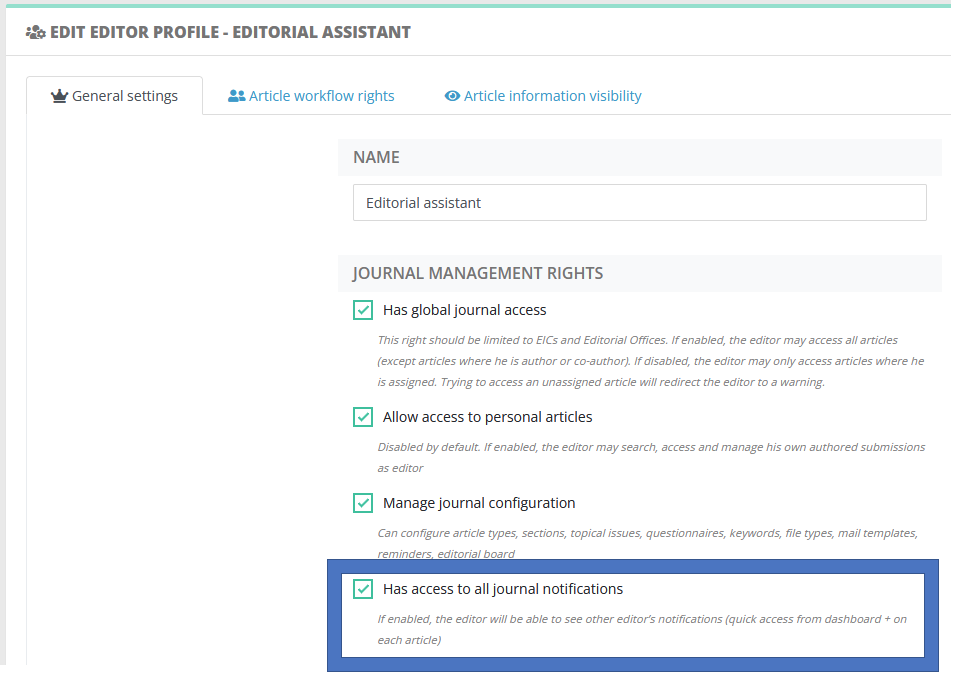
Profile right: access to all notifications
The right below allows the editorial office to have complete control over every user notifications in the journal:
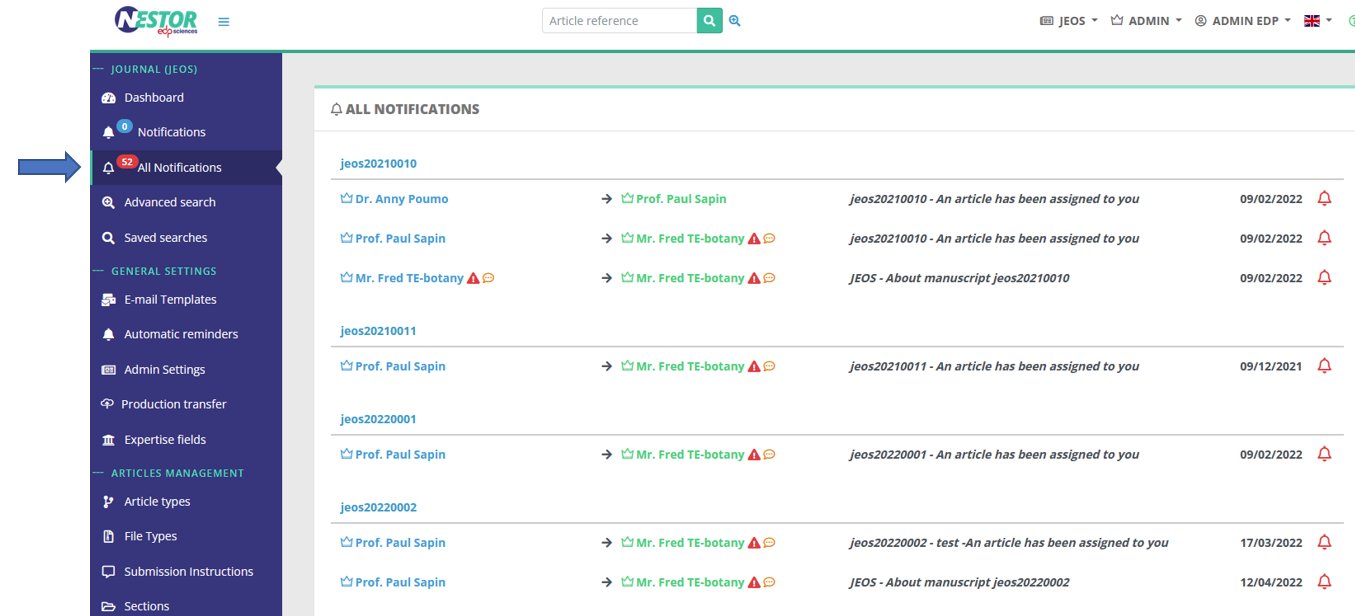
- First, this right unlocks a special view on all active notifications in the journal (regardless of the recipient)
- Second in the message history, the Editorial Office can check/uncheck any mail deemed important (even when the EO is not recipient):