Configuration of article submission
The submission workflow is the most technical configuration! At the minimum, we recommend to follow the following steps, hang in there:
- File type configuration
- Article type configuration
- Submission instructions configuration
The file type configuration
The first step is the file type configuration, where file types are listed, and may be created, updated, or deleted:
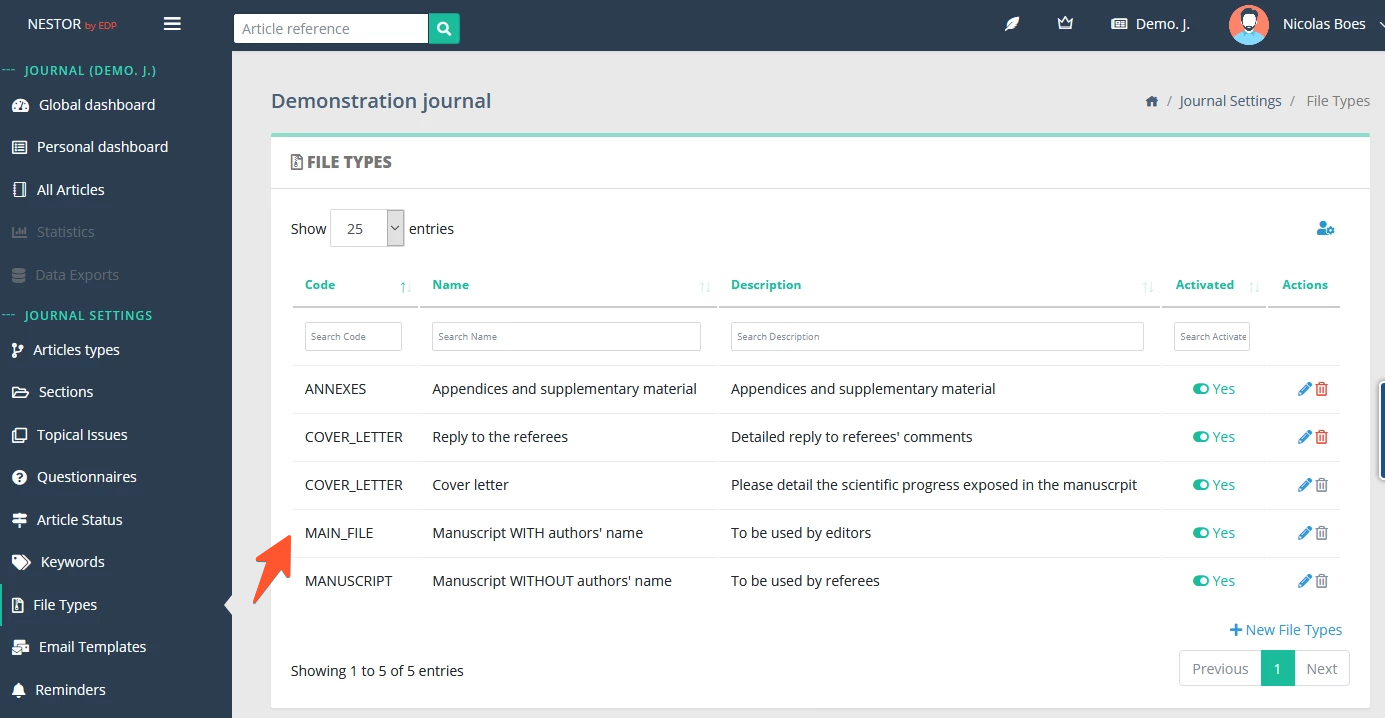
Clicking on “Edit file type” will get you to the file type configuration, where the following fields may be edited:
-
Name
-
Visibility by users (editors and referees)
-
Whether this file type will be sent to production systems when the article is accepted

The article type configuration
The second step is the article type configuration, where specific file types may be requested to the author at submission or revision, for a specific article type.
-
Depending on the article type, you may want to require specific files. For example, a cover letter from the authors may not be requested for a preface article.
-
In a given article type, depending on the first submission or a revised submission, you may want to require specific files. For example, a first submission will never require a reply to the referee, while a revised version will often need a reply to the referee.
Thus, for any given article type, this behavior is defined here:

The submission instructions configuration
During the submission process, the author may be guided during each step of the submission.
For this purpose, you may configure specific instructions here:
