# Attaching rules to templates

In Nestor, critical actions will trigger a message and update the article status / dates when necessary. There are also cases when sending an e-mail should trigger an update of the article data, such as the section, or typically, a custom field.

---

#### E-mail rules: a case study

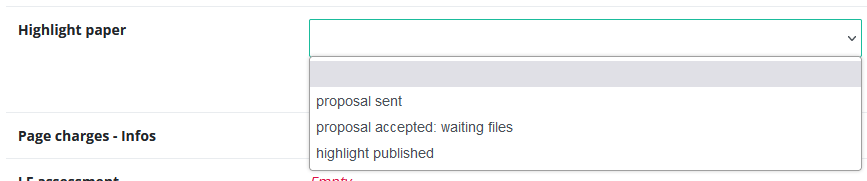
Let us consider this case, where a journal has a special procedure to highlight good papers on the journal website. For this purpose, the editorial office keeps track of the procedure, by using an article [custom field](https://doc.nestor-edp.org/books/editorial-office-guide/page/standard-categorizations):

<table border="1" id="bkmrk--0" style="border-collapse: collapse; width: 100%;"><colgroup><col style="width: 99.8765%;"></col></colgroup><tbody><tr><td>[![image.png](https://doc.nestor-edp.org/uploads/images/gallery/2023-05/scaled-1680-/la9NvRpiAp4ldelG-image.png)](https://doc.nestor-edp.org/uploads/images/gallery/2023-05/la9NvRpiAp4ldelG-image.png)

</td></tr></tbody></table>

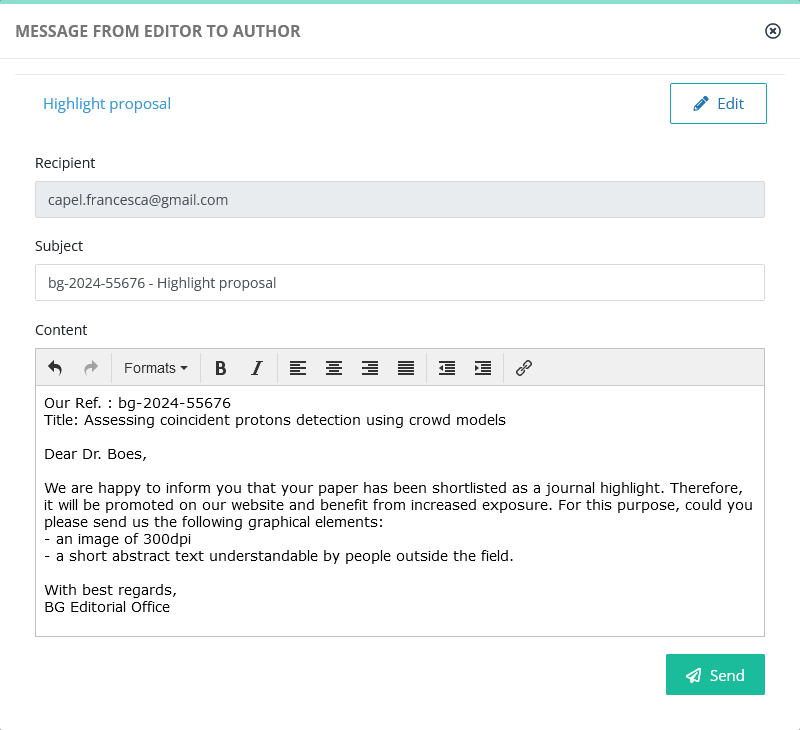
We want the above field to be set automatically to "proposal sent" when sending this message :

<table border="1" id="bkmrk--2" style="border-collapse: collapse; width: 100%;"><colgroup><col style="width: 99.8765%;"></col></colgroup><tbody><tr><td>[![image.png](https://doc.nestor-edp.org/uploads/images/gallery/2023-05/scaled-1680-/aP1iDesE6BW6tLWm-image.png)](https://doc.nestor-edp.org/uploads/images/gallery/2023-05/aP1iDesE6BW6tLWm-image.png)</td></tr></tbody></table>

Resulting automatically in:

<table border="1" id="bkmrk--4" style="border-collapse: collapse; width: 57.5309%; height: 83px;"><colgroup><col style="width: 100%;"></col></colgroup><tbody><tr><td>[![image.png](https://doc.nestor-edp.org/uploads/images/gallery/2023-05/scaled-1680-/bas8F2C2y0ak6EYs-image.png)](https://doc.nestor-edp.org/uploads/images/gallery/2023-05/bas8F2C2y0ak6EYs-image.png)</td></tr></tbody></table>

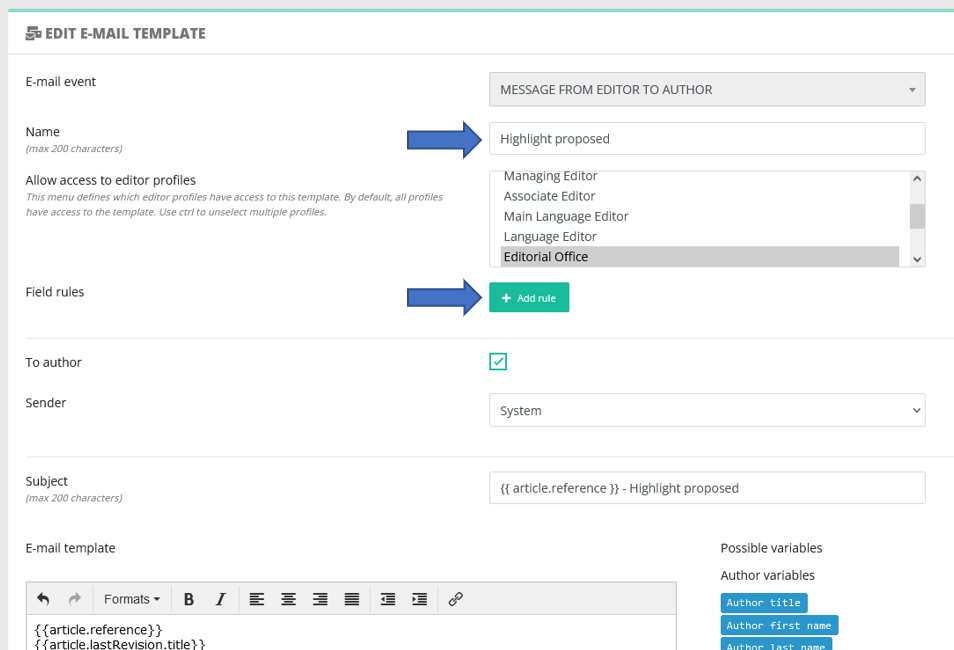
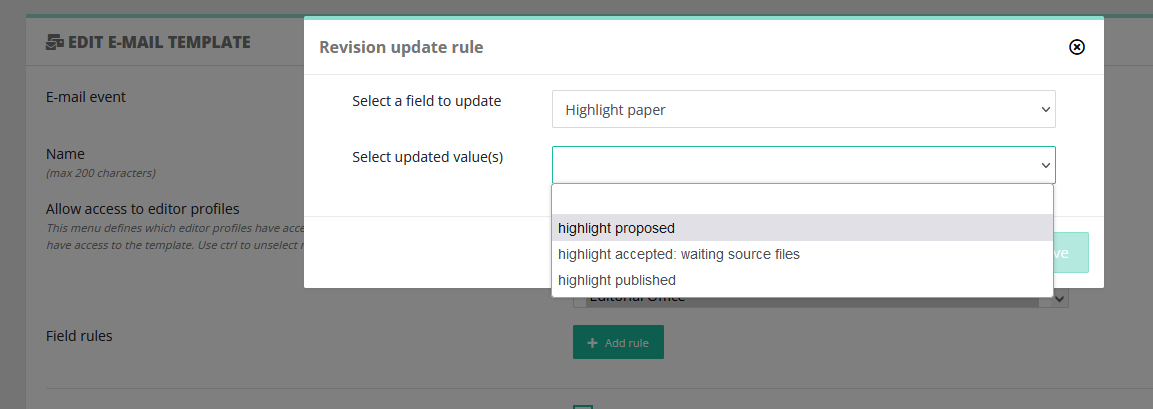
To do so, the Editorial Office can configure an update rule in the template configuration:

<table border="1" id="bkmrk--5" style="border-collapse: collapse; width: 100%;"><colgroup><col style="width: 99.8765%;"></col></colgroup><tbody><tr><td>[![image.png](https://doc.nestor-edp.org/uploads/images/gallery/2023-05/scaled-1680-/73ibMVNlk8cgLtCk-image.png)](https://doc.nestor-edp.org/uploads/images/gallery/2023-05/73ibMVNlk8cgLtCk-image.png)</td></tr></tbody></table>

<table border="1" id="bkmrk--6" style="border-collapse: collapse; width: 100%;"><colgroup><col style="width: 99.8765%;"></col></colgroup><tbody><tr><td>[![image.png](https://doc.nestor-edp.org/uploads/images/gallery/2023-05/scaled-1680-/aESOien1qD61MFTc-image.png)](https://doc.nestor-edp.org/uploads/images/gallery/2023-05/aESOien1qD61MFTc-image.png)</td></tr></tbody></table>

After saving the configuration, each time this e-mail is sent, the "Highlight paper" value of the article will be set to "highlight proposed".