Configuration of user rights
- The author and the referee profile
- Editor profiles
- Granting editor rights to someone
- Disabling/removing an editor
- Editor profile: decisions and proposals
- Editor profile: responsibility (in charge)
The author and the referee profile
|
|
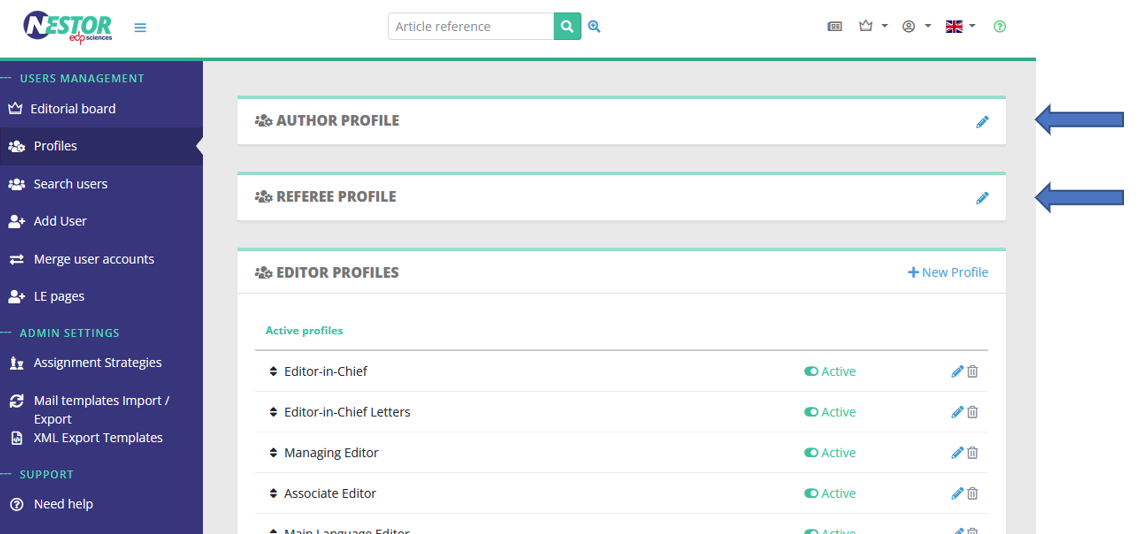
- Open peer review (author profile)
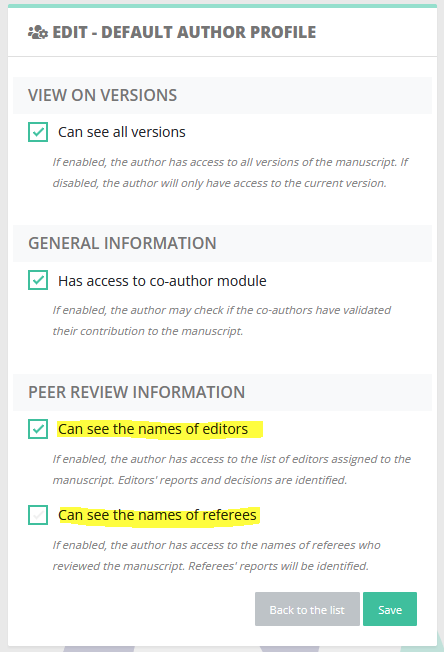
- Single/double blind (referee profile)
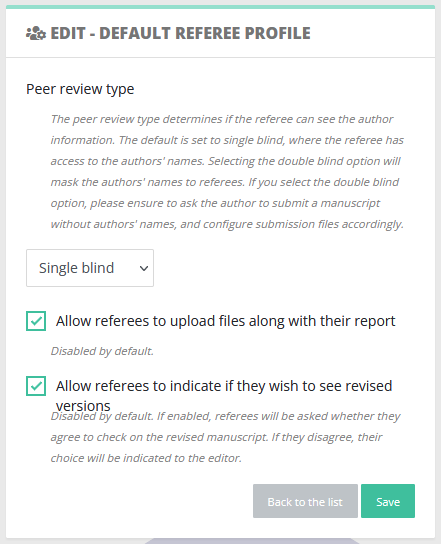
Note that other settings may interest you:
- file types visibility is set up directly in the file type configuration
- visibility during the submission process is treated independently here
Editor profiles
Contrary to the author and referee profile, editor profiles are not unique. It is very common for a journal to configure several profiles, with different sets of rights. The reason is that editor profiles are used by people with different tasks as regards articles. Common examples of profiles are:
- Editor-in-Chief
- Editorial assistant
- Associate editor
- Copyediting editor
- Production editor
The configuration can be found here:
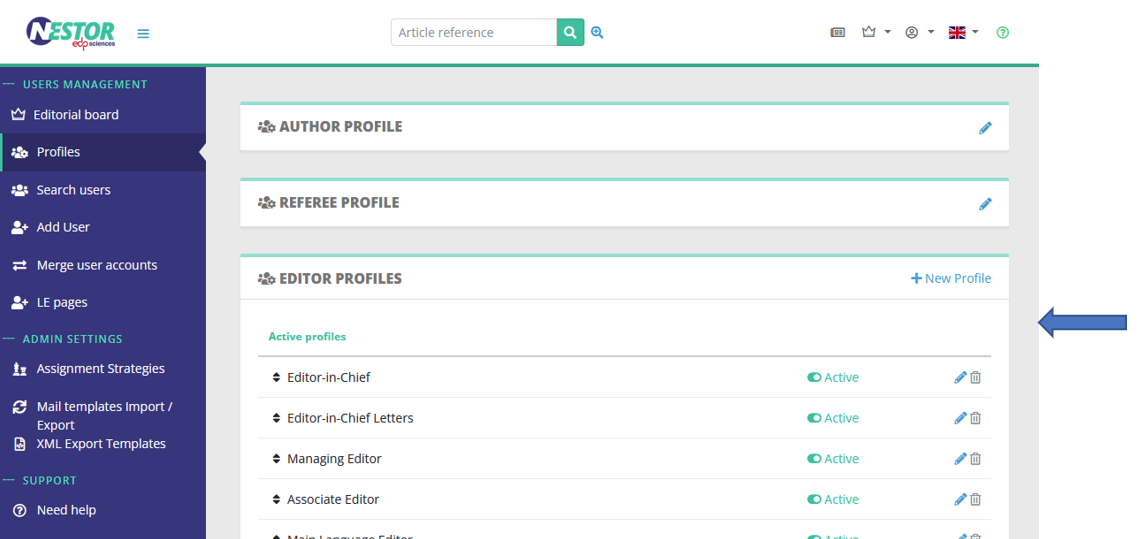
Each editor profile has specific settings. Settings are sorted by family:
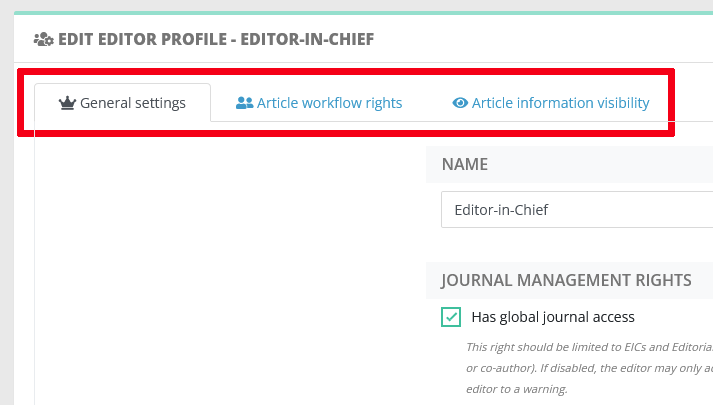 |
- General settings define global journal rights for this profile:
- Access to global information and dashboards
- Access to administrative rights: does the user can configure the journal?
- How does editorial responsibility switch for this profile?
- Article workflow rights define how this profile can interact with an article, especially:
- Can this profile assign other editors? (see assignation workflow)
- Can this profile invite referees? (see peer review workflow)
- Proposing or taking decisions (see here and here)
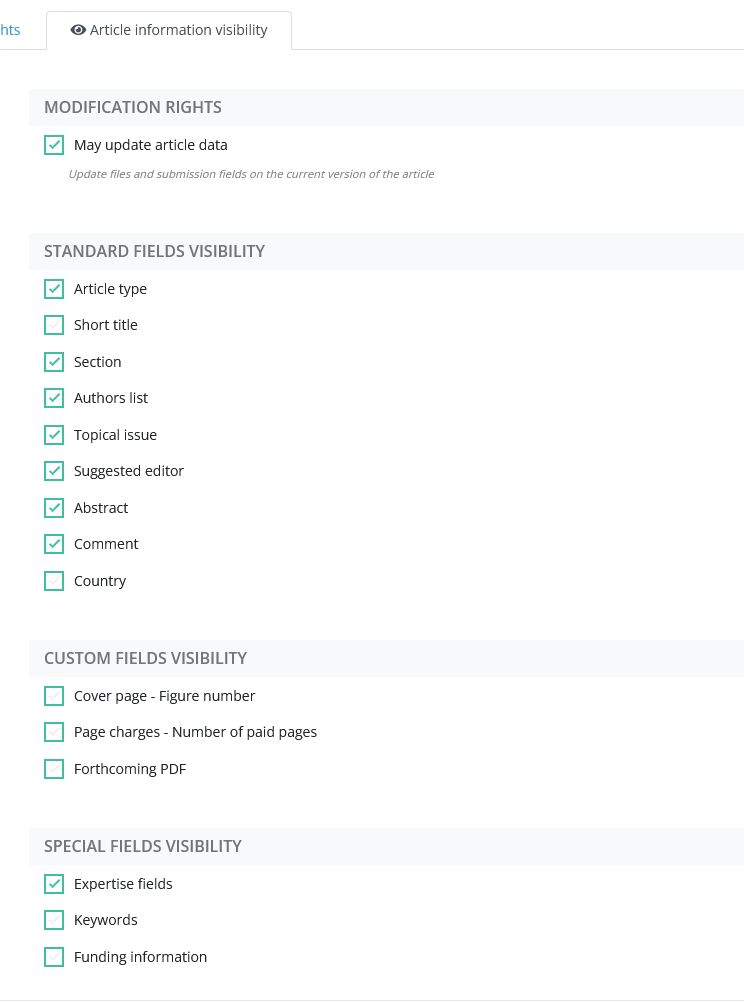
- Article information visibility defines what the profile can see on an article. Indeed, an article can store a lot of different information, sometimes not relevant to all editors. Typically, scientific profiles might not be interested by production or copyediting notes. For this purpose, the profile visibility can be finely tuned here:
|
|
Granting editor rights to someone
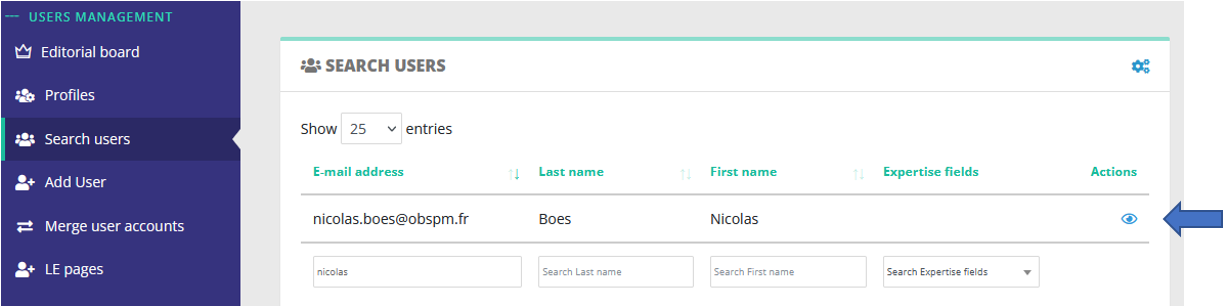
To grant an editor access to someone, you must first access the user page. Just click on someone's name in an article or in search results:
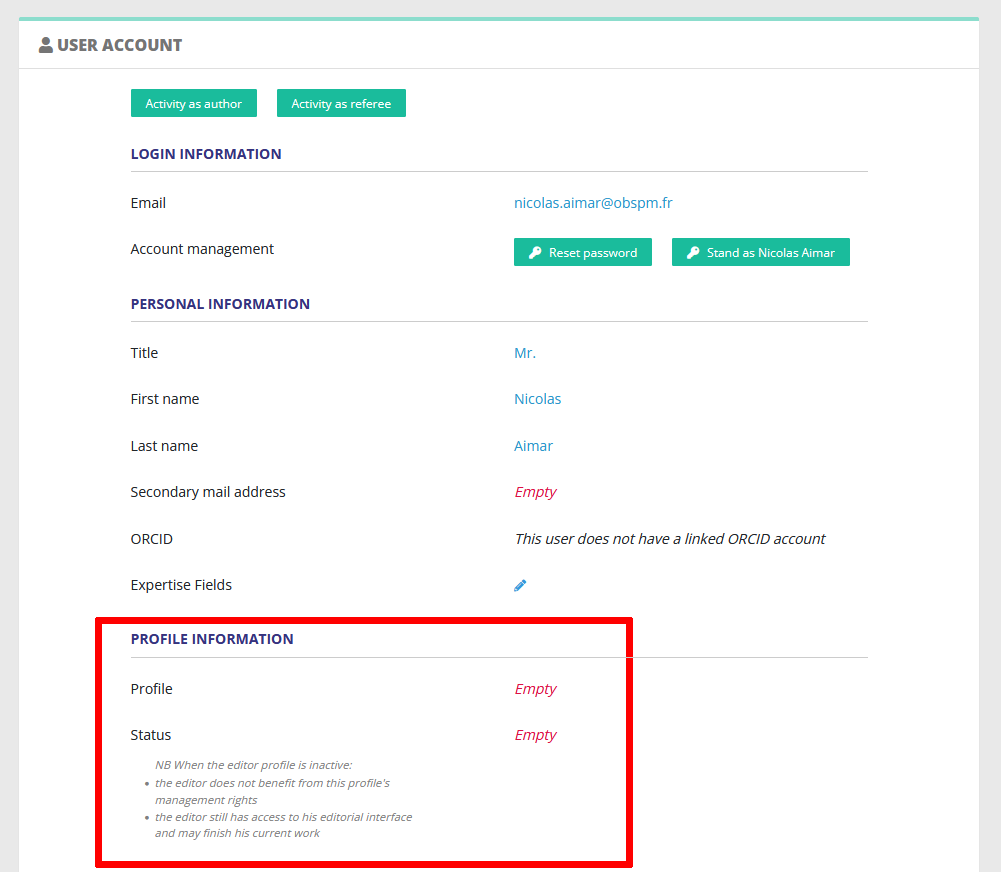
In the user account page, you may simply assign the editor profile here:
Disabling/removing an editor
When an editor leaves your editorial board, it is recommended to just disable his profile:
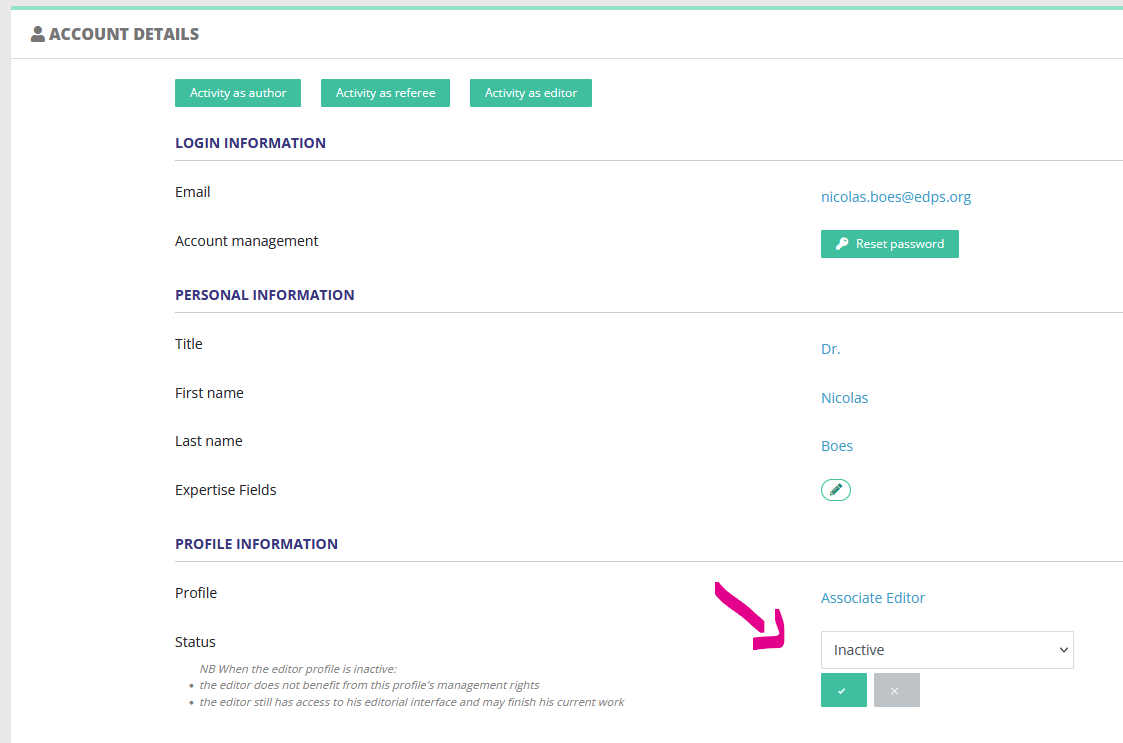
This way:
- The user will still have access to his editing history.
- And most importantly can still finish the editorial process on pending articles where he/she is already assigned.
Note that disabling the profile as indicated will:
- disable most journal management rights for this editor
- the editor will no longer be assignable on new articles
Editor profile: decisions and proposals
Depending on his/her profile, an editor can either propose or take a decision on a version (cf. the related editor guide).
This is defined in the article workflow rights:
|
|
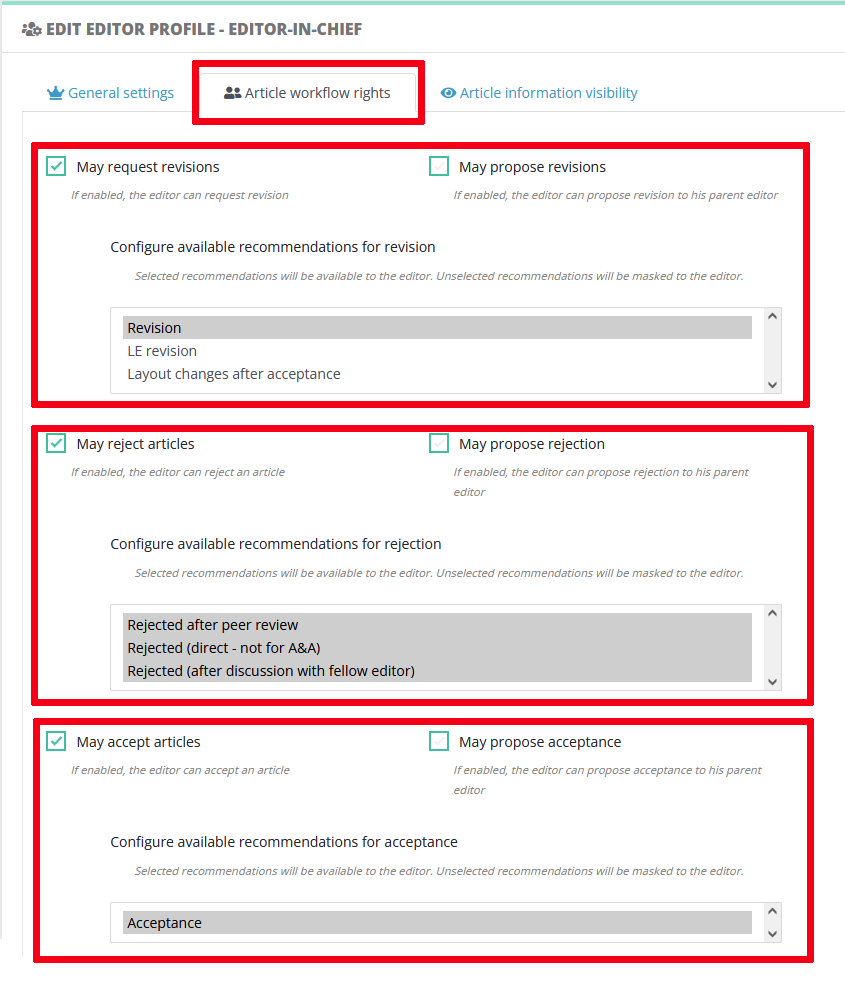
Decisions and proposals: purposes
Your journal may or may not allow associate editors to send decisions directly. It sometimes happen that the decision to author is subject to approval by the Editor-in-Chief.
Example 1 Some journals have a straightforward acceptance workflow:
Example 2 Other journals apply a more stringent procedure, where:
|
Technical differences
|
Decisions |
Proposals |
| Trigger an editable message from Editor to Author | Trigger an editable message from Editor to his parent (assigning) editor |
|
Is recorded in the decision module |
Is recorded in the decision module |
| Article changes status according to the decision |
Article change status to "Decision proposed" |
| The current editor does not change |
The parent (assigning) editor becomes current (see also responsabililty swiches) |
Link with the recommendation system
When configuring editor rights, please take care of selecting the available recommendations for this profile. See also the dedicated page for setting up recommendations.
Editor profile: responsibility (in charge)
Writing in progress... ↁ_ↁ
Any enquiries? please contact us: support@nestor-edp.org