Configuration of articles
This chapter describes how to configure articles in the journal: submission elements, workflows etc.
- Configuration of article submission
- Configuration of article types
- Configuration of file types
- Configuration of decisions: the recommendation system
- Configuration of questionnaires
Configuration of article submission
The submission workflow is the most technical configuration! At the minimum, we recommend to follow the following steps, hang in there:
- File type configuration
- Article type configuration
- Submission instructions configuration
The file type configuration
The first step is the file type configuration, where file types are listed, and may be created, updated, or deleted:
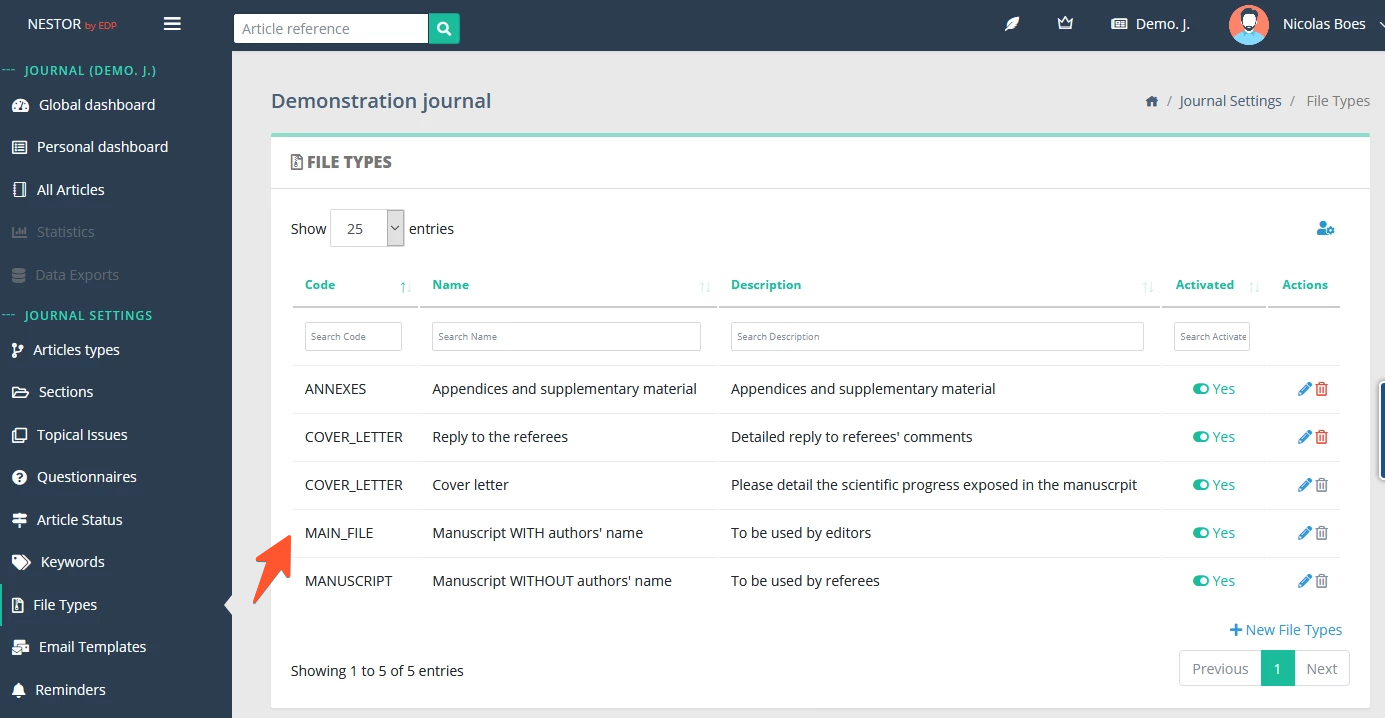
Clicking on “Edit file type” will get you to the file type configuration, where the following fields may be edited:
-
Name
-
Visibility by users (editors and referees)
-
Whether this file type will be sent to production systems when the article is accepted

The article type configuration
The second step is the article type configuration, where specific file types may be requested to the author at submission or revision, for a specific article type.
-
Depending on the article type, you may want to require specific files. For example, a cover letter from the authors may not be requested for a preface article.
-
In a given article type, depending on the first submission or a revised submission, you may want to require specific files. For example, a first submission will never require a reply to the referee, while a revised version will often need a reply to the referee.
Thus, for any given article type, this behavior is defined here:

The submission instructions configuration
During the submission process, the author may be guided during each step of the submission.
For this purpose, you may configure specific instructions here:

Configuration of article types
Article types may be configured in the journal configuration, where article types are listed, and may be created, updated, or deleted:
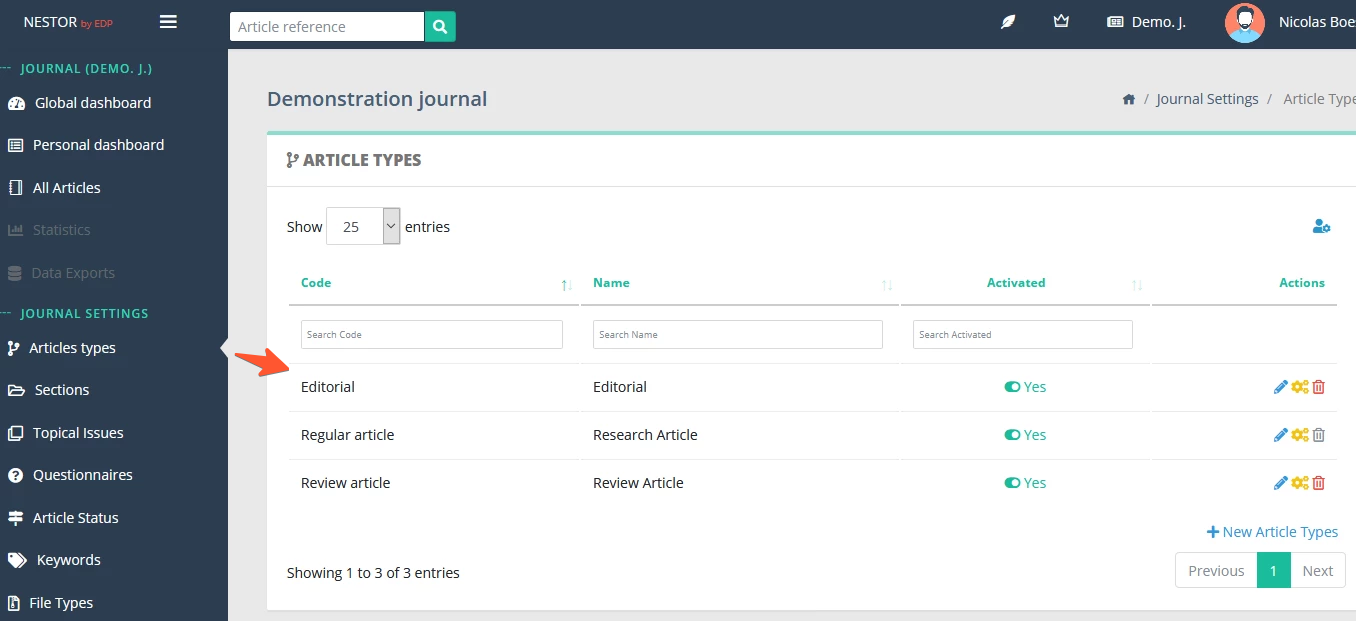
Clicking on “Configure article type” will get you to the article type configuration, where the following options must be edited for any given article type:
-
Information required to the authors at submission (file types, information fields, questionnaire)
-
Due dates for authors and editors: this serve as a basis to compute the status due date and reminders
-
The technical check, if any. When activated, articles with this article type will benefit from a special workflow
-
The peer review: referee due dates, number of reports expected before taking take a decision
Configuration of file types
File types may be configured in the journal configuration, where file types are listed, and may be created, updated, or deleted:
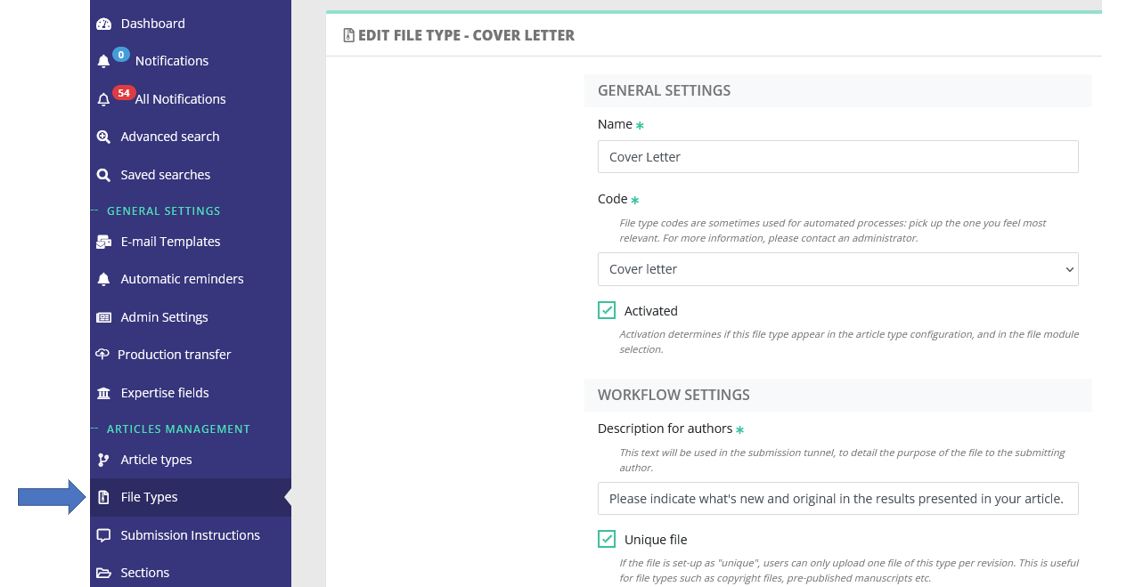
Clicking on “Edit file type” will get you to the file type configuration, where the following options must be edited for any given file type:
-
General setting (labels and activation)
-
Workflow settings, related to submission and Similarity Check
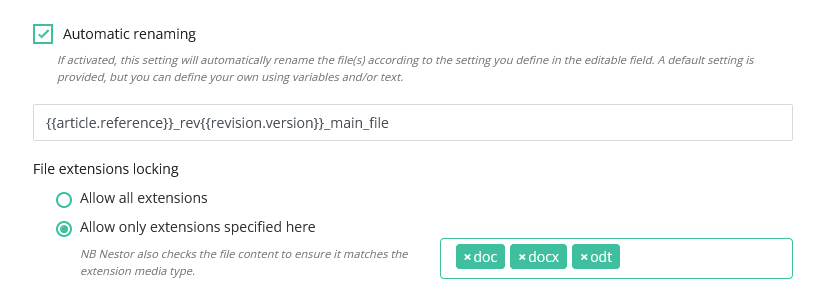
- Automatic renaming and extension checks:
-

- Visibility settings
Configuration of decisions: the recommendation system
Depending on your workflow needs, your journal can use very specific labels for decisions. Some decisions will be related to scientific corrections, others may be related to copyediting or language corrections. In Nestor those labels are called "recommendations". Here are a few common examples:
| Acceptance group |
Revision group |
Rejection group |
|
|
|
Those labels are freely configurable here:
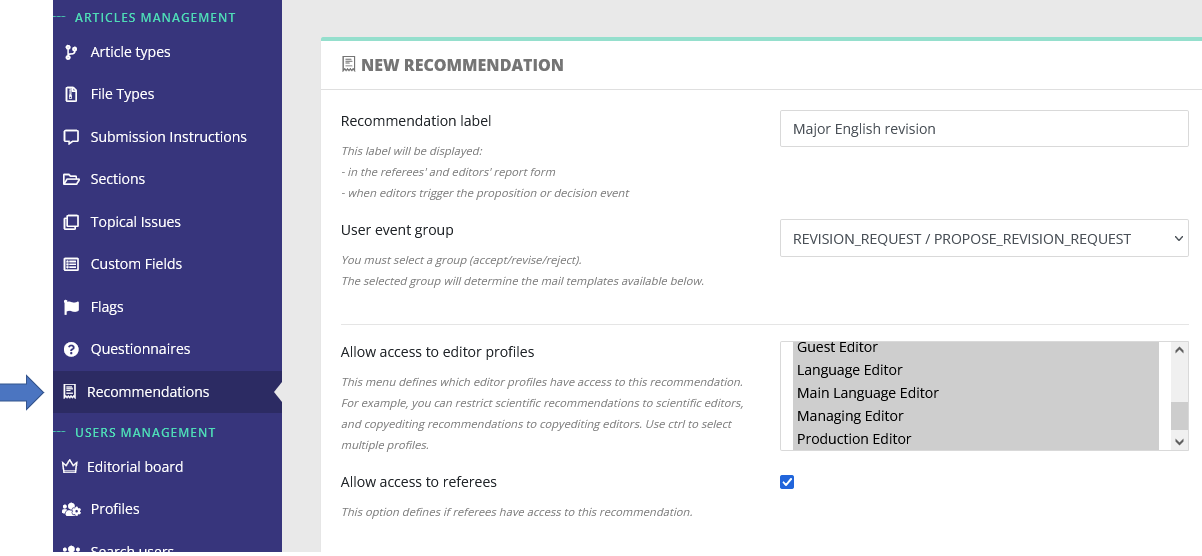
From this page, you will be able to set up:
- the decision label
- who has access to the recommendation (editors/referees). See also the dedicated page regarding decisions and proposals.
- which e-mail templates are linked to this recommendation
Configuration of questionnaires
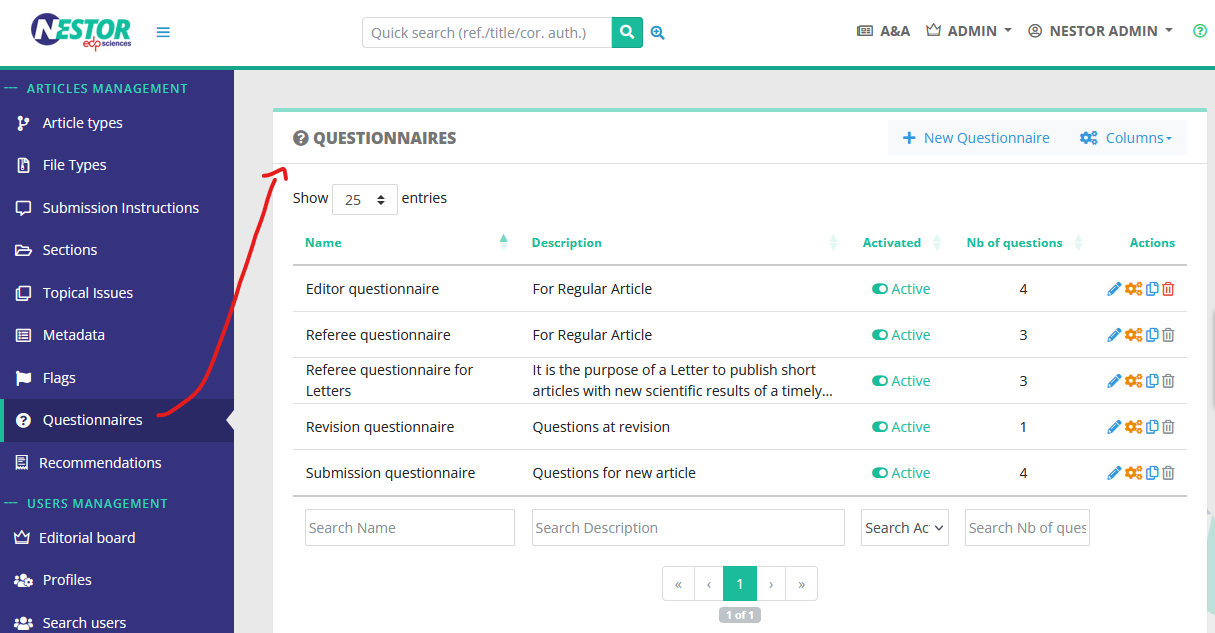
Writing in progress... ↁ_ↁ
Any enquiries? please contact us: support@nestor-edp.org