Editorial interface for A&A: a quick overview
This guide is intended for Associate Editors of A&A. It gives a quick overview of the general menu and article page of NESTOR, and how these differ with the corresponding interfaces in MMS.
Important notes
|
The following is divided into three sections:
General interface
The dashboard
When connecting to the system, you will be greeted by your personal dashboard:
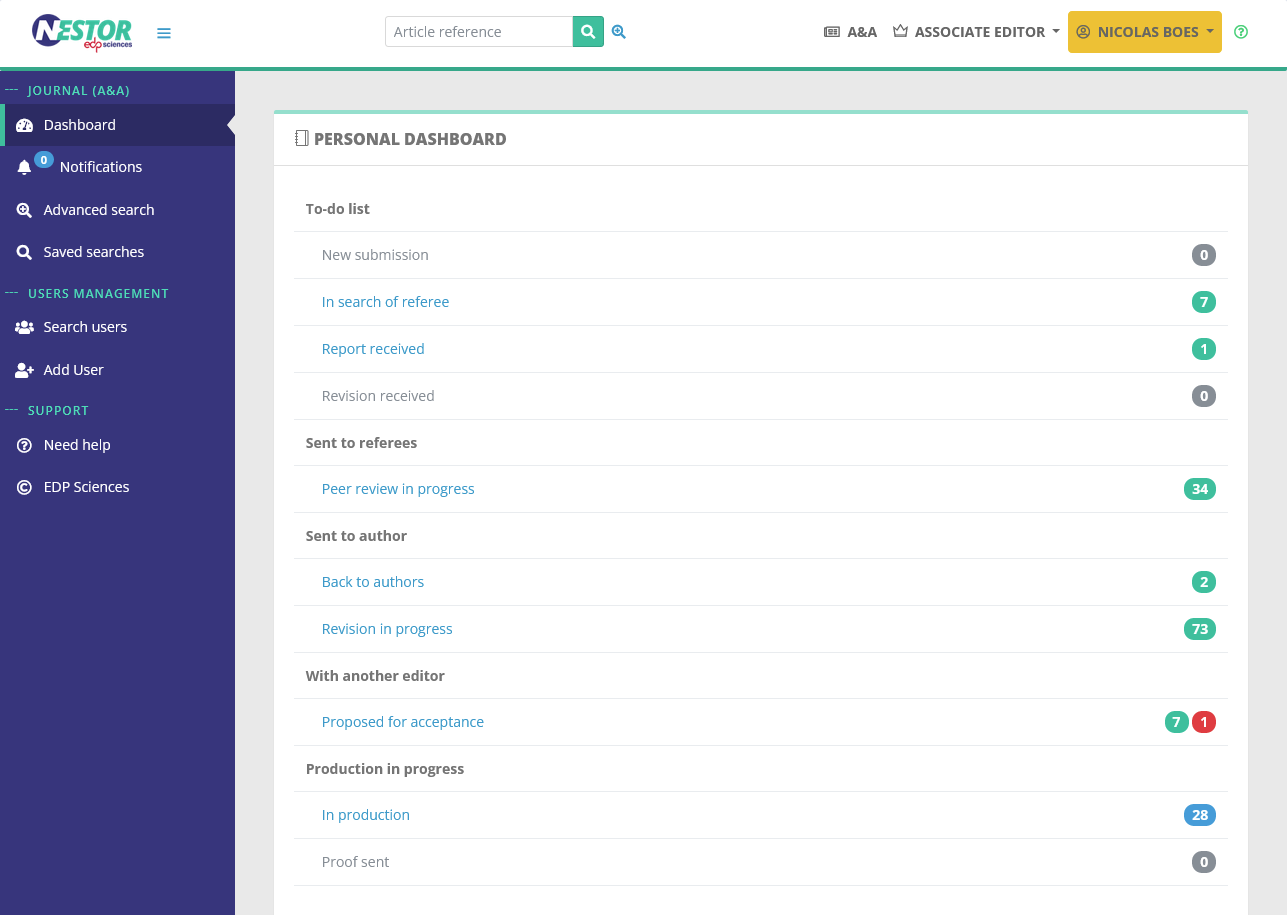
A few words about the differences with the MMS:
- Articles expecting an action from you are specifically grouped into the to-do list.
- Outside the to-do list, papers are grouped according to the person expected to take action (usually authors or referees), statuses breakdown has been slightly refined.
- If we refer to the MMS, in Nestor the articles are sorted like so:
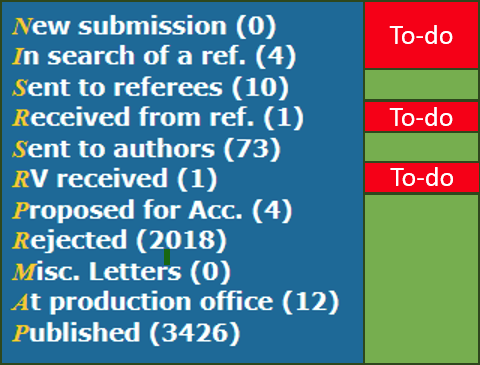
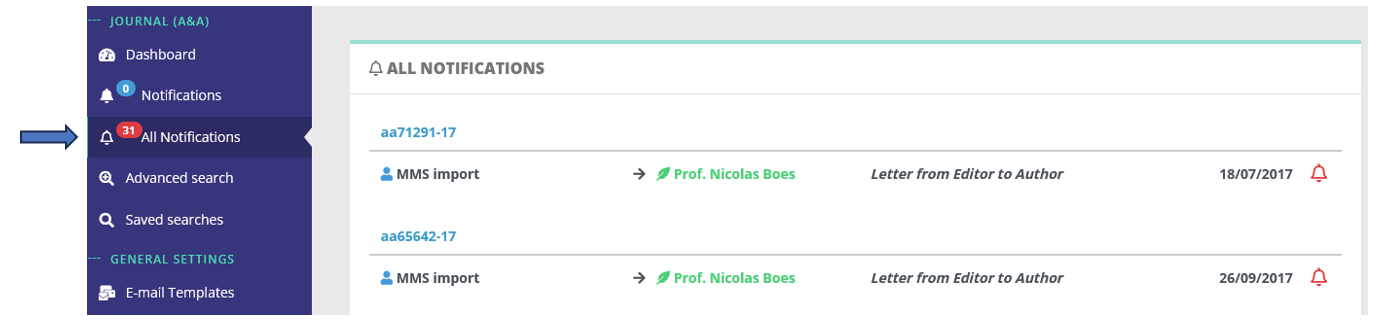
- NB The status "Misc. letters" has been removed altogether. Instead, it has been replaced by "notifications". The aim is to preserve the real status of the paper (for example: "Revision in progress"):
Articles lists
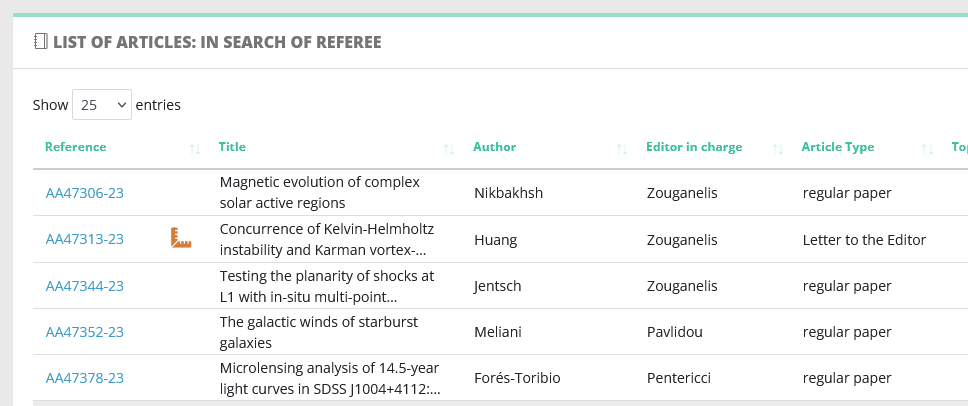
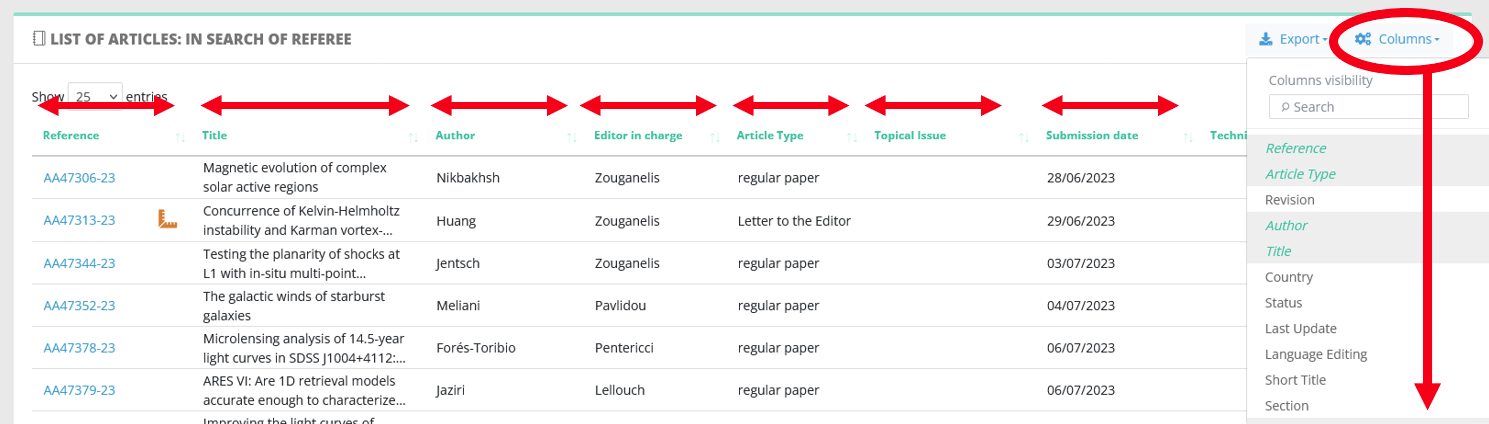
- Note that there is no specific interface for letters. For a given status, letters are grouped with regular papers. When clicking on a status, a list will be generated like in the MMS. In this list, letters are highlighted with a special icon:
- Speaking about lists, you can customise their display to suit exactly your needs:
- which columns appear,
- how they are ordered.
Article interface
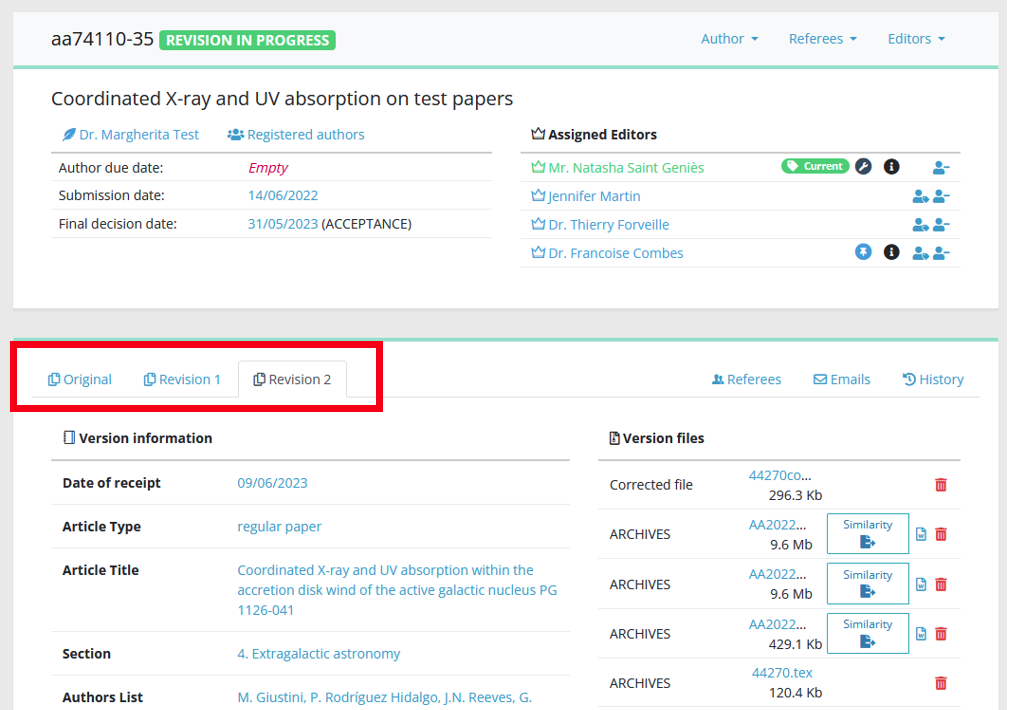
The main new feature compared to MMS is that history is tracked according to each article version. While the MMS did it for manuscript files:

Nestor does it for many more things:
- Manuscript files
- Manuscript information
- Referees contacted
- Editorial decision
- E-mails sent
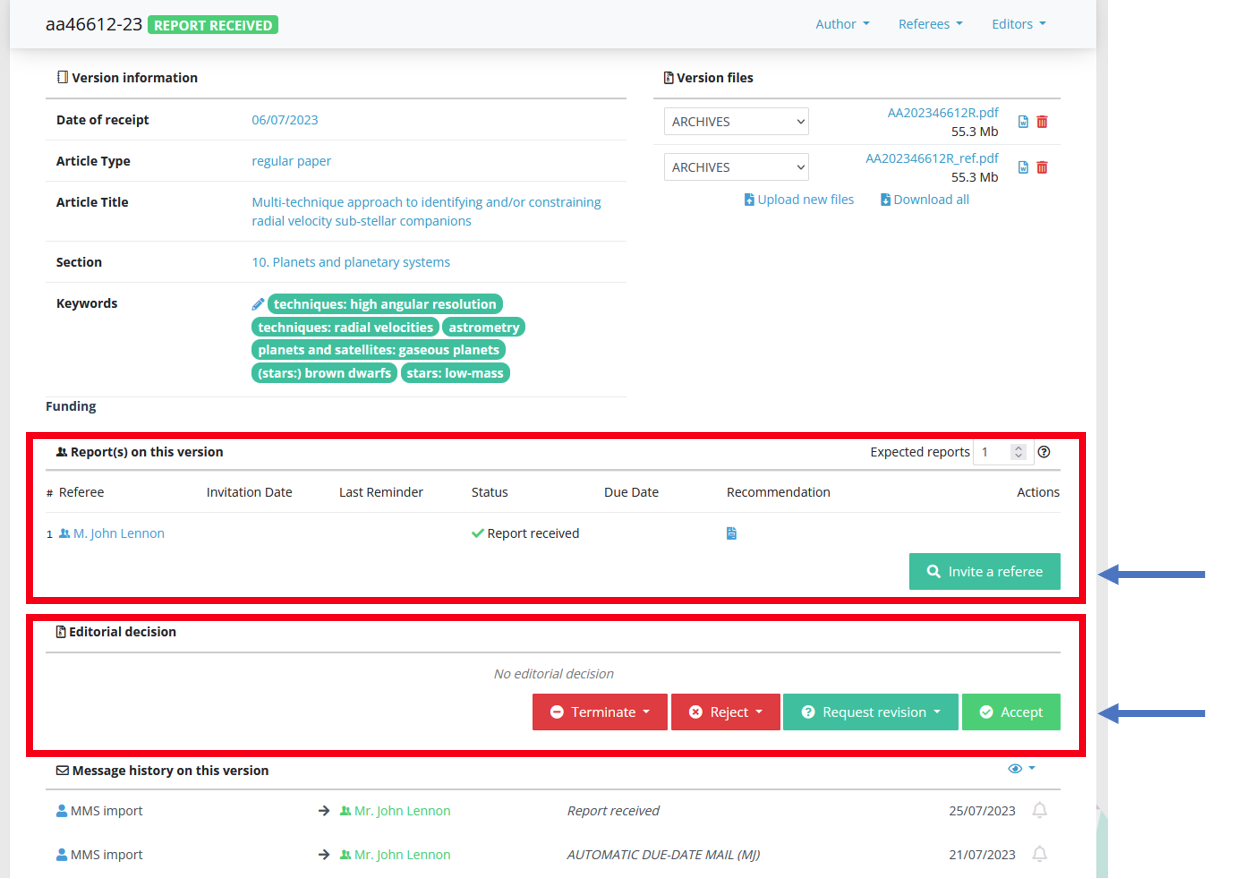
On the current version of the paper, you will retrieve relevant actions in dedicated modules:
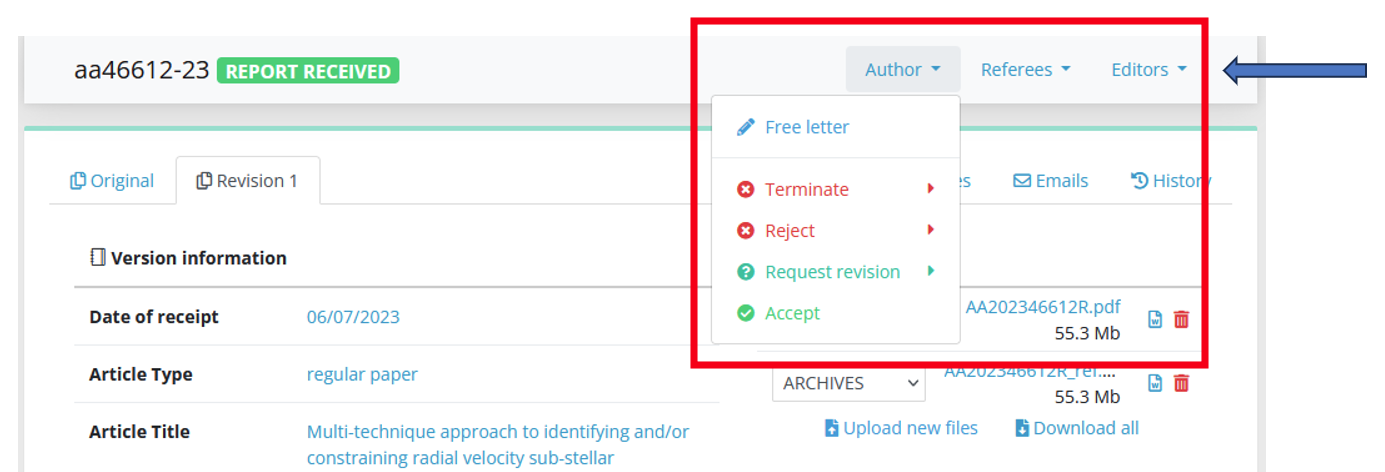
These actions are also available in the quick actions bar, which is similar to the MMS in this regards. This bar is always displayed in the upper part of the page:
A few final tips
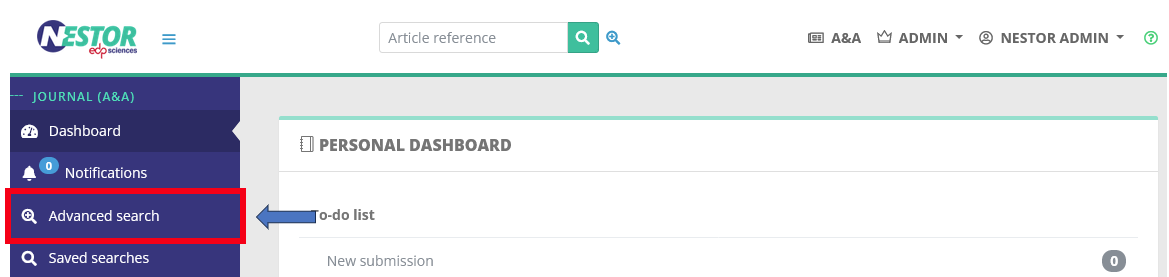
- An advanced search tool is available here. Note that you can save your search criteria to retrieve them later:

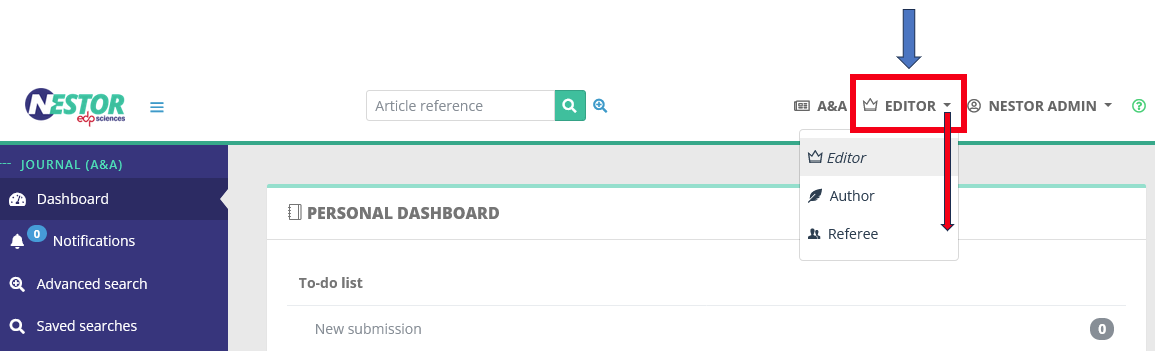
- If you want to retrieve your papers as author or referee, you can switch here. Do not hesitate to also test the submission workflow:
- The detailed documentation guide is available here. In case of technical enquiries, you may also get in touch with us: Support Nestor <support@nestor-edp.org>