# Dashboards, status and counters
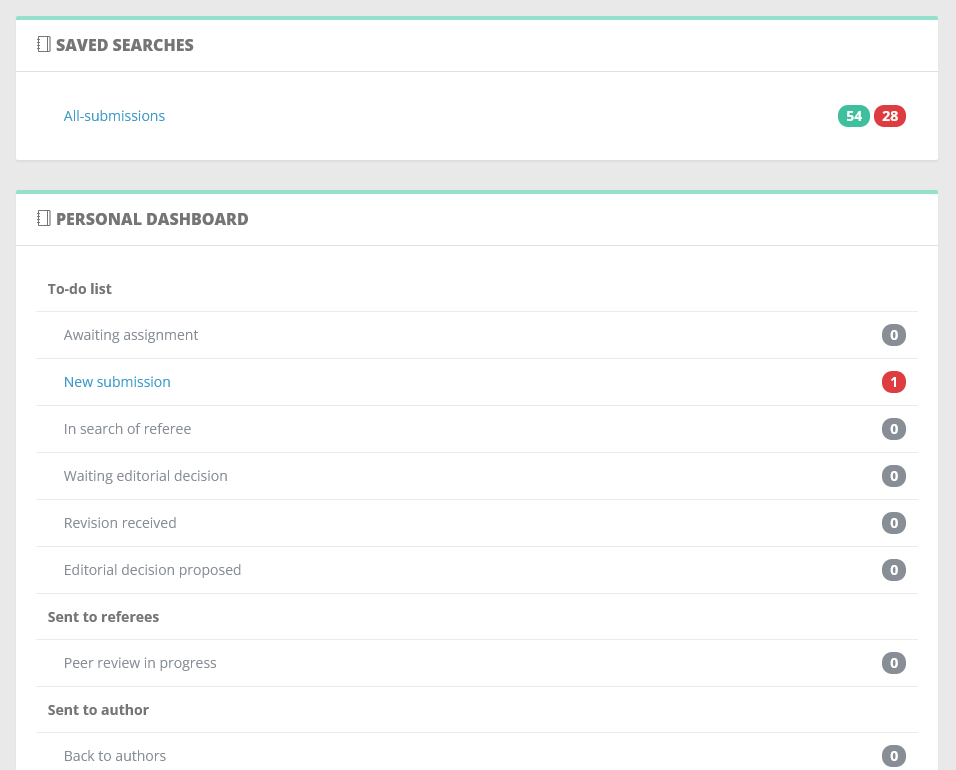
Nestor dashboards offer a quick overview of the journal activity, sorting articles by status and counting them.
- **Red counters sum up articles where [the due date ](https://doc.nestor-edp.org/books/editor-guide/page/the-due-date)is exceeded
**
- **Green counters sum up articles where [the due date ](https://doc.nestor-edp.org/books/editor-guide/page/the-due-date)is not exceeded**
---
##### Standard dashboards
Every editor has access to:
- The saved searches area, which contains links to your [favorite searches](https://doc.nestor-edp.org/books/editor-guide/page/advanced-and-saved-searches "Advanced search").
- The personal dashboard, listing the articles you are [in charge of.](https://doc.nestor-edp.org/books/editor-guide/chapter/editor-assignment-and-responsibility)
[](https://doc.nestor-edp.org/uploads/images/gallery/2023-05/zo9yhavZv7vekrZY-image.png)
---
##### A brief overview of the workflow
The workflow has been divided into functional steps called statuses. For each status, Nestor expects a reply from the indicated user, and use [the due date](https://doc.nestor-edp.org/books/editor-guide/page/the-due-date) to calculate delays.
Below is a diagram of the Nestor workflow. Blue boxes represent editorial statuses: these will appear in your to-do list and require your attention! Starred statuses allow you to take the common actions:
- ask for a revision
- take a final decision
- or send the paper to the referees
[](https://doc.nestor-edp.org/uploads/images/gallery/2025-08/oYKQs7anxBFJiMW2-image.png)
---
#### Special dashboards
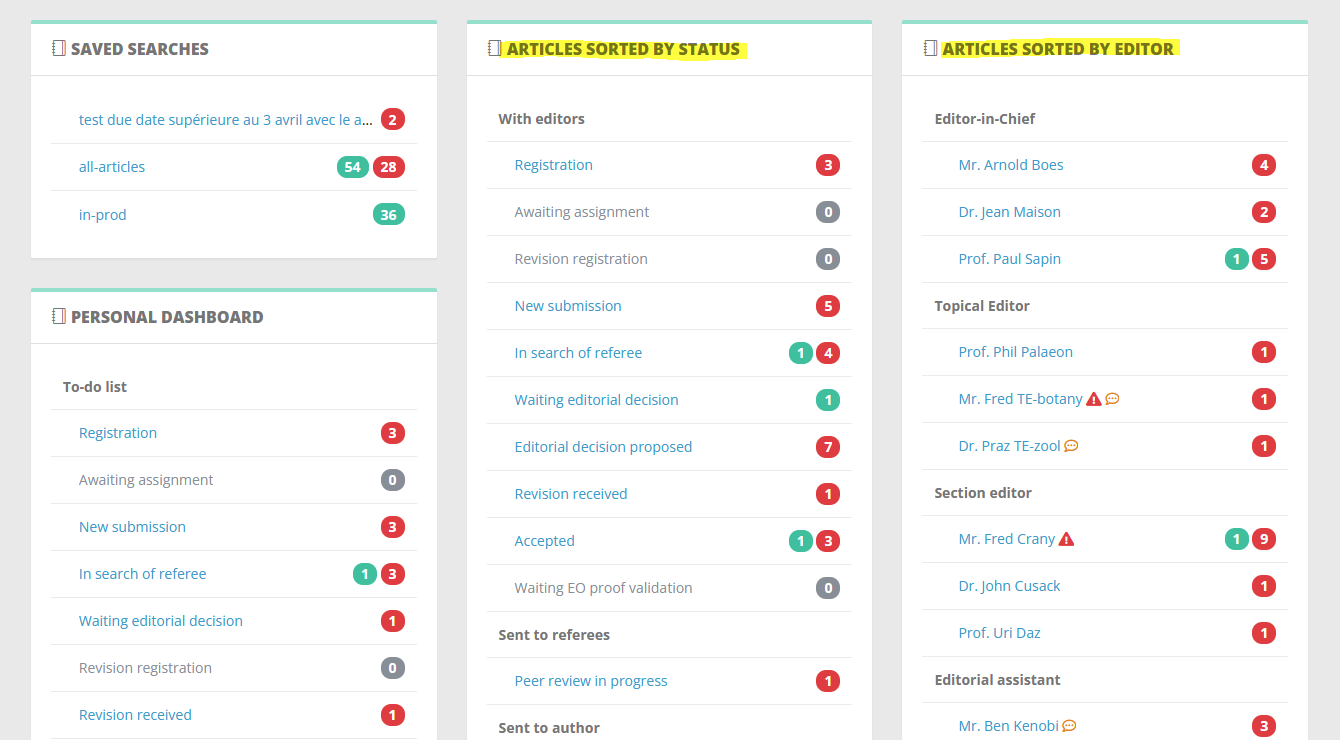
Additionally, and according to your profile rights, you may have access to
- A list of all articles sorted by status (more relevant for editorial offices)
- A list of all articles sorted by editors (usually used by editors-in-chief);
[](https://doc.nestor-edp.org/uploads/images/gallery/2023-05/RhMFbP8LTTrTNo7L-image.png)