Assigning editors
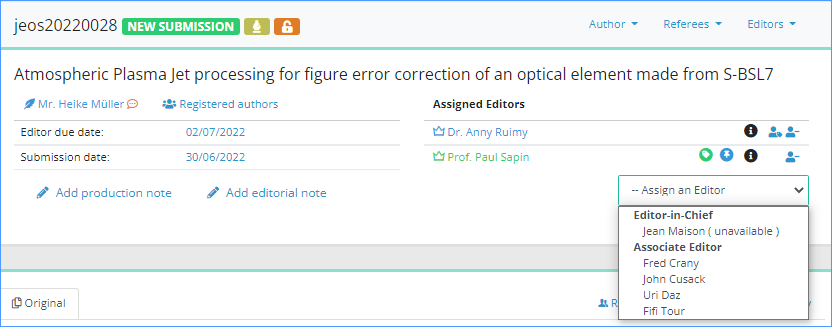
If you are an Editor-in-Chief, you will likely assign articles to other editors (e.g. Associate Editors, Guest Editors, etc.). Click on the ‘Assign an Editor’ menu and select the editor you want to assign. This opens the confirmation window, proposing you assignment e-mails:
|
Once you confirm sending the message, the following happens:
|
Additionally:
- if the article status was "Awaiting assignment"
- --> status changes to "New submission"
- if the assigned editor has a chargeable profile
- -->Nestor will also consider him as "editor in charge", which impacts his personal dashboard
Current editor & editor in charge
In the article:
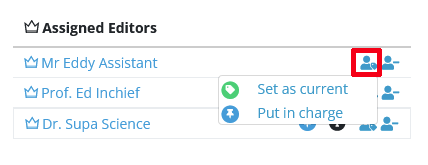
- The "current editor" is highlighted with a green badge
- The "editor in charge" is highlighted with a blue badge
On a given article, there can be only one editor in charge, and one current editor. The same person can hold the two responsibilities at the same time.
In fact most of the time, the scientific editor is both "current" and "in charge". Depending on your workflow, this can change later on in the process. For example:
- The editor in charge proposes an acceptance to the Editor-in-Chief: the EIC is now current.
- The EIC accepts the article and pass it on to a copy editor, the copy editor is now current.
If necessary, editorial responsibility may be easily corrected with this tool: